BTS User Manual
Neware Technology Ltd.
http://www.newarebattery.com
Previous channel, next channel select
tool
Data area-step layer folding/unfolding
Data area step layer expansion/collapse
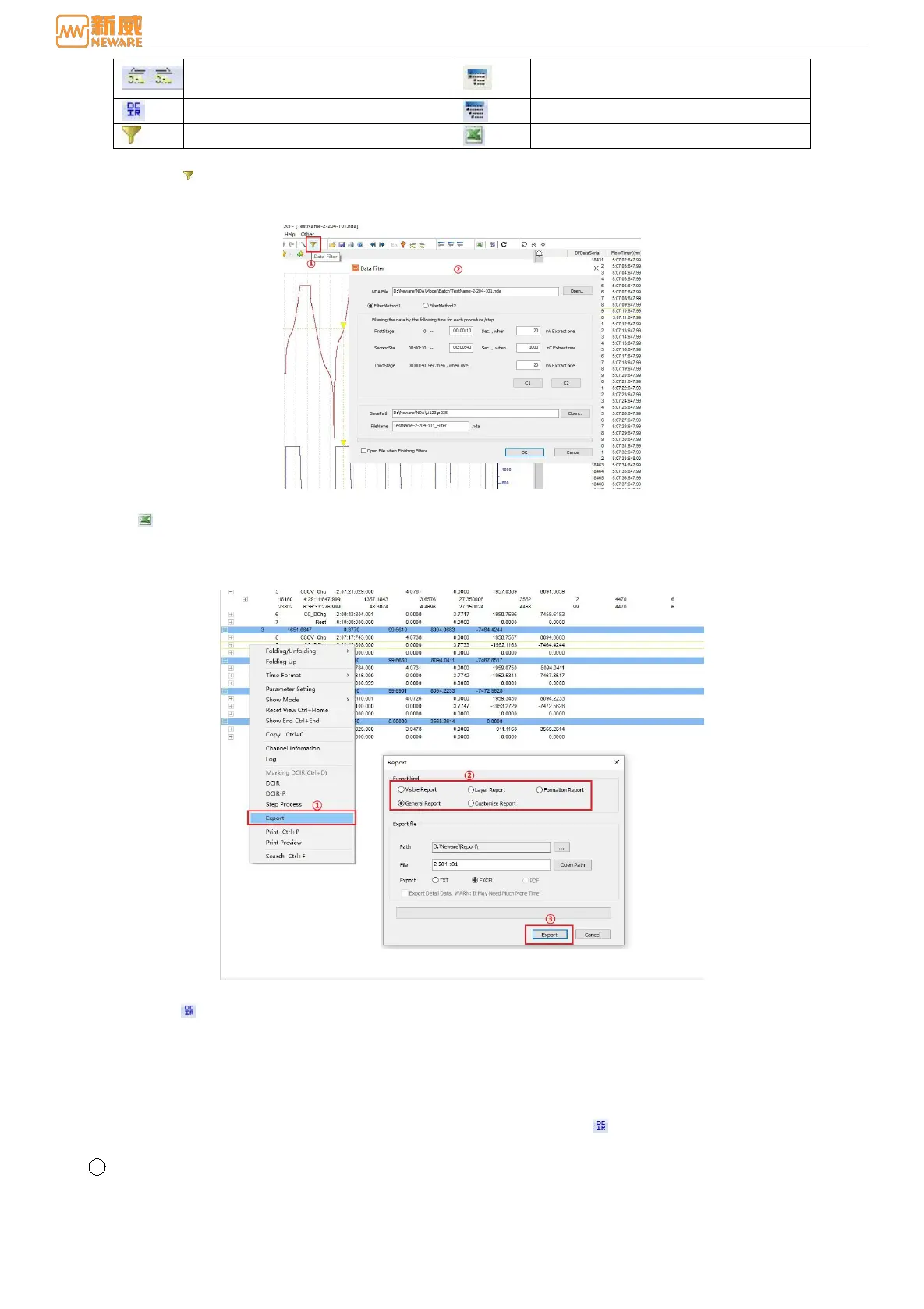
1. Data filtering
Implement a data filtering function. Based on the original BTSDA9.0 version, the Mode 2 filtering mode has been
added, as shown in Figure 6-6. You can select either of the two filtering modes.
Figure 6-6 Data filtering window
2. Export
Data can be exported in different ways. For example, Visible Report, Layer Report, Formation Report, General Report,
Customize Report, etc., as shown in the following figure. It supports export in TXT, EXECL, and PDF formats and
supports customize export paths and file names. Right-click → select Export to achieve this function.
Figure 6-7 Report function setting
3. DCIR setting
The DC internal resistance and the power value of any step (including pulse step) can be calculated automatically, and
the graphs and data reports of internal resistance can be derived. In contrast to the measuring internal resistance step in
the step editor, the measuring internal resistance step is edited in the step, which is executed according to the
conditions set by the step in the test process, and the internal resistance is finally measured, while the DCIR parameter
is set in THE BTSDA, and the internal resistance value is obtained through the subsequent calculation of the data that
has been tested. This function can be achieved by clicking the set button or right clicking → select "DCIR"/"
DCIR-P".
1 Step DCIR Setting 6-8:



 To Next Page