BTS User Manual
Neware Technology Ltd.
http://www.newarebattery.com
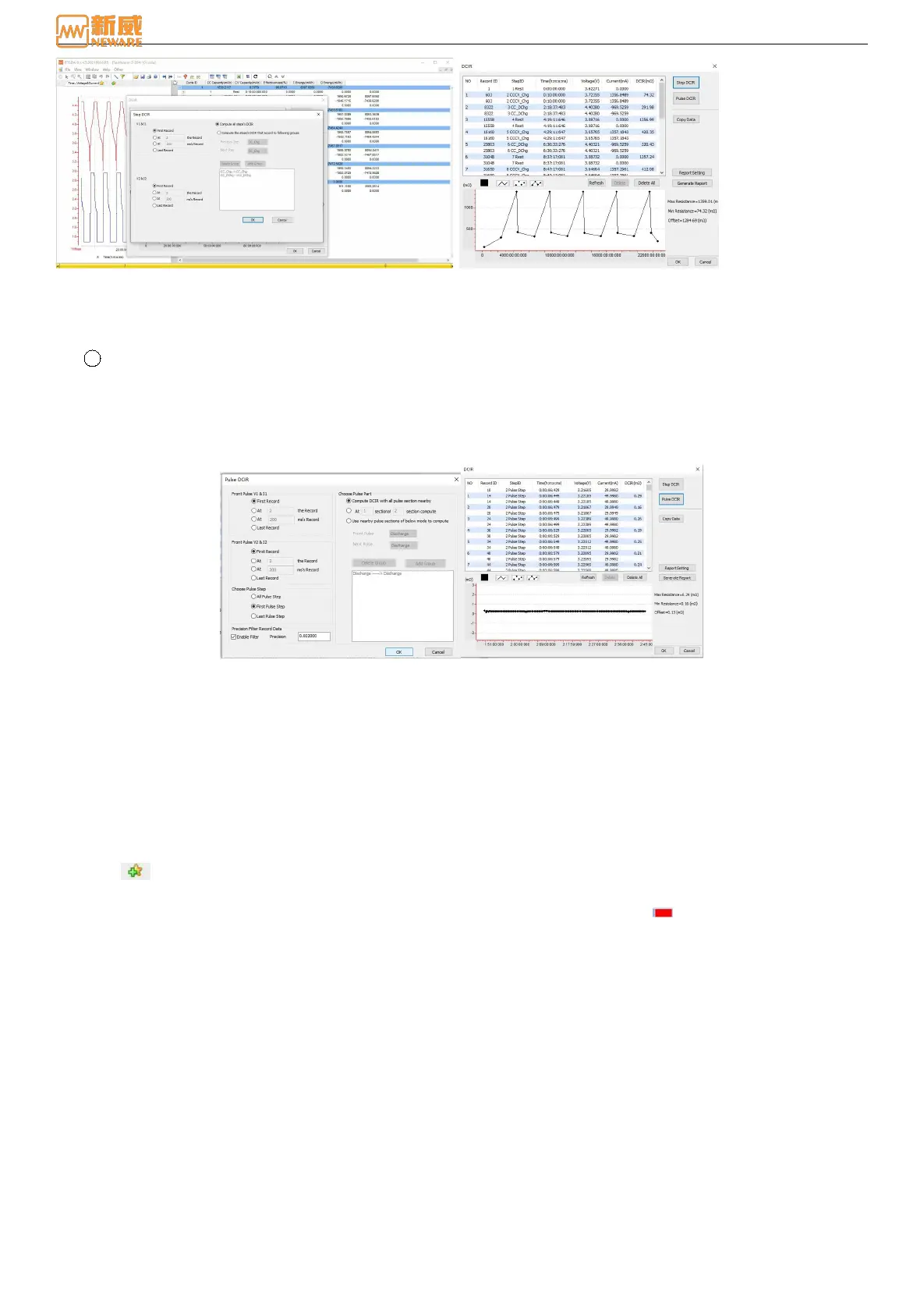
Figure 6-8 Step DCIR setting Figure 6-9 Step DCIR calculation
After the DCIR parameters are set, click OK. The DCIR battery internal resistance calculated according to the
configuration conditions will be displayed in Figure 6-9 and the corresponding image will be drawn.
2 DCIR-P: Through the pulse discharge step, to calculate the internal resistance. Currently, only part of the BTS9
equipment has this function. Select the Pulse DCIR button to enter the pulse DCIR setting interface, as shown in
Figure 6-10:
After setting DCIR-P, click OK button to display the DCIR value and P value calculated by the software in the
INTERFACE of DCIR-P, and draw the corresponding image. As shown in figures 6 -11.
Figure 6-10 Pulse DCIR setting Figure 6-11 Result display
Figure Zone
The curve displayed in the BTSDA data analysis software represents the accumulated movement track of the recorded data
of each step during the execution of a complete test process at a certain time interval. X axis and Y axis respectively
represent battery performance parameters. In a specific step process, the corresponding relationship between the data
recorded by X axis and Y axis can be used to analyze and test battery performance.
1. Tab bar
In the curve setting function, users can customize the parameters of the coordinate axes according to their needs, so as
to achieve the parameter curves under different combinations and provide users with a variety of data analysis schemes.
The operation method is as follows:
Click (or right click“Graphics setting”), on the Curve Settings screen, select the parameters represented by the X
axis and the YI, Y2, Y3, and Y4 axes, respectively. The default settings are as follows: X indicates time, Y1 indicates
empty, Y2 indicates empty, Y3 indicates empty, and Y4 indicates empty. Click color , You can set the color of the
curve displayed in the "Graph area" as shown below:
If you want to delete the label, right-click the label and choose Delete. In the curve setting interface, right-click the
label list to delete it, or choose not to display this label.



 To Next Page