BTS User Manual
Neware Technology Ltd.
http://www.newarebattery.com
Figure 6-14 X-axis left/right movement zone Figure 6-15 Y-axis up/down movement zone
Hold down Shift and scroll wheel to move the curve left and right.
3 Curve scaling and recovery
Users can scale the curve in the following ways as required. Click the restore icon or right click Restore to
restore the graph to the initial state.
Use “Zoom tool”
Click the zoom icon on the toolbar, hold down the left mouse button in the graphics area and drag the
mouse upward to enlarge the graphics.Drag the mouse down to make the graph smaller.
Use“Topo-zoom tool”
Click the local zoom icon on the toolbar. Press and hold the left mouse button in the graphics area and drag.
When you release the mouse, the area inside the dotted box will be enlarged and fill the entire graphics area,
and the scale of the coordinate axes will change accordingly.
Scroll the mouse wheel
Zoom defaults to X-axis zoom; press Ctrl+wheel to zoom in on the Y axis. In mouse wheel zoom mode, the
zoom curves with the mouse position as the center.
The mouse zooms in and out of the coordinate area
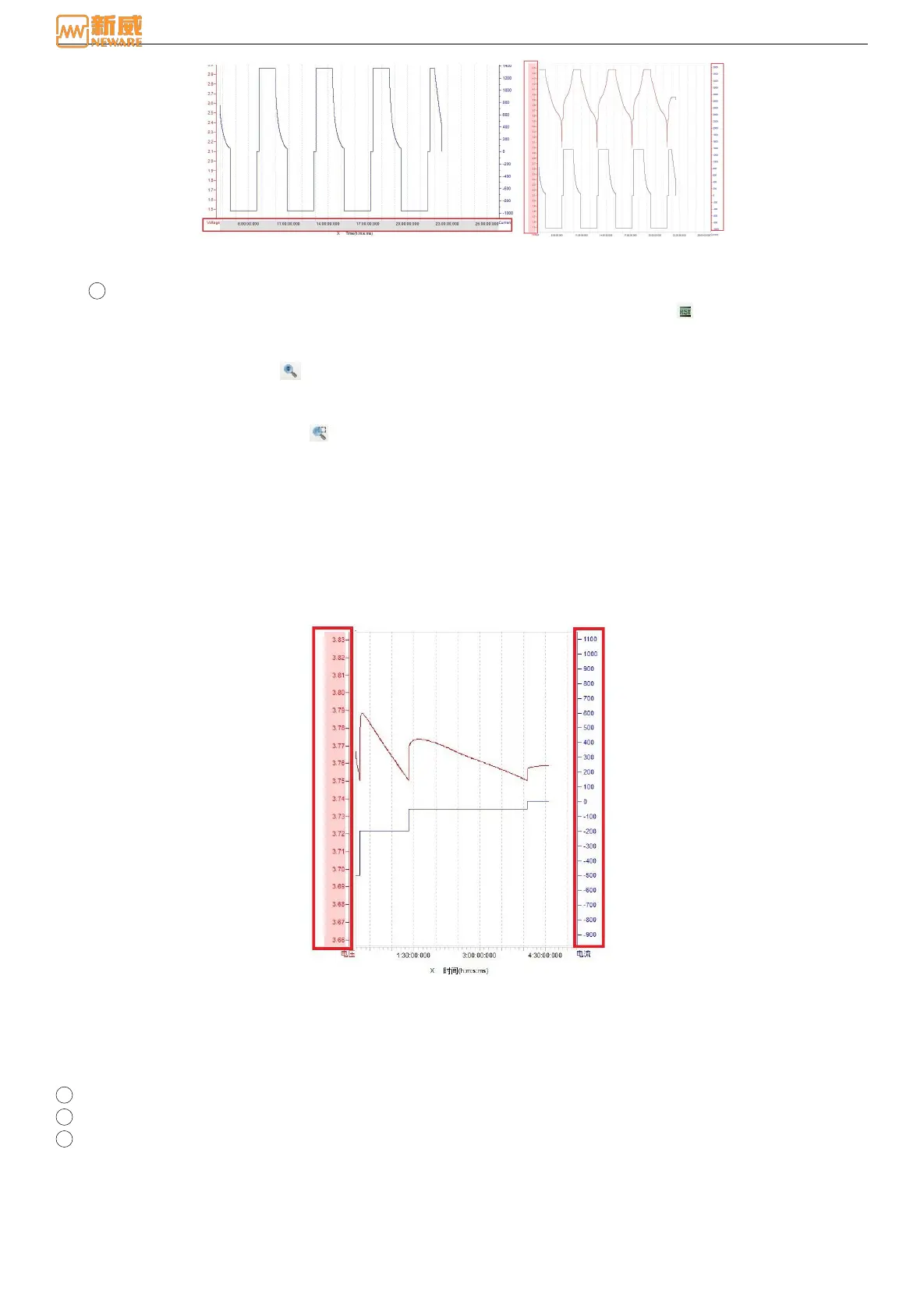
Move the mouse to both sides of the Y coordinate axis, and colored blank areas will appear: light red on the
left and lavender on the right, as shown in the figure below. Turn the mouse into the shape of "hand + left and
right springs", and roll the mouse wheel to scale the X-axis with the Y-axis as the fixed point.
Figure 6-16 Y-scale
Data Area
The data area is used to display the detailed values of the test data, including the table header, test data, and log lights, as
shown in the figure below. Users can view all test data and test information through the data area, and can also set
personalized parameters through the right menu of the data area.
1 Log indicator
2 Header
3 Test data



 To Next Page