14
2.5 Installing the transducers
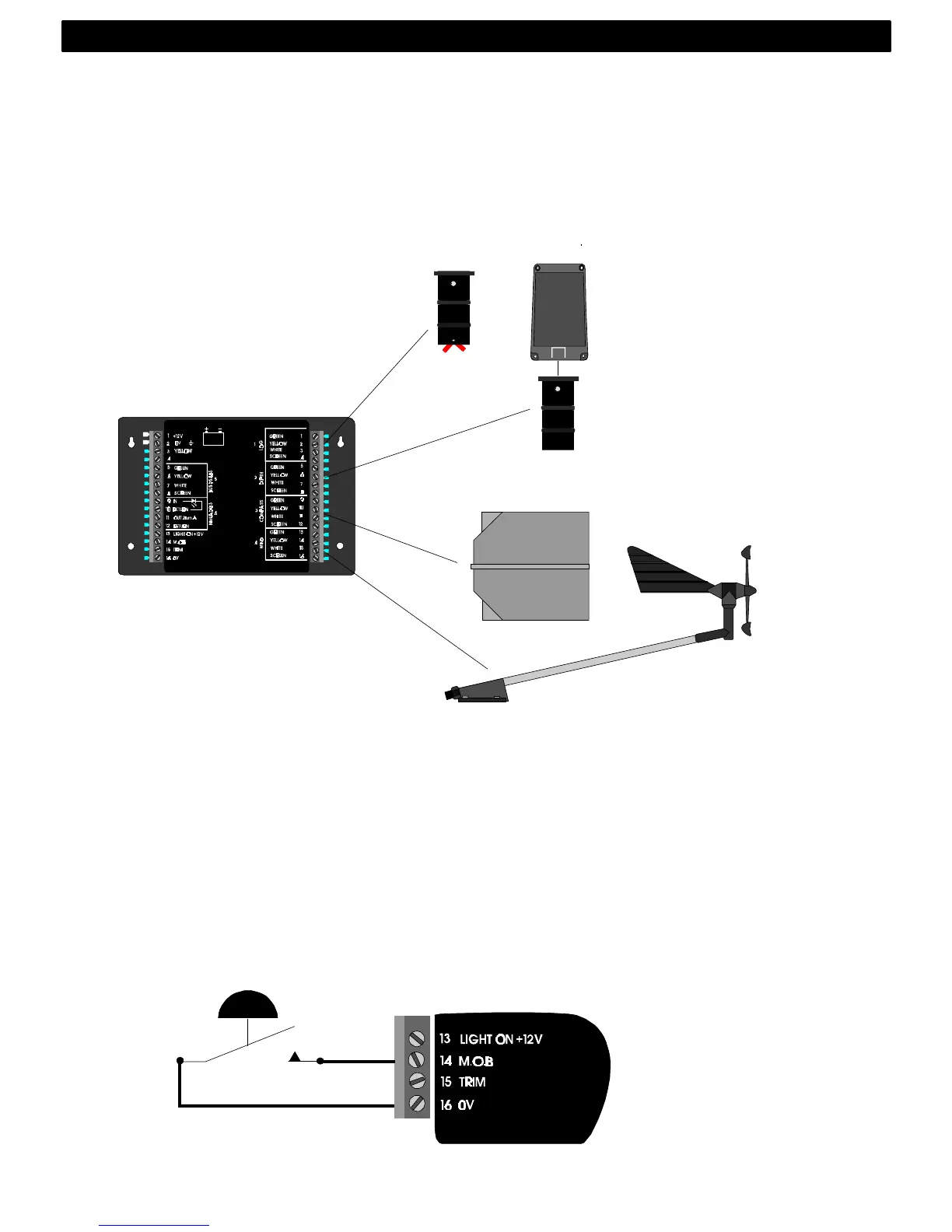
Log, depth, wind and compass transducers are all connected to
the pins on the right hand side of the Server. They are all clearly
colour coded and marked with numbers and names. Install the
transducers according to the separate instructions supplied with
each transducer. Connect as per below drawings
2.6 Connecting optional accessories
These optional accessories are available from your local Nexus
Dealer. (For a more complete list of accessories available, see
14.4).
2.6.1 Man over board (MOB) push-button
Art. no. 19763. (For function explanation, see 10).
White wire to Server pin 14 (MOB). Brown wire to Server pin 16
(0V).
INSTALLATION



 To Next Page