24
4.2 How to use the push-buttons
4.2.1 MODE
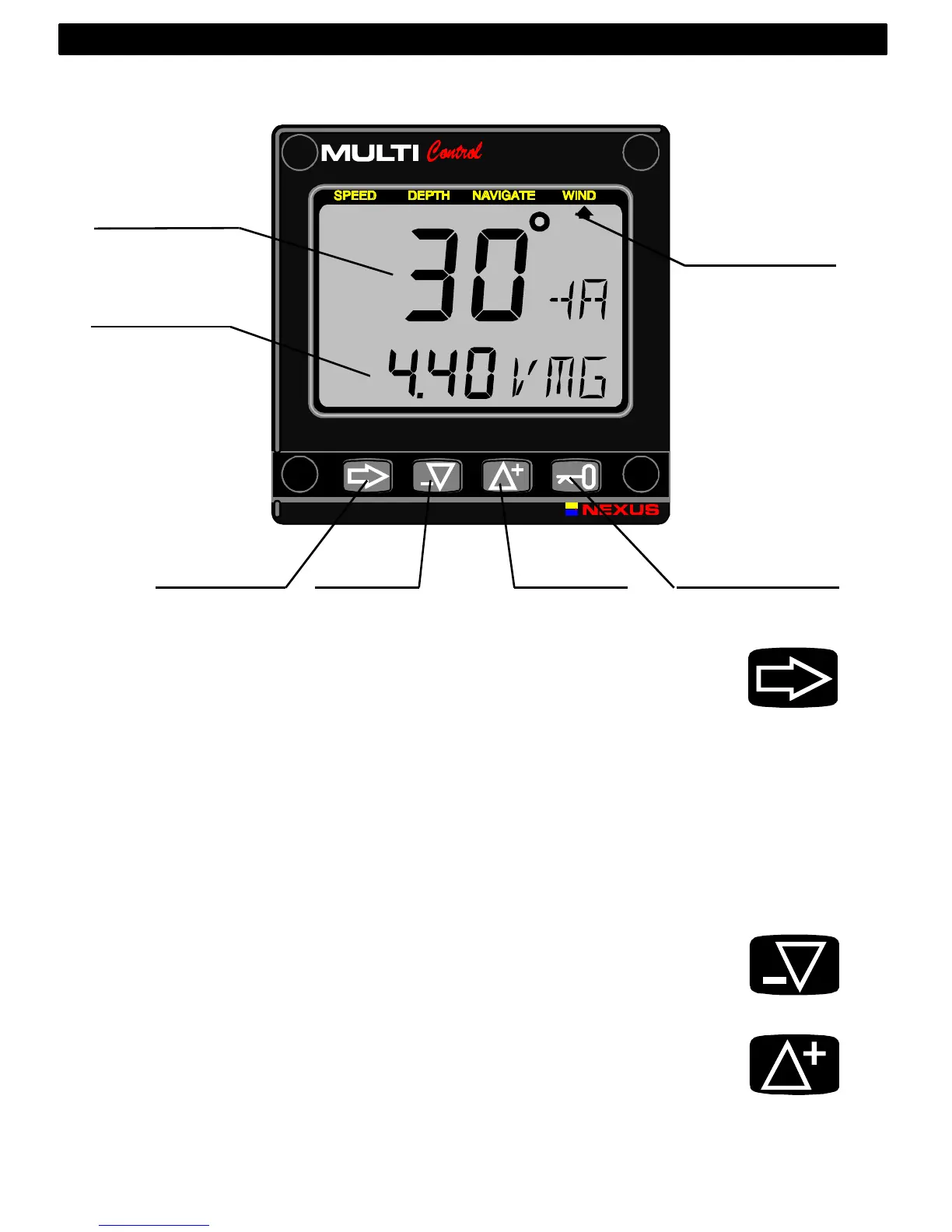
A press on MODE moves the top LCD arrow to the next page. It
scrolls in a circular pattern, one step to the right for every press, in
the order SPEED, DEPTH, NAVIGATE, WIND and then back to
SPEED page again. A press on MODE and DOWN together, back
steps MODE to the preceding page.
The MODE button is also used to move the cursor when in edit
mode.
A press on MODE moves the cursor in a circular pattern, one step
to the right for every press.
A press on MODE and DOWN together, back steps cursor to the
preceding step.
4.2.2 DOWN
A press on DOWN moves to the next sub-function.
In edit mode it decreases to the previous digit.
4.2.3 UP
A press on UP moves to the previous sub-function.
In edit mode it increases to the next digit.
MAIN
FUNCTION
SUB
FUNCTION
PAGE
ARROW
MODE DOWN UP KEY
OPERATION
MODE
DOWN
UP



 To Next Page