49
9.2.2 DAMPING (SEA)
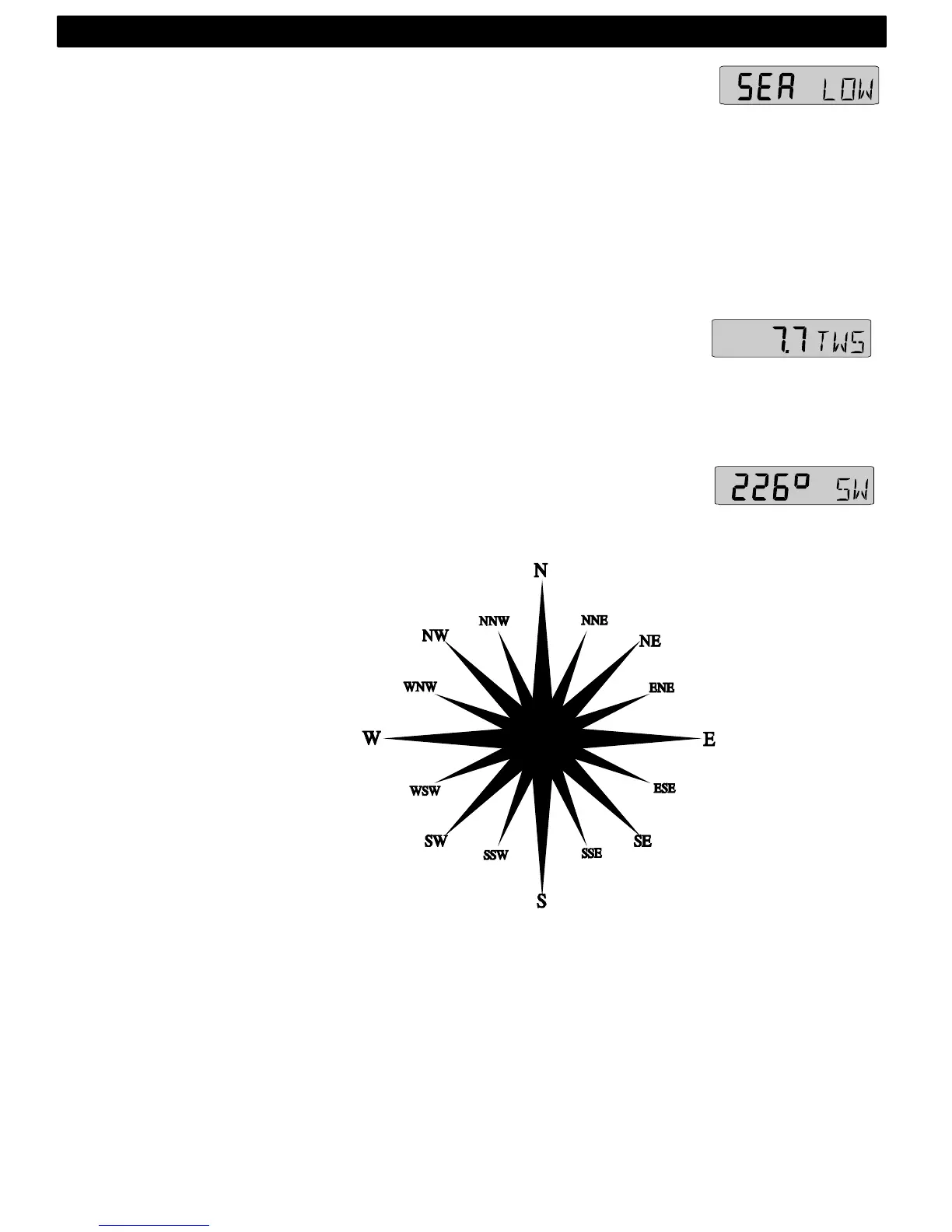
Damping of wind information. Controls the response time of wind
changes. To change damping, press KEY. To select damping
level, press UP and select from: LOW) 1 sec, (MID) 5 sec and
(MAX) 22 sec. To store the selected value, press KEY.
Factory value is (LOW), for use in calm sea. But if the sea is
rough, you may want to ”stabilise” the readout on the display,
then select MID or (MAX). Damping is set separately for each
instrument.
9.2.3 TRUE WIND SPEED TWS
This function requires a log transducer. Displayed in m/s (m/s),
knots (KTS) or Beaufort (BF). (See 12.5, C52).The text alternates
between (TWS) and the selected (unit)
9.2.4 GEOGRAPHIC WIND DIRECTION
This function requires a compass transducer. Displays the
direction in 000° to 359° and the each cardinal point abbreviation
as shown:
000.0° = N
022.5° = NNE
045.0° = NE
067.5° = ENE
090.0° = E
112.5° = ESE
135.0° = SE
157.5° = SSE
180.0° = S
202.5° = SSW
225.0° = SW
247.5° = WSW
270.0° = W
292.5° = WNW
315.0° = NW
337.5° = NNW
If magnetic heading is selected, geographic wind direction will also
be magnetic direction. (See 12.4, C32 and C47)
WIND FUNCTIONS



 To Next Page