36
Your boat is the ”triangle” symbol and the desired track line is
represented by the ”3 vertical lines”. The ”triangle” symbol will tell
you on which side of the desired track you are. You should aim to
steer your boat so that the display readout is 0.00 NM, which
means you are on the desired track.
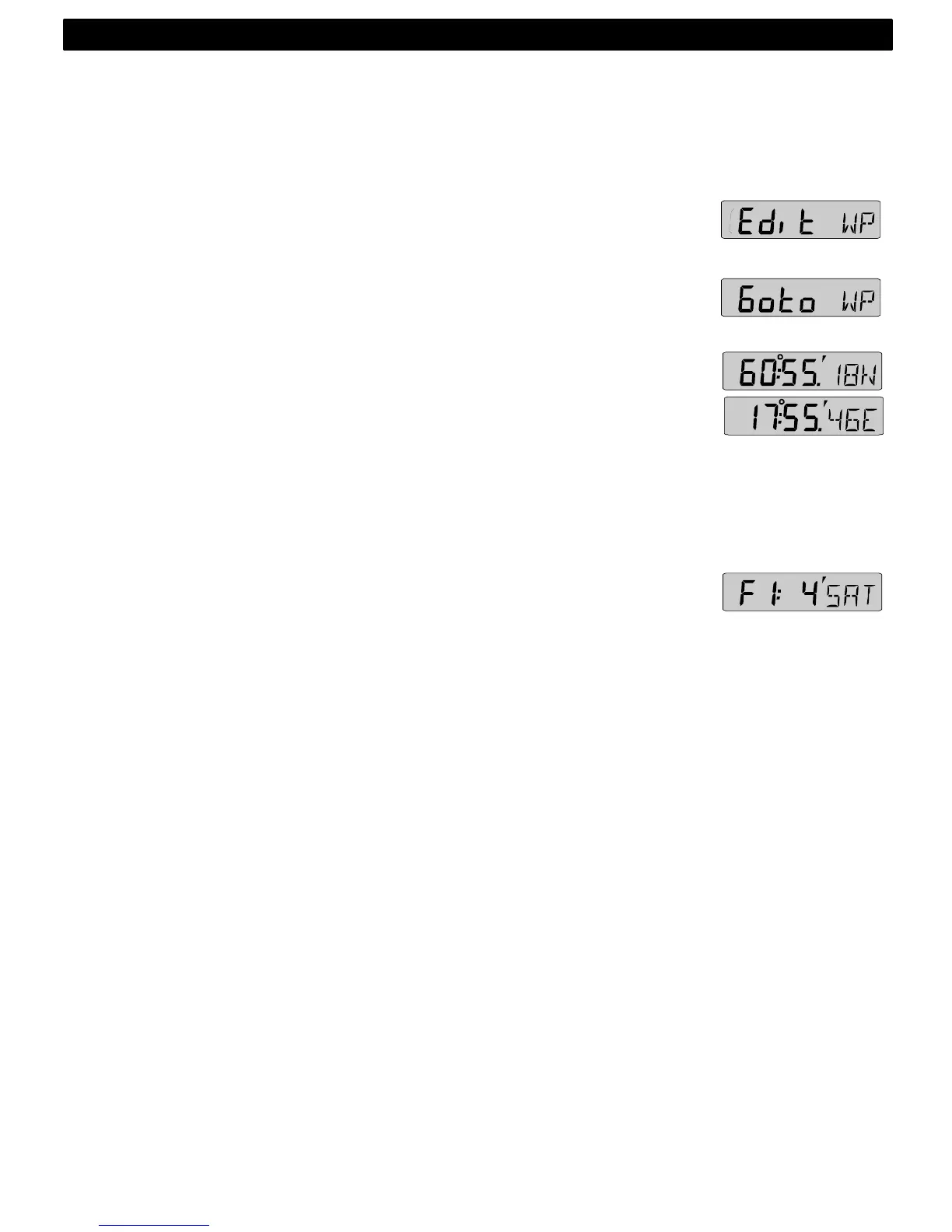
8.2.7 EDIT WAYPOINT (Edit WP)
Edit and store waypoints. (See 8.4).
8.2.8 GOTO WAYPOINT (Goto WP)
Create a sail plan. (See 8.5).
8.2.9 LATITUDE and LONGITUDE (POS)
Displays position in selected format. Select format from
degrees/minutes and 100:th of a minute (indicated by decimal ( . ) and
minute ( ´ ) signs) or from format degrees/minutes/seconds
(indicated by minute ( ´ ) sign only). (See 12.3.9, C38).
Alternating function.
To stop alternating, press KEY. To restart alternating, press KEY
again.
8.2.10 SATELLITE STATUS (F:_ / SAT_ )
Displays quality of reception and number of satellites (SAT) used.
Example 4SAT = 4 satellites.
Figure of merit (F) is a factor for the GPS reception quality on a
scale from 1 to 9 where F1 = best reception and F9 = no
reception.
This function is only valid if a Nexus GPS receiver is connected to
the Nexus Network.
8.3 Steer reference (Pilot)
The sub-function (Pilot) is intended to be used together with the
optional analogue instrument steer pilot (Art. No. 20550-2) to
assist the helmsman to keep the desired heading.
The powerful combination of the Multi Control instrument
together with the analogue steer pilot actually offers you 6
functions.
Compass steering: (MEM)
1. Compass steering, using the 1 memory.
2. Headers and lifters, using the 2 memories and trim button. (See
9.1)
Wind steering: (AWA)
3. Close hauled indicator, ex. 35°
4. Down wind indicator, ex. 175°
Waypoint steering:
NAVIGATION FUNCTIONS



 To Next Page