3.5 Basic Operations
DF1906
3.5.3 Select Setting Value
■ Cursor
The cursor is also displayed in the waveform and oscillation mode. However, the cursor is invalid.
■ Modify
When you turn the [MODIFY] dial, the option in the item where the cursor is displayed changes.
3.5.4 Set Frequency
When you press the frequency setting key [FREQUENCY], the cursor moves to the frequency setting
value (on the right of the "F" display) on the display panel.
When you turn the [MODIFY] dial, the frequency can be set.
You can move the cursor position left and right using cursor movement keys ([
▲
]/[
▼
] keys).
When you operate the [MODIF Y] dial, any of the following operations is performed depending on
the cursor position.
・ When the cursor is located in the value position, the value in that digit position
increases/decreases.
・ When the cursor is located in the subunit position (on the immediate left of "Hz"), the subunit is
switched to another one.
◎ Example of an operation to set the frequency to 500 kHz
・ Press the [FREQUENCY] key to enter the frequency setting mode.
・ Press the [
▲
] key to move the cursor to 100 kHz.
・ If the digit after 10 kHz is not zero, press and release the [TRIG / CLEAR ] key quickly while
holding down the [
▼
] key to clear the value. Then, press the [
▲
] key to move the cursor back
to 100 kHz.
・ Turn the "MODIF Y" dial to change "1" in 100 kHz to "5."
◎ Example of an operation to set the frequency display to unit kHz
・ Press the [FREQUENCY] key to enter the frequency setting mode.
・ Press the [
▼
] key to move the cursor to the position immediately left of Hz on the right of the
value part.
・ Turn the [MODIF Y] dial to switch between Hz / kHz / MHz / mHz.
Frequency setting range: 0.1 mHz to 2 MHz, resolution: 0.1 mHz.
The rated frequency for a ramp wave, square wave with a duty rate of other than 50%, arbitrary
waveform, and burst/trigger/gate oscillation mode is up to 50 kHz, but up to 2 MHz can be set.
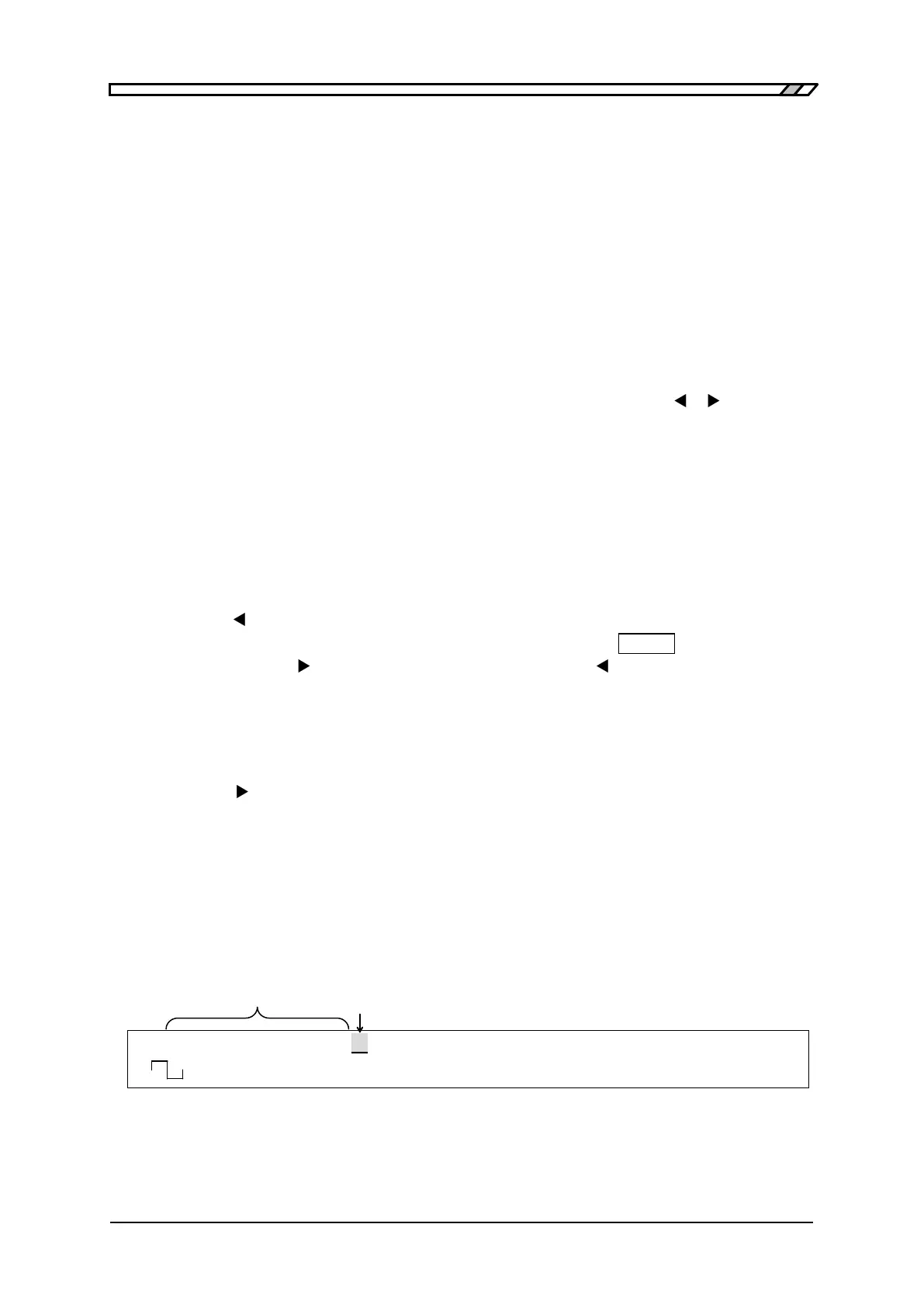
F 500.0000000kHz A 8.000Vp-p O -1.000V
<CONT> Duty 50.0% /OPEN OFF
When cursor is located here,
When cursor is located here,
set the frequency



 To Next Page