DF1906
3.5.5 Set Amplitude and DC Offset
"Amplitude" indicates the AC amplitude of an output signal, and "DC offset" indicates the median of an
output signal.
When H (High Level) and L (Low Level) are displayed,
"4.3.4 Set by High Level/Low Level"
For load setting,
"4.3.3 Select Load"
When you press amplitude/offset setting key [AMP/OFS] , the cursor moves to the amplitude setting
value (on the right of the "A" display) on the display panel. When you press the key once again, the
cursor moves to the DC offset setting value (on the right of the "O" display) on the display panel. (In
the DC mode, the amplitude is zero and the cursor moves to the DC offset setting value.)
Amplitude setting range: 0 to 10 Vp-p/open (0 to 5 Vp-p/50 Ω), resolution: 1 mV. (Resolution is 1 mV,
regardless of the Vp-p/Vrms setting and load setting.)
DC offset setting range: ±5 V/open (±2.5 V/50 Ω), resolution: 1 mV. (Resolution is 1 mV, regardless of
the load setting.)
When you turn the [MODIF Y] dial when the cursor is located in the amplitude setting value position,
the amplitude can be set. When you turn the [MODIF Y] dial when the cursor is located in the DC offset
setting value position, the DC offset can be set.
You can move the cursor position left and right using cursor movement keys ([
▲
]/[
▼
] keys).
When you operate the [MODIFY] dial, any of the following operations is performed depending on the
cursor position.
・ When the cursor is located in the value position, the value in that digit position increases/decreases.
・ When the cursor is located in the amplitude unit position (Vp-p/Vrms display) (only when the
waveform is a sine wave),
the units are toggled between Vp-p (peak-peak voltage) and Vrms (effective voltage).
◎ Example of an operation to set the amplitude to 2 Vrms
・ Press the [AMP/OFS] key to enter the amplitude setting mode.
・ Press the [
▼
] key to move the cursor to Vp-p.
・ Turn the [MODIF Y] dial to switch to Vrms.
・ Press the [
▲
] key to move the cursor to 1Vrms.
・ If the digit after 1Vrms is not zero, press and release the [TRIG / CLEAR ] key quickly while
holding down the [
▼
] key
to clear the value. Then, press the [
▲
] key to move the cursor back to 1Vrms.
・ Turn the [MODIF Y] dial to change "1" in 1Vrms to "2".
If the maximum signal output with open load exceeds ±5 V as a result of the amplitude/DC offset
setting, the output may be clipped. The maximum output can be expressed as ±{(amplitude [Vp-p]÷2)+
|DC offset [V]| }. (Except for when the positive and negative maximum waveform data value is not
used in arbitrary waveforms)
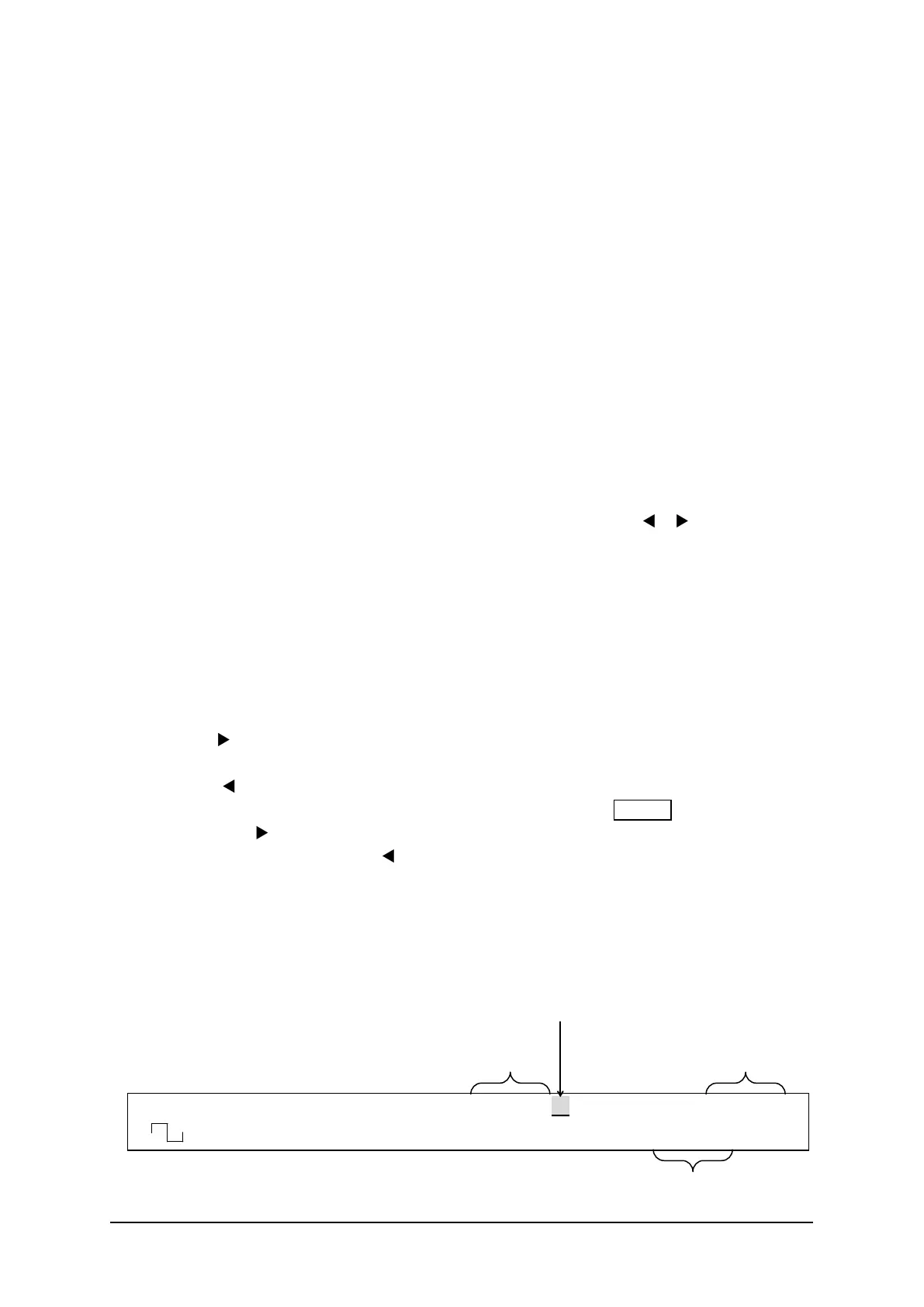
F 500.0000000kHz A 8.000Vp-p O -1.000V
<CONT> Duty 50.0% /OPEN OFF
When cursor is locat ed here,
When cursor is locat ed here,
set the DC offset
When waveform is sine wave and cursor is located here,
select the amplitude unit (Vp-p/Vrms)



 To Next Page