EN
22 – English
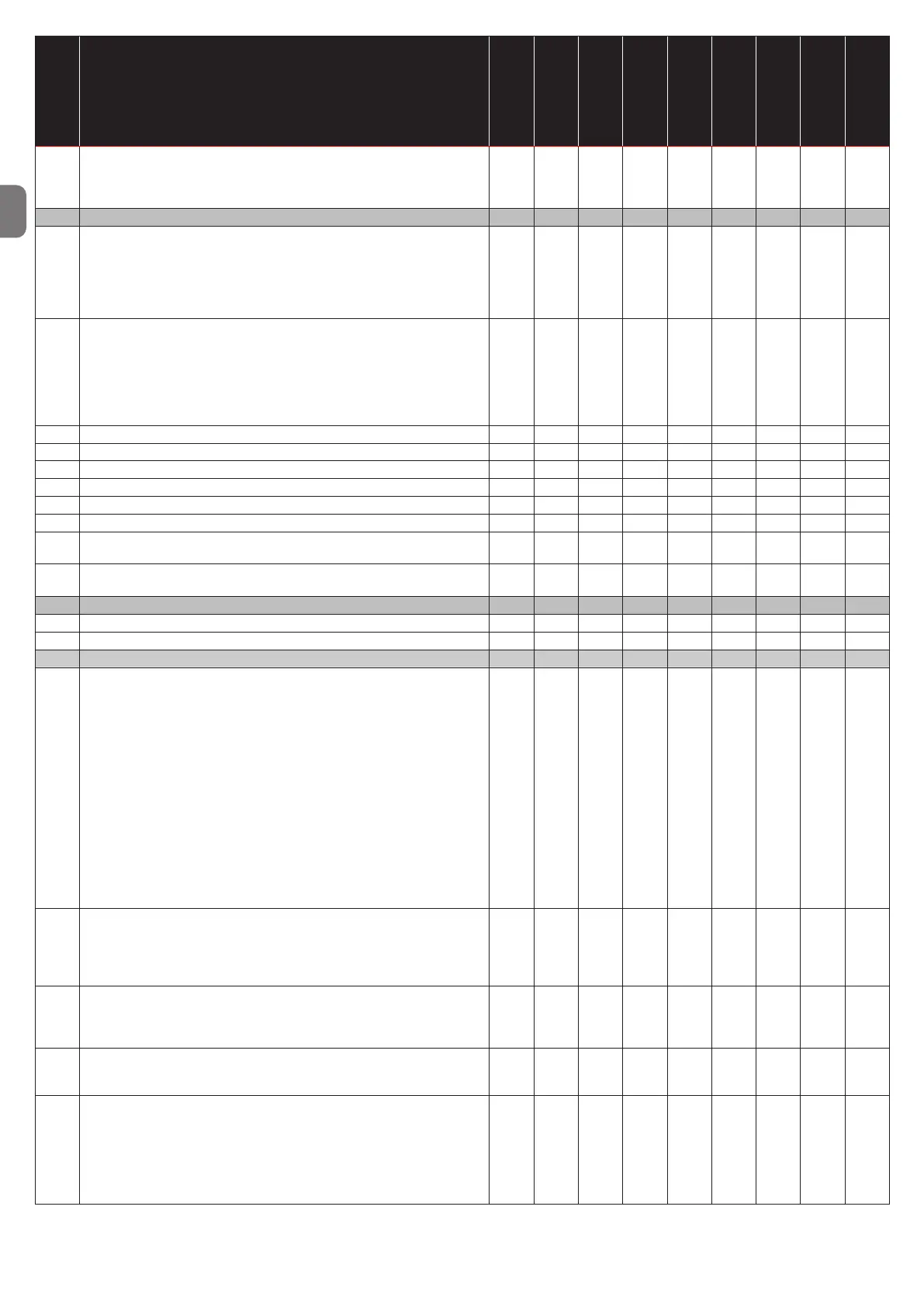
Parameter No.
Parameter name
Unit
Minimum
value
Maximum
value
Default value
STD
Default value
EE_1
Default value
EE_2/EE_3
MLS
ELS
From version
78
Electronic encoder selection
0 = Standard encoder
1 = Special encoder
To set, press and hold the STOP button for about 2 seconds
Num. 0 1 0 0 0 x x 0.80
Trafc light / door bolt
80
Trafc light selection options (NDA030 board only)
0 = Trafc light deactivated
1 = Trafc light ashes during manoeuvre
2 = Trafc light on steady during manoeuvre
3 = Red/green trafc light for loading ramps (green light for door open, red
light during manoeuvre and when door closed)
Num. 0 3 0 0 0 x x 0.33
81
Trafc light options
If set to 1, it will change the following parameters:
P100 = 10 (“UP” input on connector X4 - Open externally)
P110 = 10 (Relay 1 - Internal red/green light)
P111 = 11 (Relay 2 - External red/green light)
P112 = 12 (Relay 3 - Trafc light on/off at entrance)
To set, press and hold the STOP button for about 2 seconds
Num. 0 1 0 0 0 x x 0.33
82 Warning time for door opening with ashing trafc light Sec 0 240 0 0 0 x x 0.33
83 Waiting time for door opening after external opening command 1/10 s 0 24.0 0 0 0 x x 0.33
84 Waiting time before closing door bolt 1/10 s 0 24.0 1.0 1.0 1.0 x x 0.51
85 Extended pressing time for locking door bolt 1/10 s 0 24.0 2.0 2.0 2.0 x x 0.51
86 Extended pressing time for unlocking door bolt 1/10 s 0 24.0 2.0 2.0 2.0 x x 0.51
87 Timeout for locking/unlocking door bolt 1/10 s 0 24.0 24.0 24.0 24.0 x x 0.70
88
Power transmission activation time
(only for wireless safety edges)
Min 0 255 60 60 60 x x 1.67
89
Wait time before power transmission
(only for wireless safety edges)
Min 0 9999 1440 1440 1440 x x 1.64
Loop detector (K70 board) (No longer used)
90 Loop detector options (K70) - - - - - - x x 0.70
91 Locking time in case of cross trafc - - - - - - x x 0.70
Options for inputs
100
UP input options (Connector X4 - J16)
0 = Opening by internal control
10 = Opening by external control
11 = Enable partial opening
12 = Enable partial opening - next command will open door fully
13 = Enable automatic closing (See parameters P40-46)
14 = Enable man-present mode
15 = Opening from outside with ISO loading ramp
16 = Lock for opening command
17 = Fire detection (with sensor) - close door
18 = Fire detection (with sensor) - open door
19 = Fire detection (with sensor) - partially open door
20 = Door bolt detection sensor
21 = Lock for closing command
22 = Opening command for partial opening
23 = Lock front panel open and close buttons
Num. 0 23 0 0 0
x
x
x
x
x
x
x
x
x
x
x
x
0.33
0.35
0.53
0.97
1.08
1.38
101
DOWN input options (Connector X4 - J18)
0 = Closing by internal control
1 = Closing by internal control with 5-second wait before manoeuvre
starts
10 - 23 = as for P100
Num. 0 23 0 0 0 x x 0.33
102
IMP input options (Connector X4 - J17)
0 = Signal input (pull cord)
1 = Step-by-step input (closes if door open)
10 - 23 = as for P100
Num. 0 23 0 0 0
x
x
x
x
0.33
1.29
103
PRE LIMIT input options (Connector X7 - COM & Pre-L DOWN)
0 = Partial opening (only for mechanical limit switch)
10 - 23 = as for P100
Num. 0 23 0 0 0 x x 0.33
104
Photocell input options (Connector X5 - J31)
0 = Open door (close door from upper limit stop on P43 > 0)
1 = Open door only above the position set in P17 (by changing the
value of P104 from 0 to 1, the current door position will be saved
automatically in P17
2 = The door will stop if the input is activated
10 - 23 = as for P100
Num. 0 23 0 0 0
x
x
x
x
x
x
0.33
1.38
0.33


 To Next Page