Drive Startup (Quattro DC Drive)
42-02-7223 C1 2-59
2
iControl DC
Following Error Margin
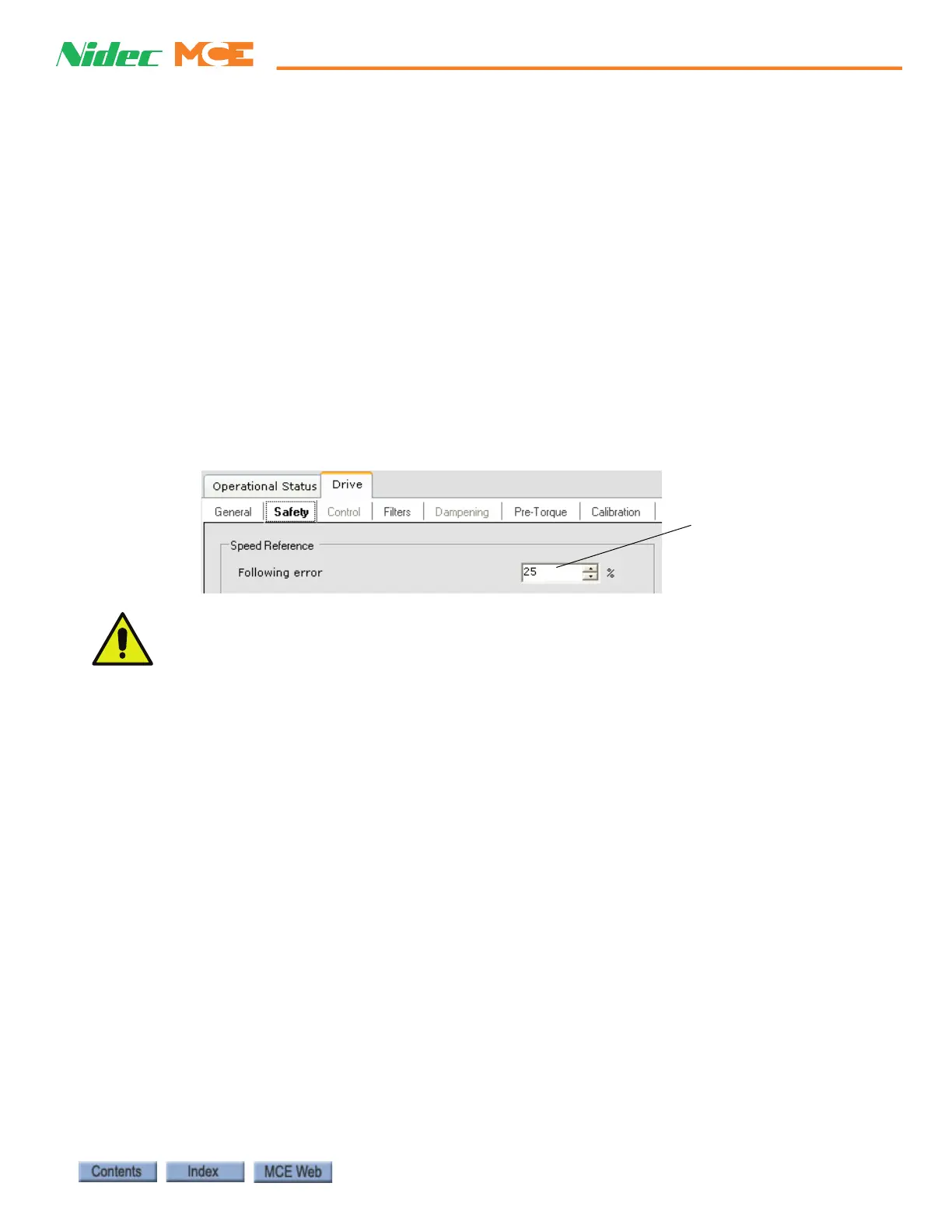
The Following error is used for fault detection purposes only. The Following error parameter
(Configuration > Drive > Safety tab) sets the allowed margin of deviation from commanded
speed, as a percentage. A Tach Error fault is generated when the difference between intended
pattern speed and speed feedback exceeds the Following error margin. Calibrate speed feedback
to match the intended pattern.
1. On the Configuration > Pattern > Modes tab, verify that Standard Profile/High Speed
and Inspection Profile/High Speed parameters are set correctly for this job.
2. Verify that actual car speed on Inspection is equal to the Inspection High speed setting.
Please refer to “Calibrating Actual Car Speed (Quattro DC Drive)” on page 2-58.
Set the Following Error
• Set the Following error parameter (Configuration > Drive > Safety tab). It is recom-
mended to perform the Tach Error Tripping Threshold Adjustment procedure at this time.
Please refer to “Tach Error Tripping Threshold Adjustment” on page 2-60.
The default setting for the Following error parameter is 25%. For a car that has been prop-
erly adjusted, after performing the Tach Error Tripping Threshold Adjustment, a Following Error
setting of 10% is fairly typical. You may choose to leave the Following error parameter at the default
setting or higher, but keep in mind that Following error is a percentage of speed. On a 500fpm job a
25% Following Error allows a 125fpm contract speed deviation before a fault is generated.



 To Next Page