works along with File naming to let you control how your
image files are named. If File number sequence is set to Off,
the D300(S) will reset
the four-digit number—after the first three custom characters
in File naming—to 0001 each time you format your camera’s
memory card. I set File number sequence to On as soon as I
got my camera so that it would remember the sequence all the
way up to 9999 images. I want to know exactly how many
pictures I’ve taken over time. We’ll talk more about File
number sequence in the chapter titled Chapter 4.
This is merely the way I’m using this useful feature in my
D300S. If my method doesn’t work for your needs, you could
use the three characters to classify your image names in all
sorts of creative ways.
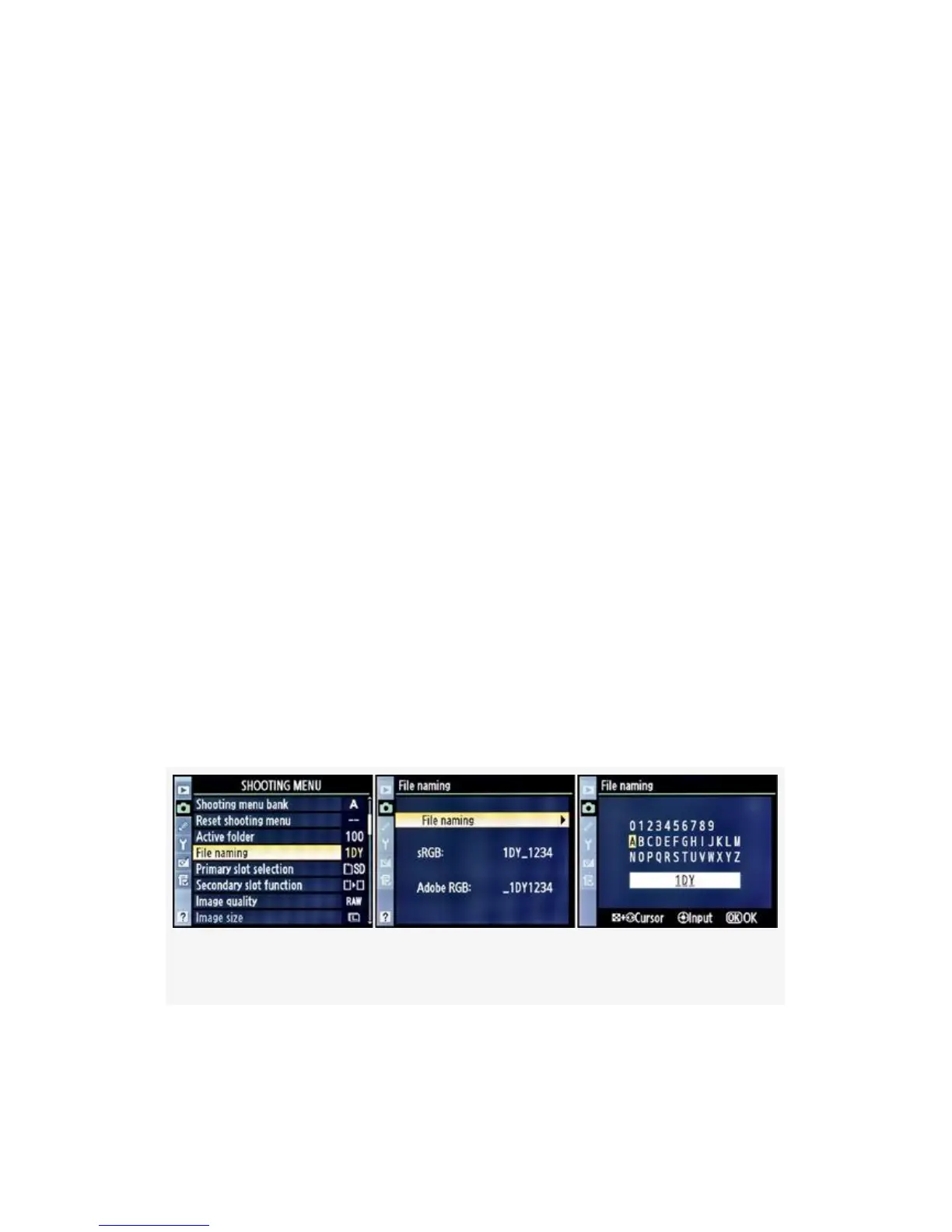
To rename your three custom characters, please refer to
Figure 3-7. This works similarly to the method for naming the
Shooting menu banks discussed in the section Shooting Menu
Bank at the beginning of this chapter (see Figure 3-2), except
that you only have uppercase characters and numbers from
which to select.
Figure 3-7. File naming
Here are the steps to set up your custom File naming
characters (see Figure 3-7):
110



 To Next Page