Image Size
(User’s Manual: D300S page 71; D300 page 60)
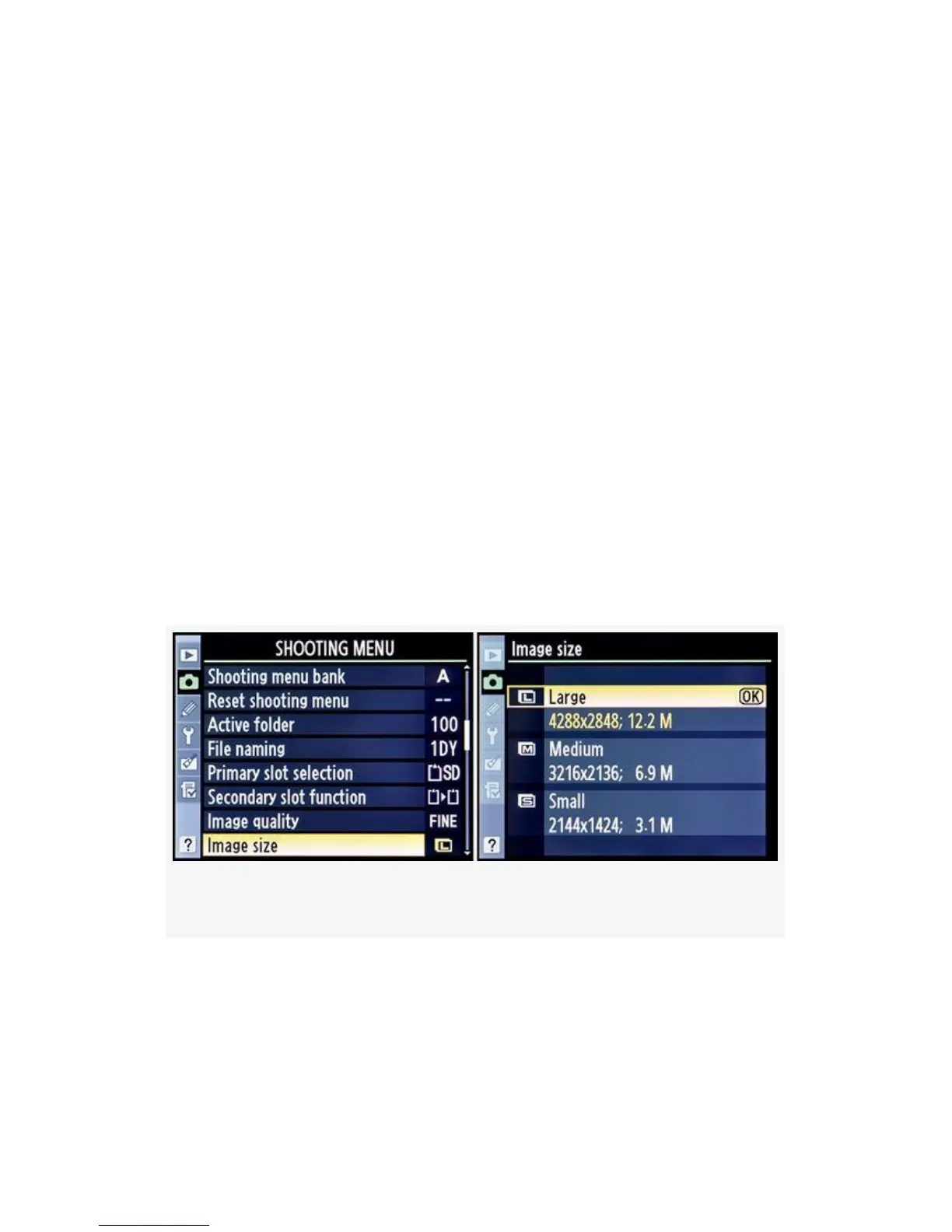
Image size lets you shoot with your camera set to various
megapixel ratings. The default Image size setting for the
D300(S) is Large, or 12.2 M (12.2 megapixels). You can
change this rating from 12.2 M to 6.9 M, or even 3.1 M (see
Figure 3-12).
Image size only applies to images captured in TIFF (RGB) or
JPEG fine/normal/basic modes.
If you’re shooting with your camera in any of the NEF
(RAW) + JPEG modes, it only applies to the JPEG image in
the pair.
Figure 3-12. Choosing an Image size
Image size does not apply to a NEF (RAW) image. This
setting is relatively simple since it affects just the megapixel
(M) size of the image. Here are the three settings under Image
size:
136



 To Next Page