Shooting Mode
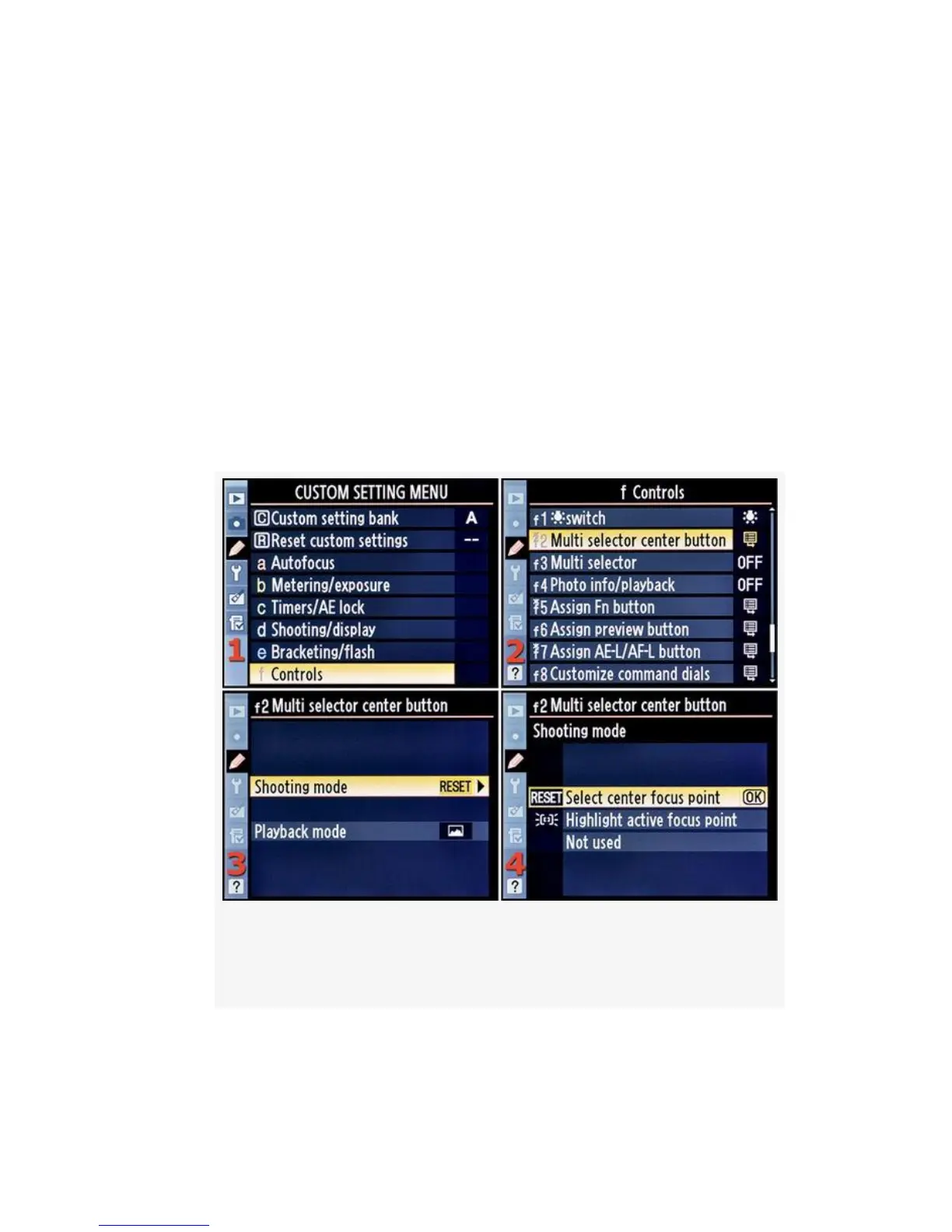
First, let’s see how pressing the center of the Multi Selector
works in Shooting mode. Here are the screens and steps used
to configure Multi selector center button in Shooting mode
(see Figure 4-65):
1. Select f Controls from the Custom Setting Menu and
scroll to the right (see Figure 4-65, image 1).
2. Highlight Multi selector center button and scroll to the
right (see Figure 4-65, image 2).
Figure 4-65. Multi selector center button (Shooting
mode)
3. Select Shooting mode and scroll to the right (see
Figure 4-65, image 3).
386



 To Next Page