Use this feature when you don’t want others to notice
you—especially if they are 8-feet tall with claws and
fangs—because it will draw attention immediately.
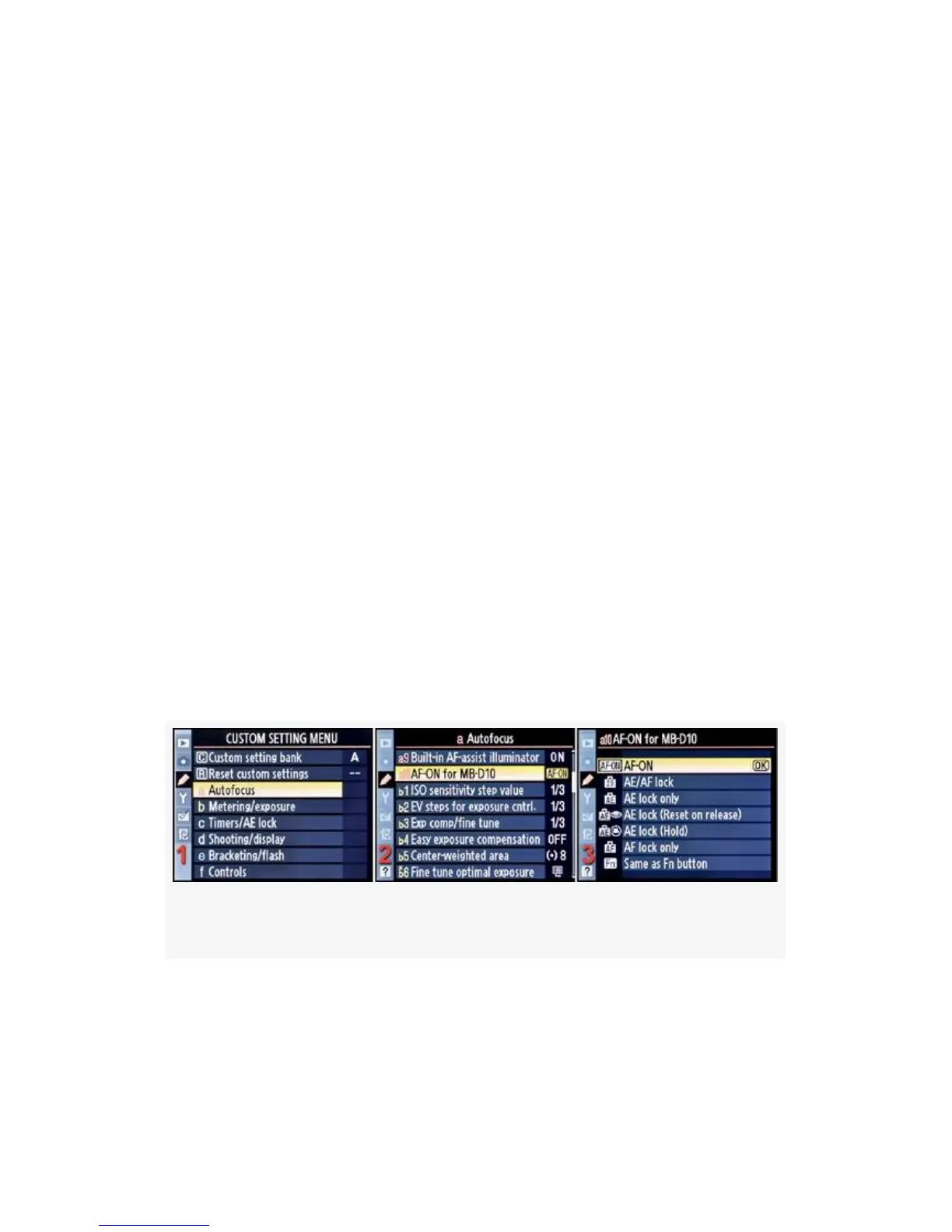
AF-ON for MB-D10
Custom setting aio (D300S and D300)
(User’s Manual – D300S page 269; D300 page 274)
AF-ON for MB-D10 will only be used by those who have an
MB-D10 battery pack attached to their camera body. This
setting modifies how the AF-ON button on the MB-D10
works and provides some additional and useful functionality
for MB-D10 users. It does not modify the functionality of the
AF-ON button found on the D300(S) body.
First, we’ll look at how to choose one of the AF-ON for
MB-D10 screen’s menu selections, and then we’ll examine
each choice in detail (see Figure 4-16).
Figure 4-16. AF-ON for MB-D10
1. Select a Autofocus from the Custom Setting Menu and
scroll to the right (see Figure 4-16, image 1).
281



 To Next Page