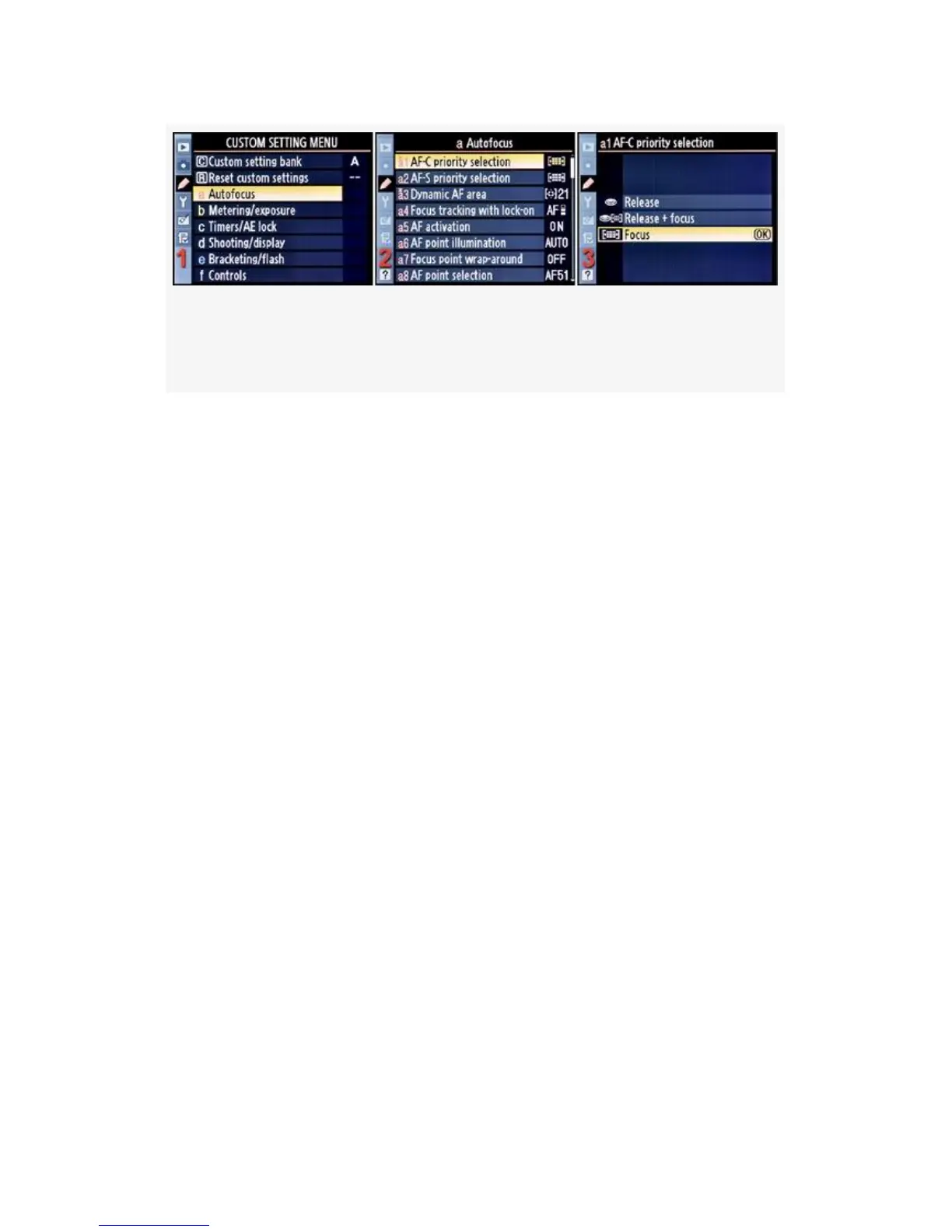
Figure 4-5. Choosing a shutter release priority for AF-C
mode
1. Select a Autofocus from the Custom Setting Menu and
scroll to the right (see Figure 4-5, image 1).
2. Highlight AF-C priority selection and scroll to the right
(see Figure 4-5, image 2).
3. Choose one of the three settings from the menu, with full
understanding of what may happen if you don’t choose
Focus.
4. Press the OK button to select your shutter-release
priority.
My Recommendation: Since I’m not a sports or action
shooter, I choose Focus. Even if I were an action shooter, I
would choose Focus. Read the section called Using Custom
settings a1 and a2 before you make your final choice. The
safe choice is Focus.
AF-S Priority Selection
Custom setting a2 (D300S and D300)
(User’s Manual – D300S page 264; D300 page 268)
256



 To Next Page