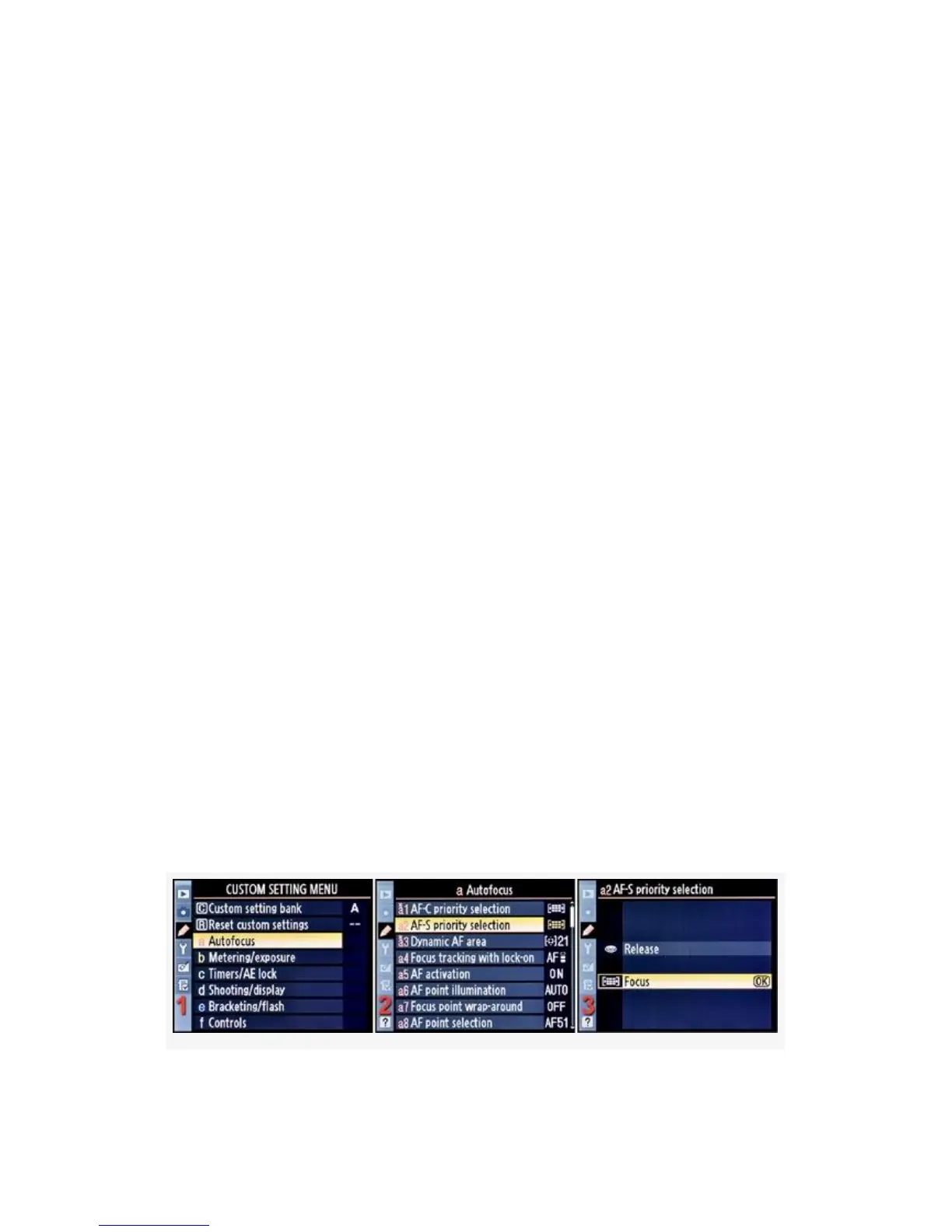
AF-S priority selection is very similar to AF-C priority
selection. It, too, allows you to choose whether the camera
will take a picture without something in focus. With this
function, you set a shutter-release priority for Single-servo
autofocus mode (AF-S). Set it wrong for your style of
shooting and many of your pictures may be out of focus.
Personally, I choose Focus priority when using AF-S. There
are two modes to choose from:
▪ Release – A photo can be taken at any time, even if not
in focus. This can lead to images that are out of focus,
unless you manually focus each time you take a picture.
The camera’s priority is releasing the shutter when you
press the Shutter-release button, and it will do so even if
nothing is in focus.
▪ Focus (default) – The image must be in focus or the
shutter will not release. This means that the shutter won’t
release unless the Viewfinder’s green in-focus light is
on. This is the closest thing to a guarantee that your
image will be in focus when you press the
Shutter-release button. However, if you are focused on
the wrong part of your subject, the camera will still fire.
Here are the screens and steps to select a shutter-release
priority when using AF-S mode (see Figure 4-6):
257



 To Next Page