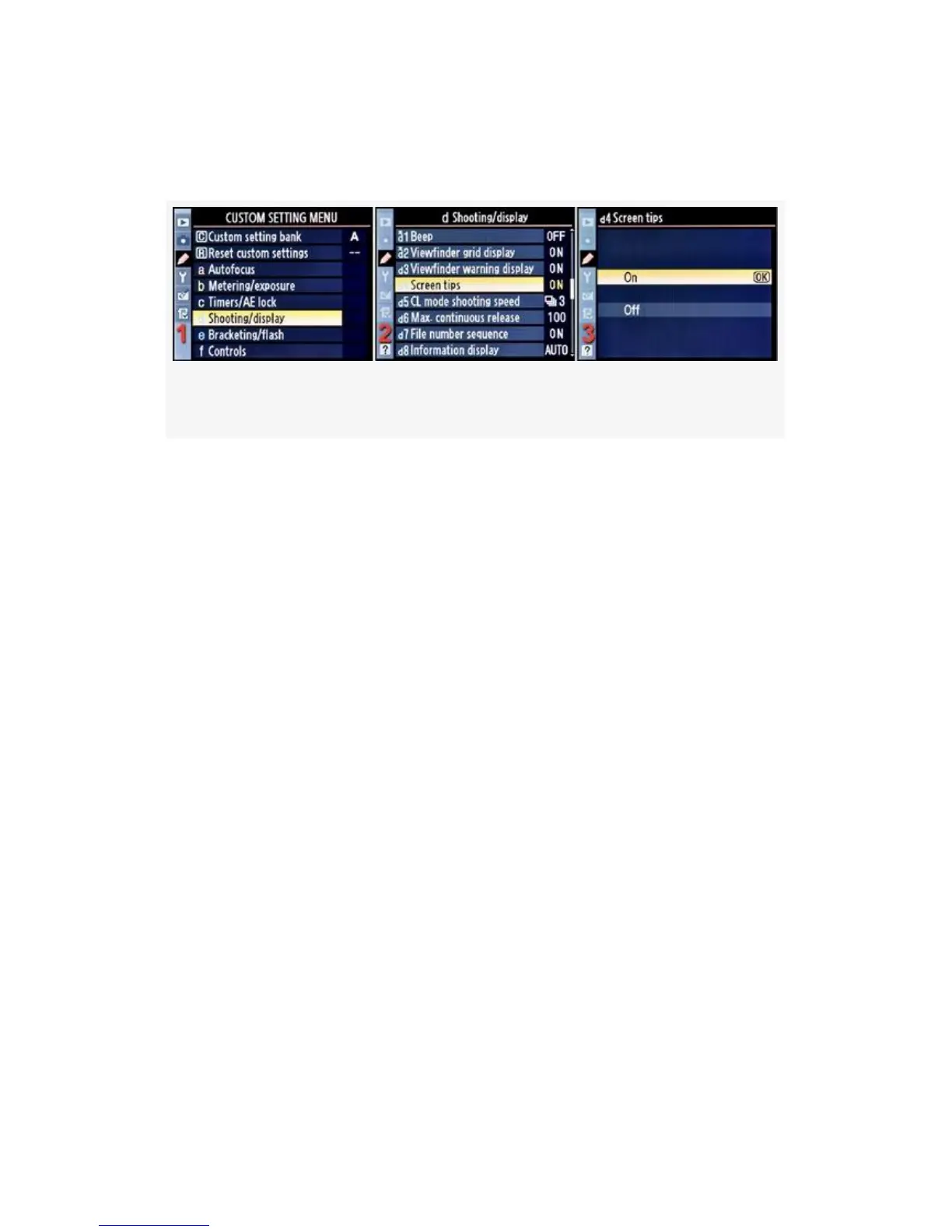
Here are the screens and steps to configure Screen tips (see
Figure 4-36):
Figure 4-36. Screen tips
1. Select d Shooting/display from the Custom Setting Menu
and scroll to the right (see Figure 4-36, image 1).
2. Highlight Screen tips and scroll to the right (see
Figure 4-36, image 2).
3. Choose one of the two choices on the list. In
Figure 4-36, image 3, On has been selected.
4. Press the OK button to lock in the setting.
My Recommendation: This is a helpful function that gives
you “tool tips” for using the Information display edit screen.
If you have a D300S, I would leave this set to the factory
default of On. These little tips don’t get in the way of
anything and may be helpful to remind you which setting
you’re looking at on the Information display edit screen.
CL Mode Shooting Speed
Custom setting d5 (D300S) and d4 (D300)
(User’s Manual – D300S page 276; D300 page 282)
324



 To Next Page