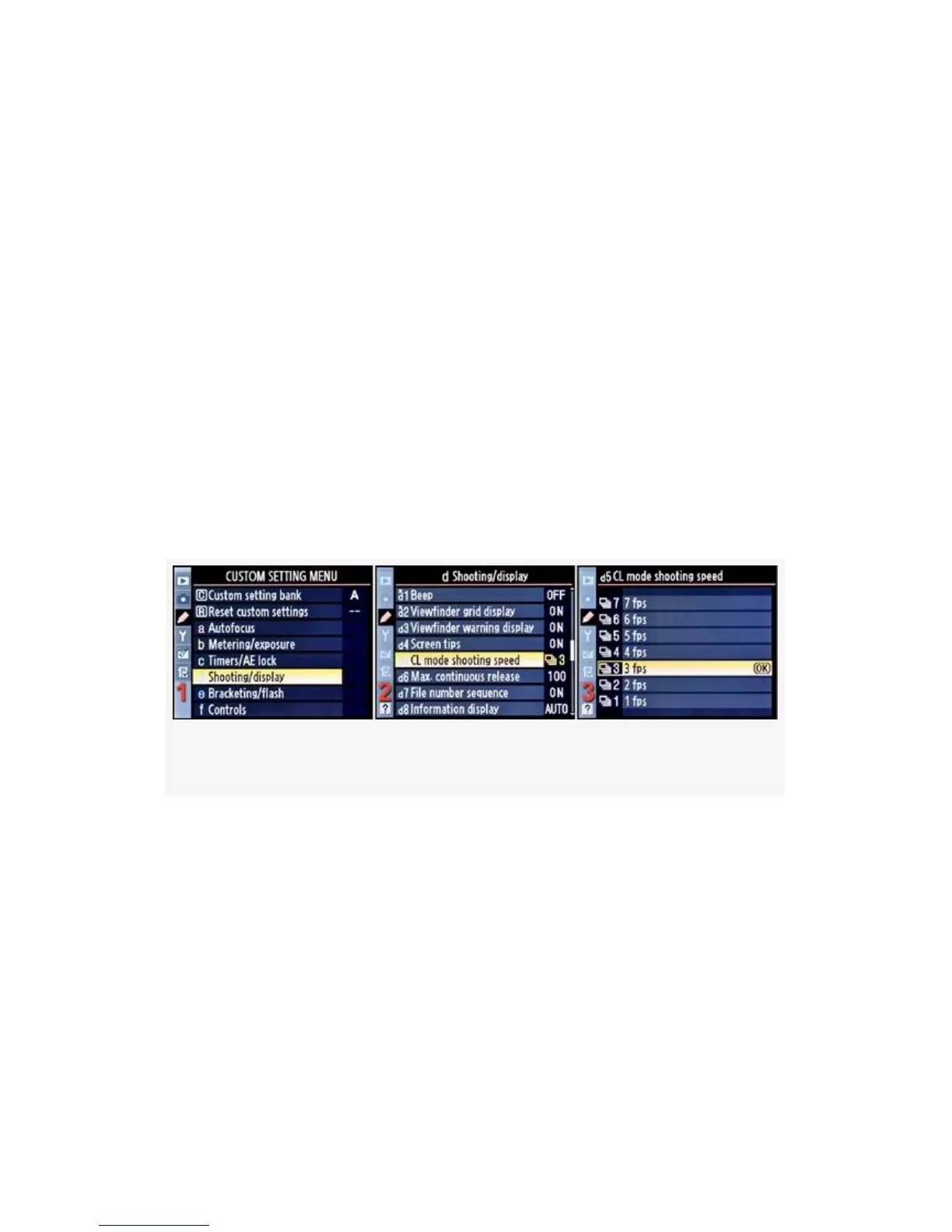
CL mode shooting speed controls how many frames per
second (fps) the camera can take. At this point, the D300S
and D300 deviate in their Custom Setting numbers for the
first time. The D300S uses Custom setting d5 for CL mode
shooting speed, while the D300 uses Custom setting d4.
The CL mode is for those of us who would like to use a
conservative frames-per-second rate. With the proper power,
the camera can record 6 or 7 frames per second. However,
unless you are shooting 200 MPH racecars, and have large
memory cards, you may not want 35 frames of the same
subject a few milliseconds apart.
Here are the screens and steps used to configure CL mode
shooting speed (see Figure 4-37):
Figure 4-37. CL mode shooting speed
1. Select d Shooting/display from the Custom Setting Menu
and scroll to the right (see Figure 4-37, image 1).
2. Highlight CL mode shooting speed and scroll to the right
(see Figure 4-37, image 2).
3. Choose one of the seven choices on the list. In
Figure 4-37, image 3, 3 fps has been selected.
4. Press the OK button to lock in the setting.
325



 To Next Page