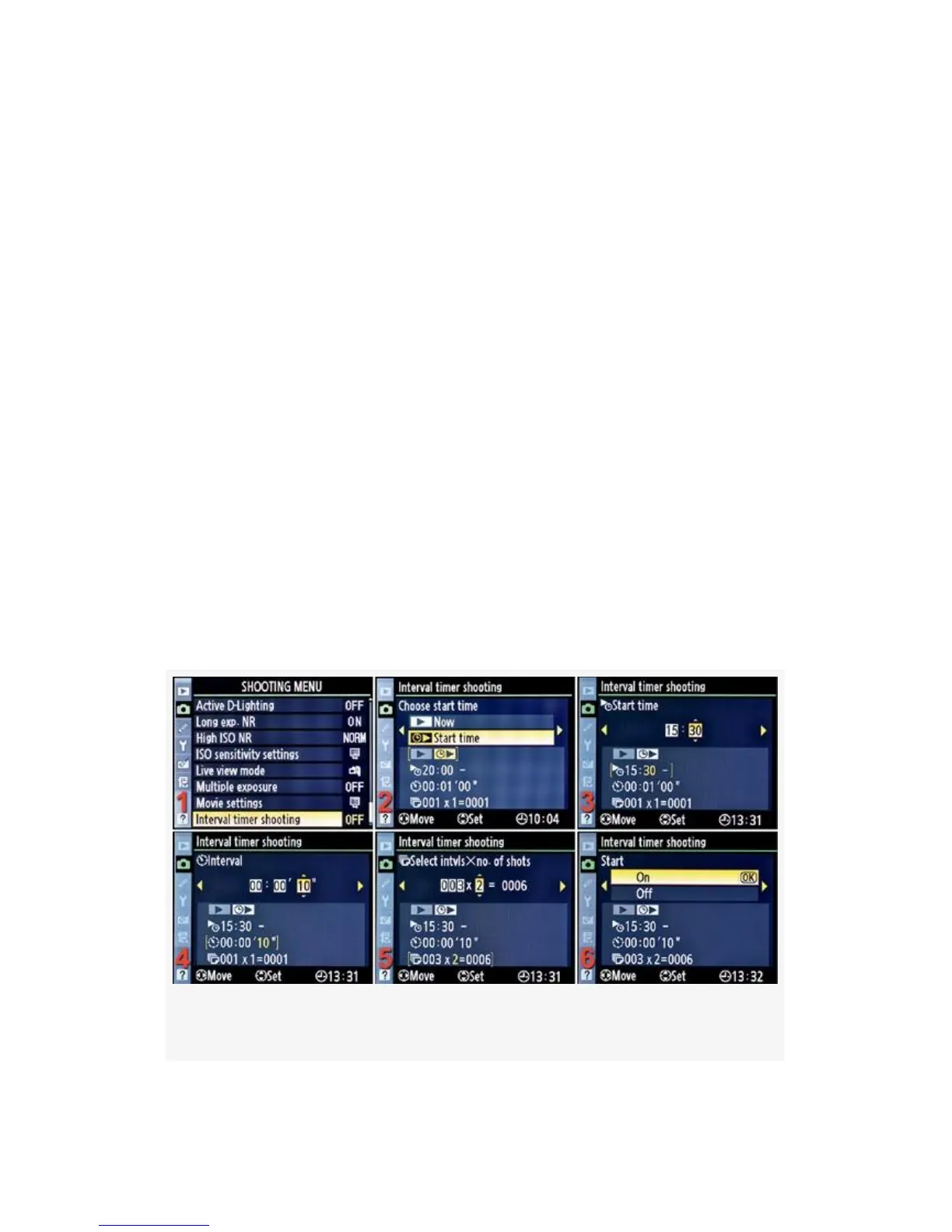
Interval Timer Shooting
(User’s Manual: D300S page 189; D300 page 191)
Interval timer shooting allows you to set your camera up to
shoot a series of images over time. Make sure you have a full
battery or are connected to a full-time power source for
images taken over long periods of time.
The first step in using Interval timer shooting is to make sure
that your Time zone and date (D300S) or World time (D300)
are set correctly in the Setup Menu of your camera (see the
heading Time Zone and Date or World Time in the chapter
titled Chapter 5). If you don’t have the camera’s time and
date information set, the Interval timer shooting menu
selection will be grayed out, and you won’t be able to use it.
(see Figure 3-61).
Figure 3-61. Interval timer shooting configuration
237



 To Next Page