Each bank can be configured with different settings, and you
can then switch between the banks.
There are four default bank names: banks A, B, C, and D.
You can add your own labels to any of these. In this chapter,
we’ll assume that your camera banks have not yet been
adjusted and that you are not entirely familiar with the
process. Let’s learn how to label bank A with a more useful
name and set its individual features. When you’ve done this
once, you’ll be ready to set your camera up for special uses
and switch between banks quickly. Just repeat the process for
each bank, with different settings.
Shooting Menu Bank
(User’s Manual: D300S page 254; D300 page 255)
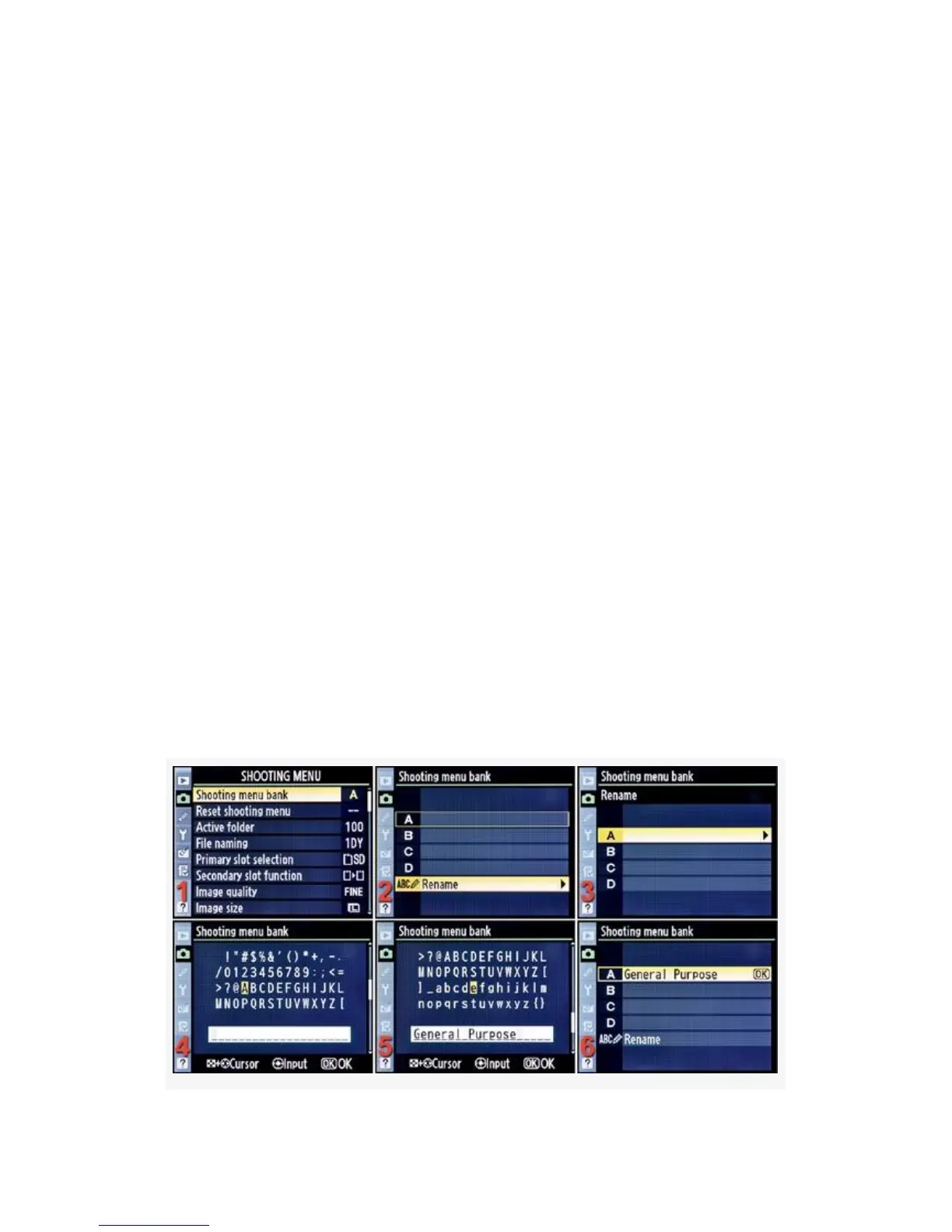
Use the Multi Selector to select the Shooting menu bank item.
The camera defaults to bank A from the factory. Here are the
screens and steps used to modify the labels for bank A of the
Shooting menu banks (see Figure 3-2).
94



 To Next Page