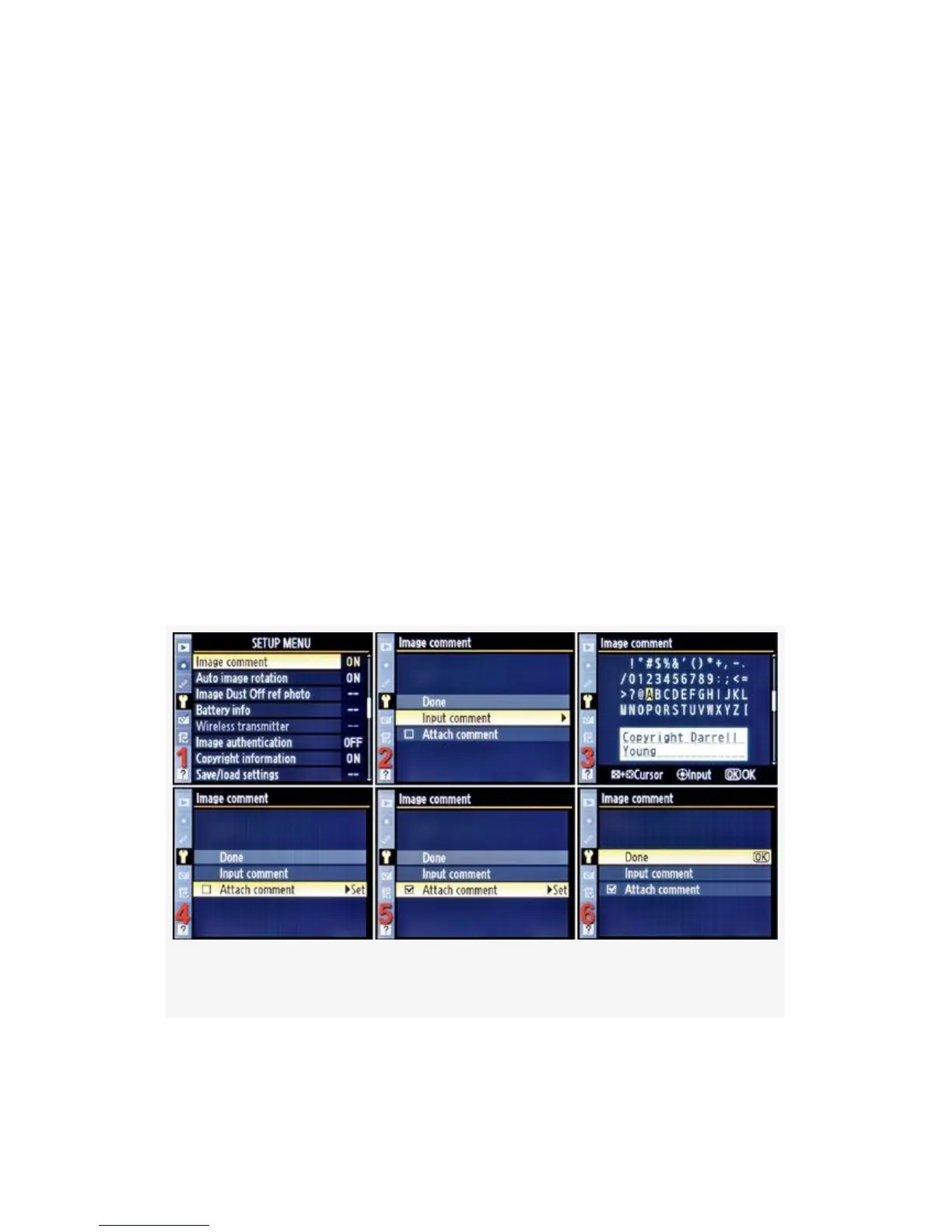
Image Comment
(User’s Manual – D300S page 303; D300 page 317)
Image comment is a useful setting that allows you to attach a
36-character comment to each image you shoot. The
comment is embedded in the picture’s internal metadata and
does not show up on the image itself. I attach the words
“Copyright Darrell Young” to my images.
Unfortunately, Nikon does not include the copyright symbol
© in the list of numbers and letters, or I would include that in
my comment.
Here are the screens and steps to create an Image comment
(see Figure 5-19):
Figure 5-19. Image comment selection screens
1. Select Image comment from the Setup Menu.
462



 To Next Page