Image Quality
(User’s Manual: D300S page 68; D300 page 56)
Image quality is simply the type of image your camera can
create, along with the amount of image compression that
modifies picture storage sizes.
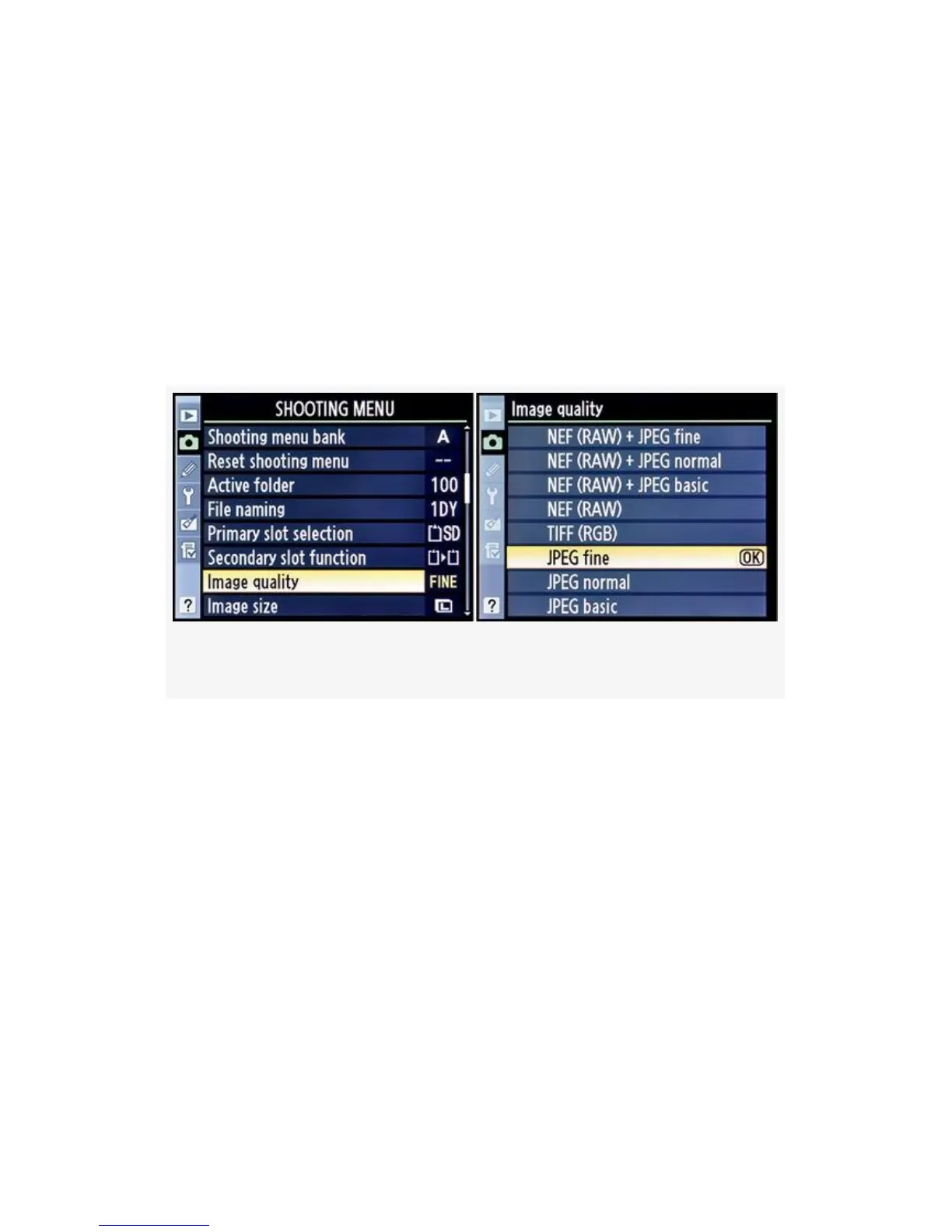
Figure 3-10. Choosing an Image quality
You can shoot several distinct image formats with your
D300(S). We’ll examine each format in detail—discussing
the pros and cons for each as we go. When done, you’ll have
a better understanding of the formats and can choose an
appropriate one for each of your styles of shooting.
Here are the steps to select an Image quality setting (see the
screens in Figure 3-10):
1. Select Image quality from the Shooting Menu and scroll
to the right.
2. Choose one of the eight Image quality types listed.
Figure 3-10 shows JPEG fine as the selected format.
118



 To Next Page