3. Press the OK button to select the format.
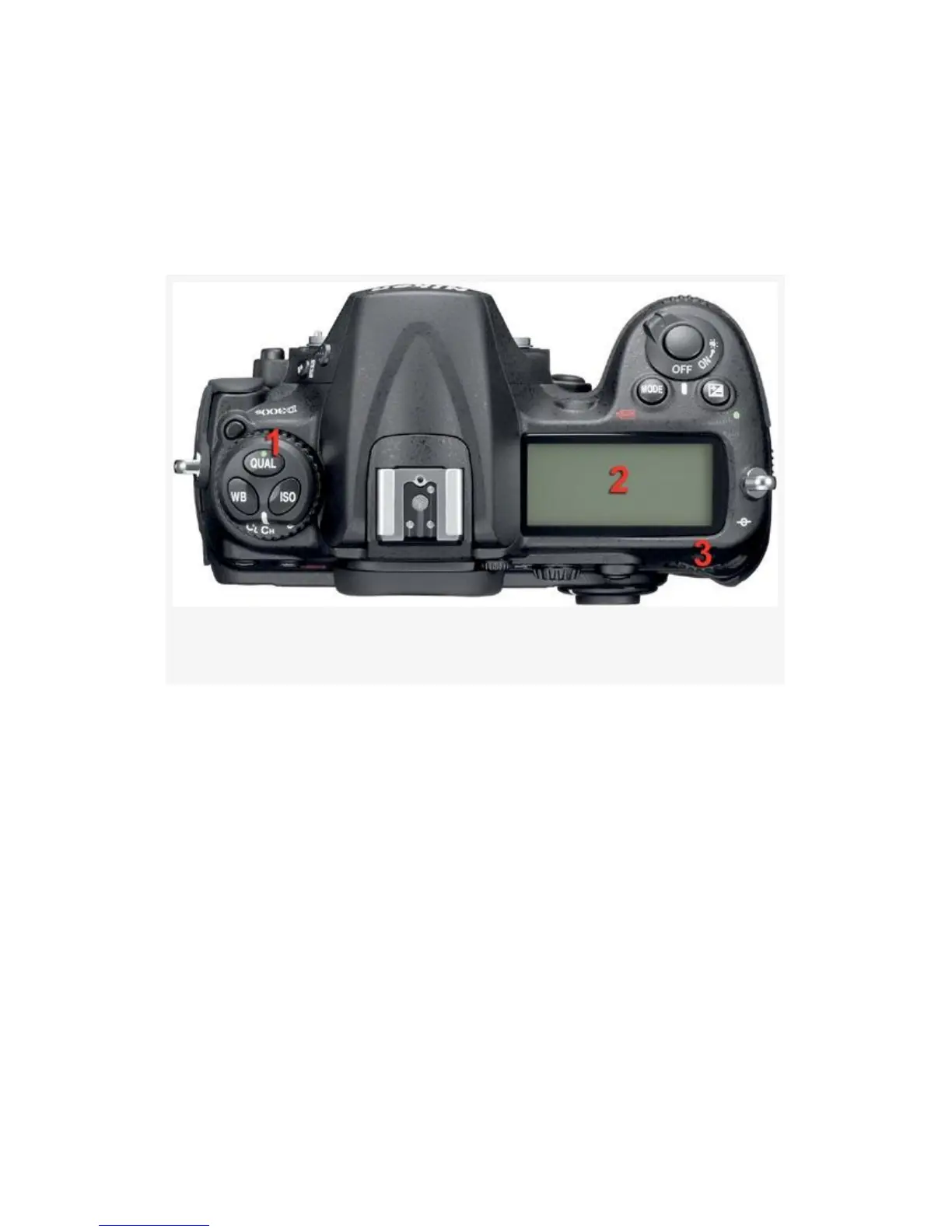
You can also use the QUAL button on the Release mode dial
to set the Image quality. Here are the controls and steps to do
so:
Figure 3-11. Setting Image quality with external controls
1. Hold down the QUAL button (see Figure 3-11, number
1).
2. Look at the Control panel to see the Image quality values
(see Figure 3-11, number 2).
3. Rotate the rear Main command dial to change the Image
quality (RAW, JPEG, TIFF, etc.). Use the front
Sub-command dial, as shown in Figure 3-11, number 3,
to change the Image size (Large, Medium, or Small).
4. Release the QUAL button to lock in the modified
settings.
The camera supports the following Image quality types:
119



 To Next Page