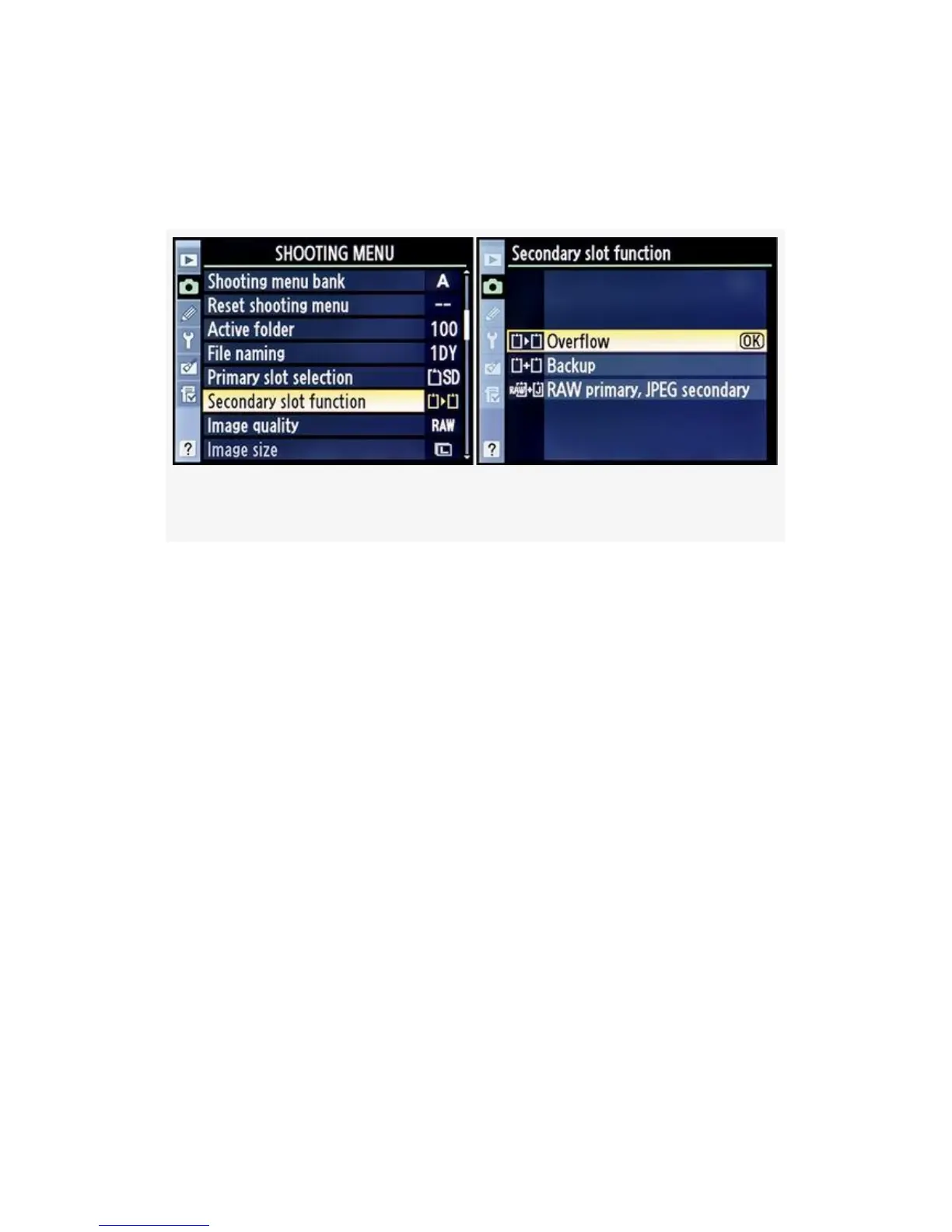
Here are the screens and steps to choose one of the Secondary
slot functions, including Overflow, Backup, or RAW primary,
JPEG secondary (see Figure 3-9):
Figure 3-9. D300S Choosing the Secondary slot function
1. Select Secondary slot function from the Shooting Menu
and scroll to the right.
2. Choose one of the three selections we discussed
previously from the Secondary slot function screen.
3. Press the OK button to lock it in for use.
My Recommendation: When I’m just out shooting for fun
or for any type of photography where maximum image
capacity is of primary importance, I select Overflow. This
causes the camera to fill up the primary card and then
automatically switch to the secondary card for increased
image storage. If I’m shooting images that I cannot afford to
lose, such as at a unique event like a wedding or baptism, I’ll
often use the Backup function for automatic backup of every
image.
If I want both a RAW and JPEG file, I’ll use the RAW
primary, JPEG secondary function. This lets me have the best
116



 To Next Page