much (20 to 40 percent) but is guaranteed by Nikon to be
a reversible compression that in no way affects the
image.
▪ NEF (RAW) Uncompressed – No compression is
applied to the image. The main drawback to this mode is
that your images will be quite large to store. Each will be
in the 20-megabyte range, so it will take larger storage
media to contain your images. With Lossless compressed
available, I feel that this method is semi-obsolete. Nikon
leaves it available for those who prefer it. However, why
store a RAW file that’s nearly twice as large when
there’s no benefit in doing so?
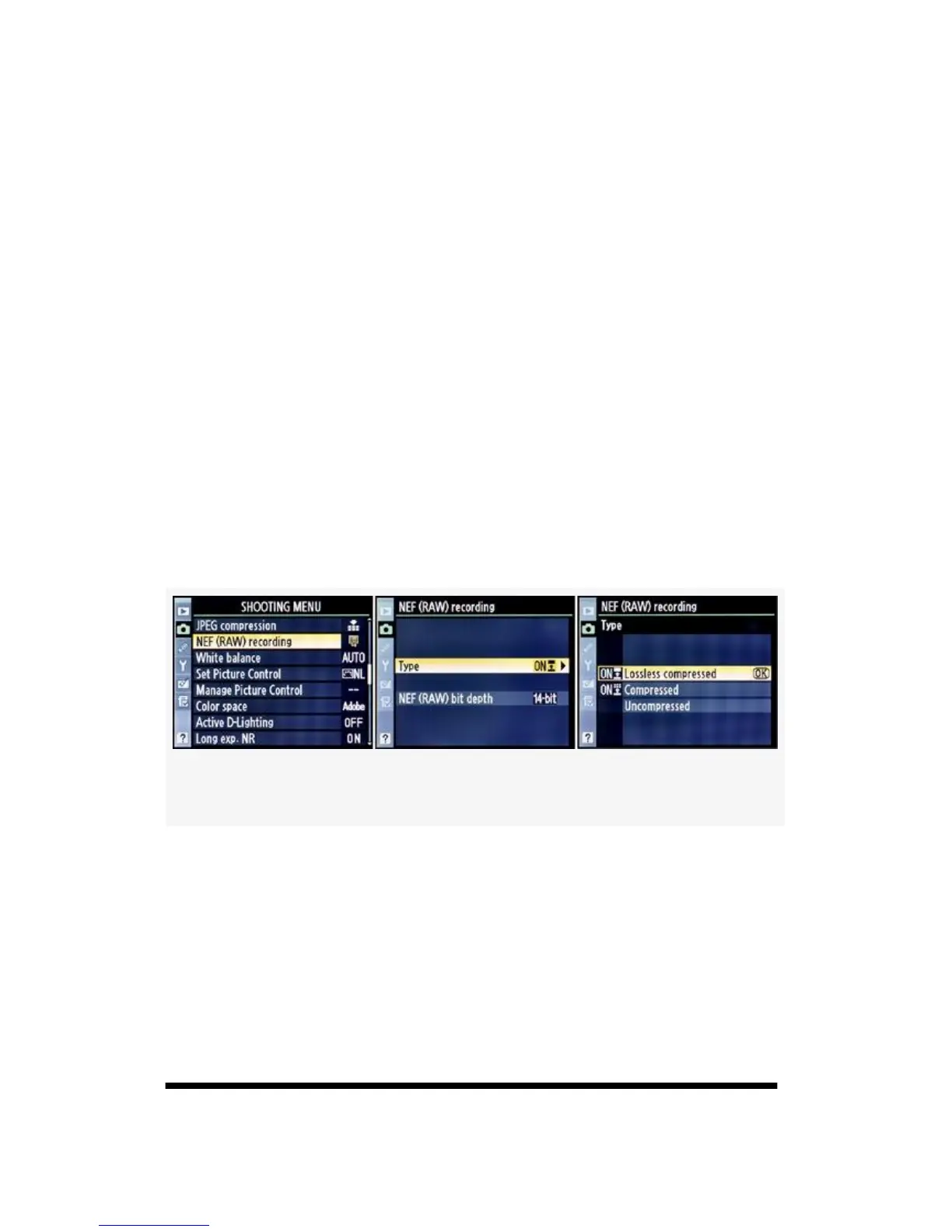
Here are the screens and steps to select one of the NEF
(RAW) compression Types (see Figure 3-14):
Figure 3-14. RAW (NEF) recording
1. Select NEF (RAW) recording from the Shooting Menu
and scroll to the right.
2. Select Type and scroll to the right.
3. Select one of the three compression methods from the
Type menu.
4. Press the OK button to save your selection.
145



 To Next Page