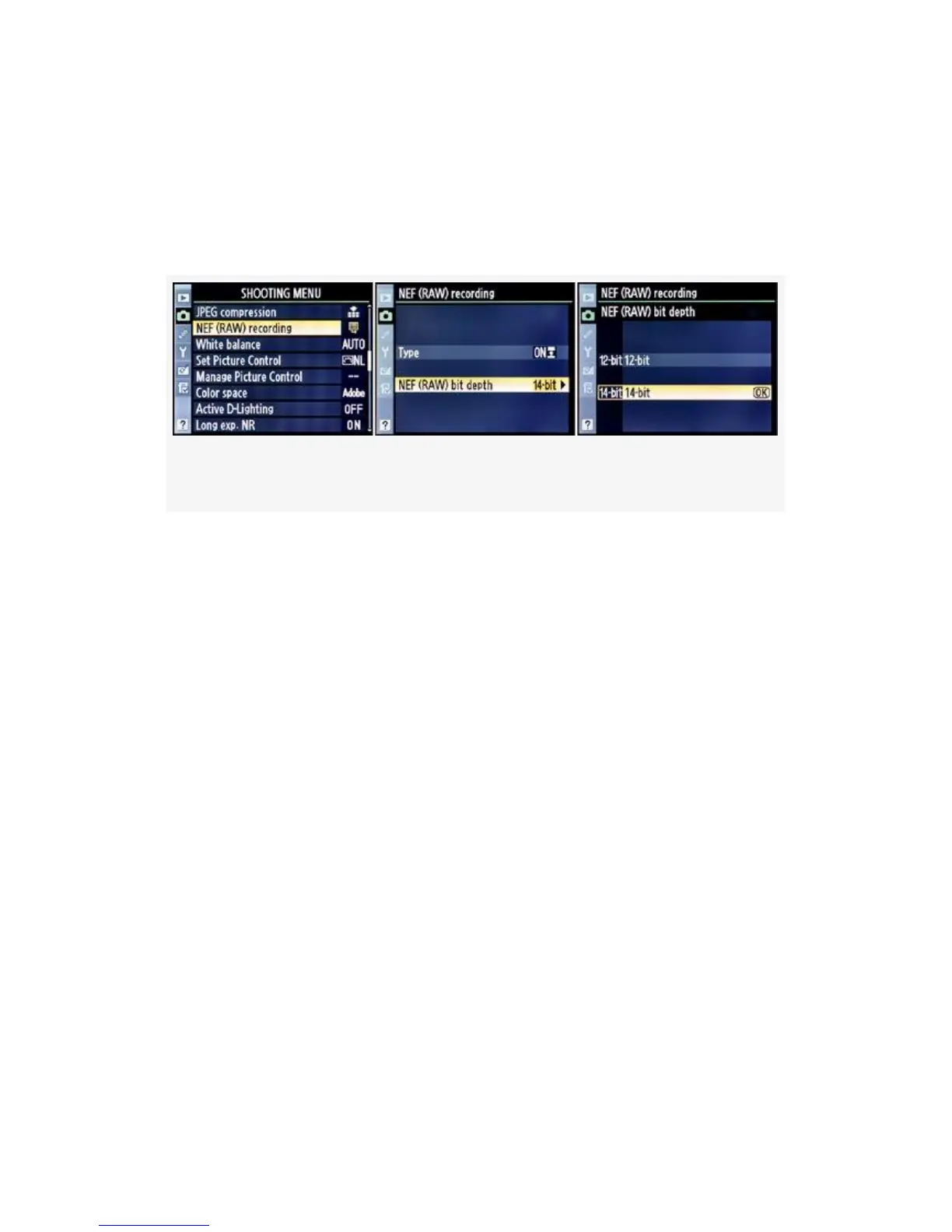
available: 12-bit (4,096 colors per channel) or 14-bit (16,385
colors per channel).
Here are the screens and steps to choose a NEF (RAW) bit
depth (see Figure 3-15):
Figure 3-15. NEF (RAW) bit depth
1. Select NEF (RAW) recording from the Shooting Menu
and scroll to the right.
2. Select NEF (RAW) bit depth and scroll to the right.
3. Select 12-bit or 14-bit from the NEF (RAW) bit depth
menu.
4. Press the OK button to save your selection.
My Recommendation: Which bit depth setting is best?
Well, I always use 14-bit because I want all the color my
camera can capture, for the best pictures later. If you read my
bit depth tutorial in the next section, you’ll understand why I
feel that way.
However, my style of shooting is nature oriented, so I am
concerned with capturing every last drop of color I can.
However, there are some disadvantages to using the 14-bit
mode. If you choose 14-bit, be aware that your camera’s file
sizes will be 1.3 times larger than they would have been in
148



 To Next Page