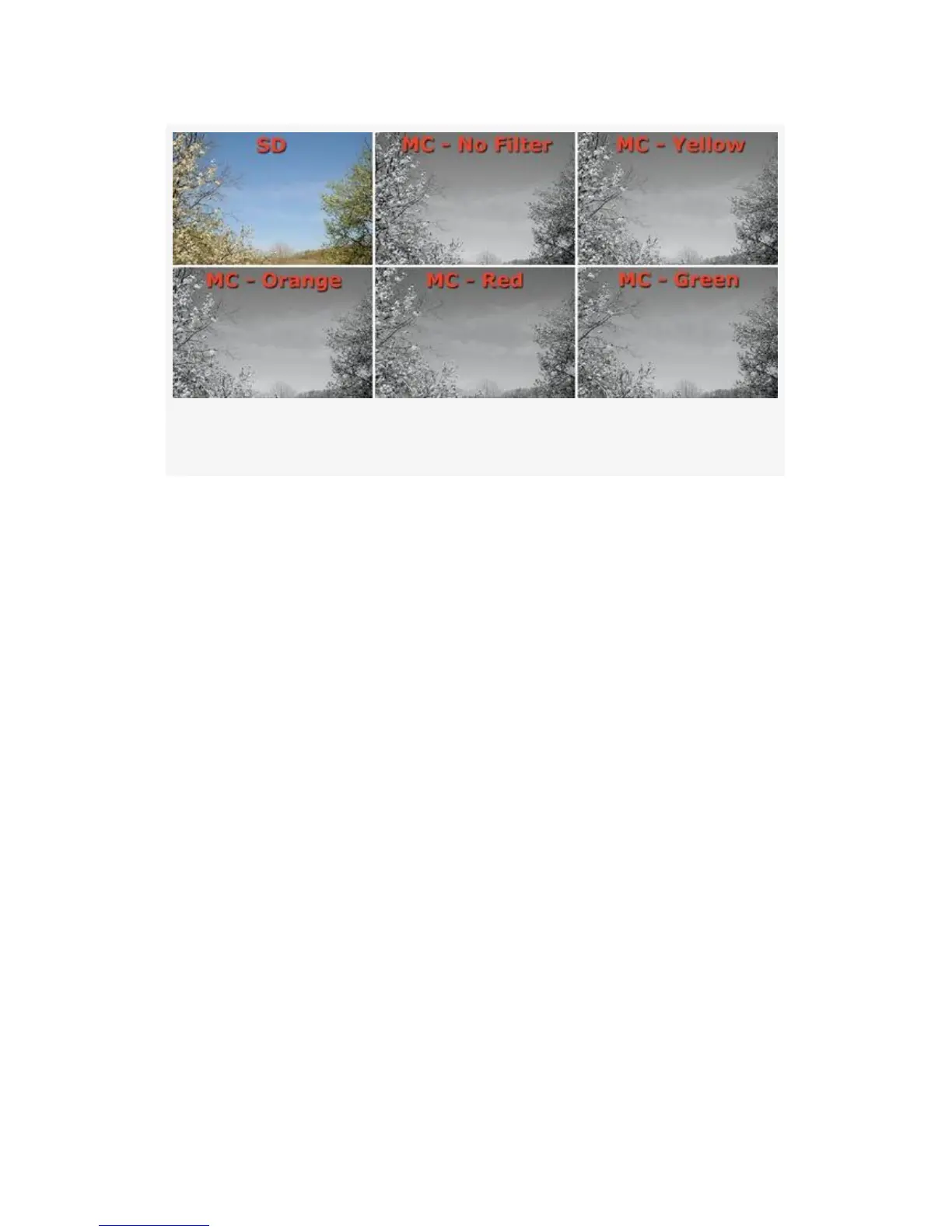
Figure 3-23. Monochrome Filter effects samples
In Figure 3-23 you’ll see an untouched sample of a color SD
Picture Control (for comparison) alongside the five MC
shades of Monochrome (black-and-white) Filter effects. The
Filter effects are mildly different and are hard to see due to
tone range limitations of a printed book. In my opinion, the
Red effect seems to darken the sky and emphasize the wispy
clouds a bit better.
The Filter effects settings are more pronounced than those
you would achieve using a glass filter attached to your lens.
As displayed in Figure 3-24, there are also 10 variable Toning
effects available—B&W (standard black and white), Sepia,
Cyanotype, Red, Yellow, Green, Blue Green, Blue, Purple
Blue, and Red Purple. Each of the Toning effects is variable
within itself—you can adjust the saturation of the individual
tones. In Figure 3-24, I cranked them all the way up to the
maximum setting, which tends to oversaturate the toning
color. I wanted you to clearly see the maximum potential in
the Toning settings.
167



 To Next Page