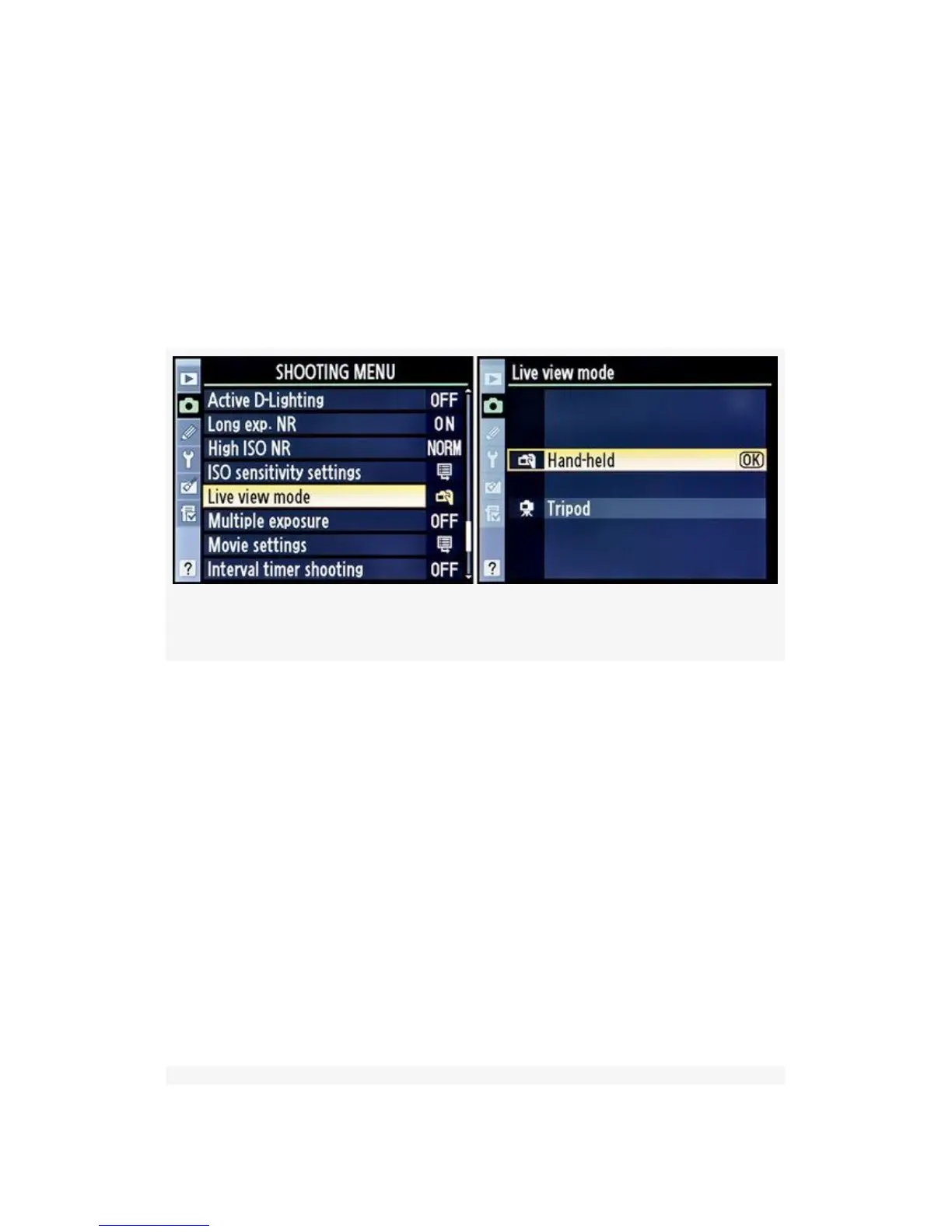
In this section, we’ll look at how to select Live view mode,
with a brief description of how the Hand-held and Tripod
modes work. I have devoted part of another
chapter—Chapter 8—to Live view mode and will go into
much more detail on all of this mode’s capabilities. Here are
the steps to select one of the Live view mode settings (see the
screens in Figure 3-53):
Figure 3-53. Selecting a Live view mode
1. Select Live view mode from the Shooting Menu and
scroll to the right.
2. Choose either Hand-held or Tripod from the Live view
mode screen.
3. Press the OK button to finish the selection.
You can identify the two Live view modes by looking at the
little icon in the upper-left corner of the Monitor (see
Figure 3-54, red arrows). The Hand-held Live view mode
uses an icon that looks like a hand holding a camera. The
Tripod Live view mode icon is a camera with a tiny tripod on
the bottom. Pretty easy to understand!
222



 To Next Page