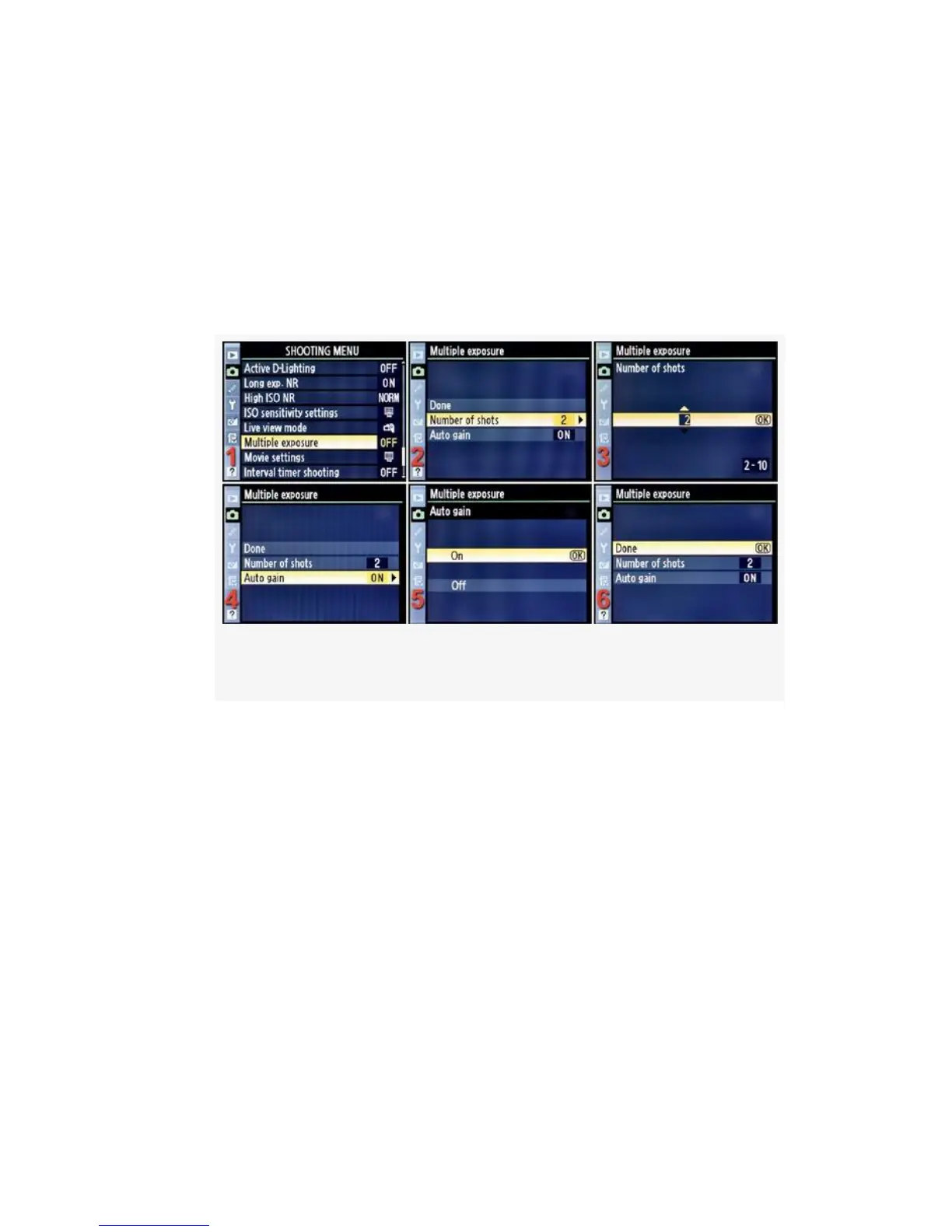
Let’s consider each of the screens and steps, as shown in
Figure 3-55, and discover how to set up the Multiple exposure
system.
1. Select Multiple exposure from the Shooting Menu and
scroll to the right (see
Figure 3-55, image 1).
Figure 3-55. Setting up a multiple exposure
2. Select Number of shots and scroll right (see Figure 3-55,
image 2).
3. Enter the number of shots you wish to take, any number
between 2 and 10, and press the OK button (see
Figure 3-55, image 3).
4. Select Auto gain and scroll right (see Figure 3-55, image
4).
5. Select On and press the OK button (see Figure 3-55,
image 5).
6. Select Done and press the OK button (see Figure 3-55,
image 6).
227



 To Next Page