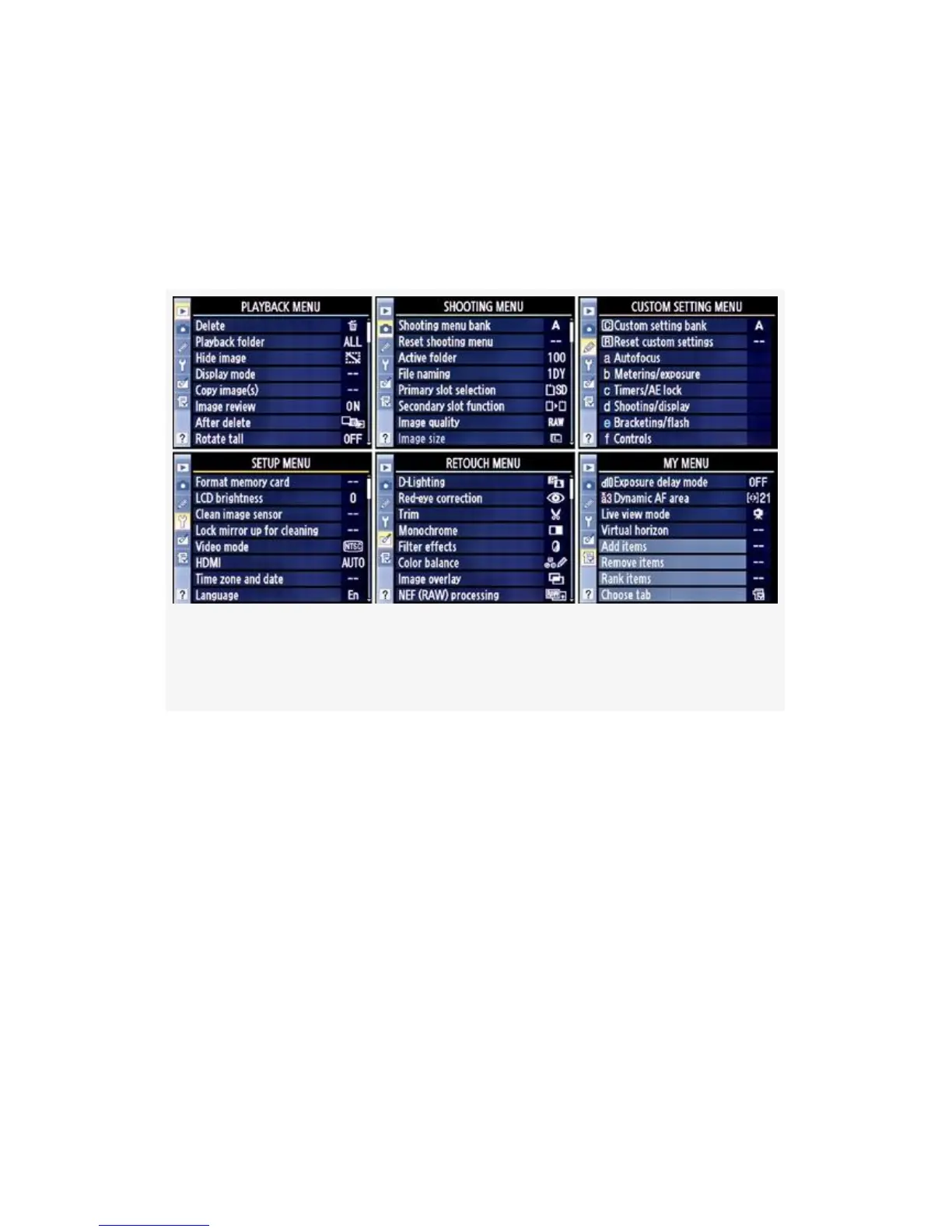
you press the MENU button. You can see it at the left of each
of the menus in Figure 1-1. As you scroll up or down in the
selector bar, you’ll see each menu appear—one at a time—to
the right of the bar. The name at the top of the menu will help
you figure out which one you’re currently using.
Figure 1-1. Six primary camera menus (optional Recent
Settings menu not shown)
The six menus that are found under the D300(S) menu system
are, in order, as follows (see Figure 1-1):
1. Playback Menu
2. Shooting Menu
3. Custom Setting Menu
4. Setup Menu
5. Retouch Menu
6. My Menu or Recent Settings
26



 To Next Page