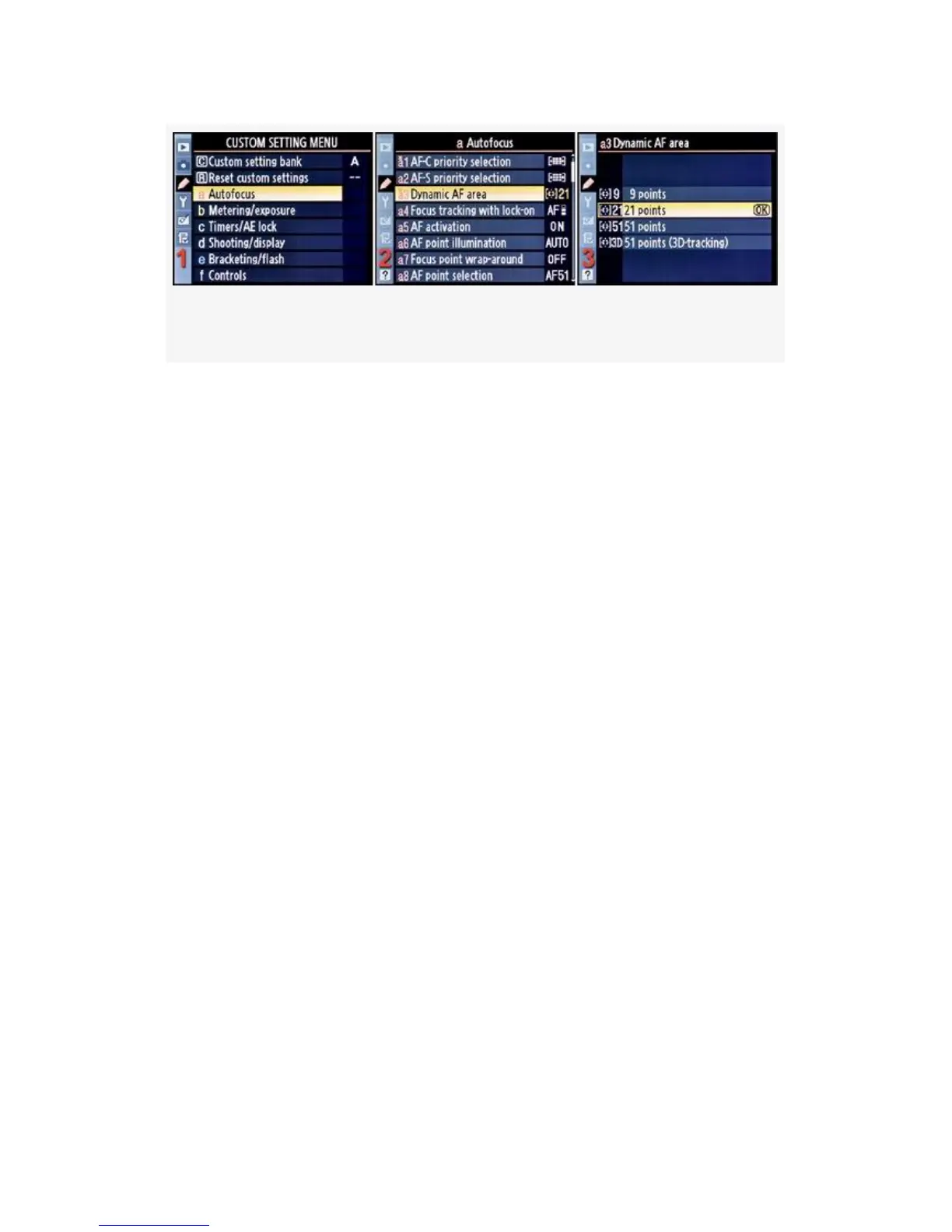
Figure 4-8. Dynamic AF area selection
1. Select a Autofocus from the Custom Setting Menu and
scroll to the right (see Figure 4-8, image 1).
2. Highlight Dynamic AF area and scroll to the right (see
Figure 4-8, image 2).
3. Choose one of the four choices from the menu. I have 21
points selected in Figure 4-8, image 3.
4. Press the OK button to lock in the mode.
Please review the next section (Custom setting a4) called
Focus Tracking with Lock-On. It is critical for working with
sensor patterns and Dynamic-area AF. If you don’t set a4 to
On, you may not be able to continue tracking a moving
subject when an object briefly comes between you and your
subject.
My Recommendation: I’ve experimented with outdoor and
indoor subjects using both a D300S and D300. Both cameras
have an amazingly fast and accurate autofocus system. The
D300S has an edge due to the extra processing power it has
from its ability to shoot video. It’s important that you
experiment with your camera’s autofocus performance when
using 51 point Dynamic AF area. I use 21 point Dynamic AF
263



 To Next Page