▪ Auto – If the Viewfinder’s background is dark, the
selected AF point(s) will briefly flash red when you
press the Shutter-release button or the AF-ON button to
start autofocus. If the background is bright, you’ll have
no trouble seeing your AF point’s little black squares, so
they don’t flash red when you start autofocus.
▪ On –
The selected AF point is highlighted in red when you
start autofocus, regardless of the light level of the
background.
▪ Off – The selected AF point does not light up in red
when you start autofocus. It always stays black.
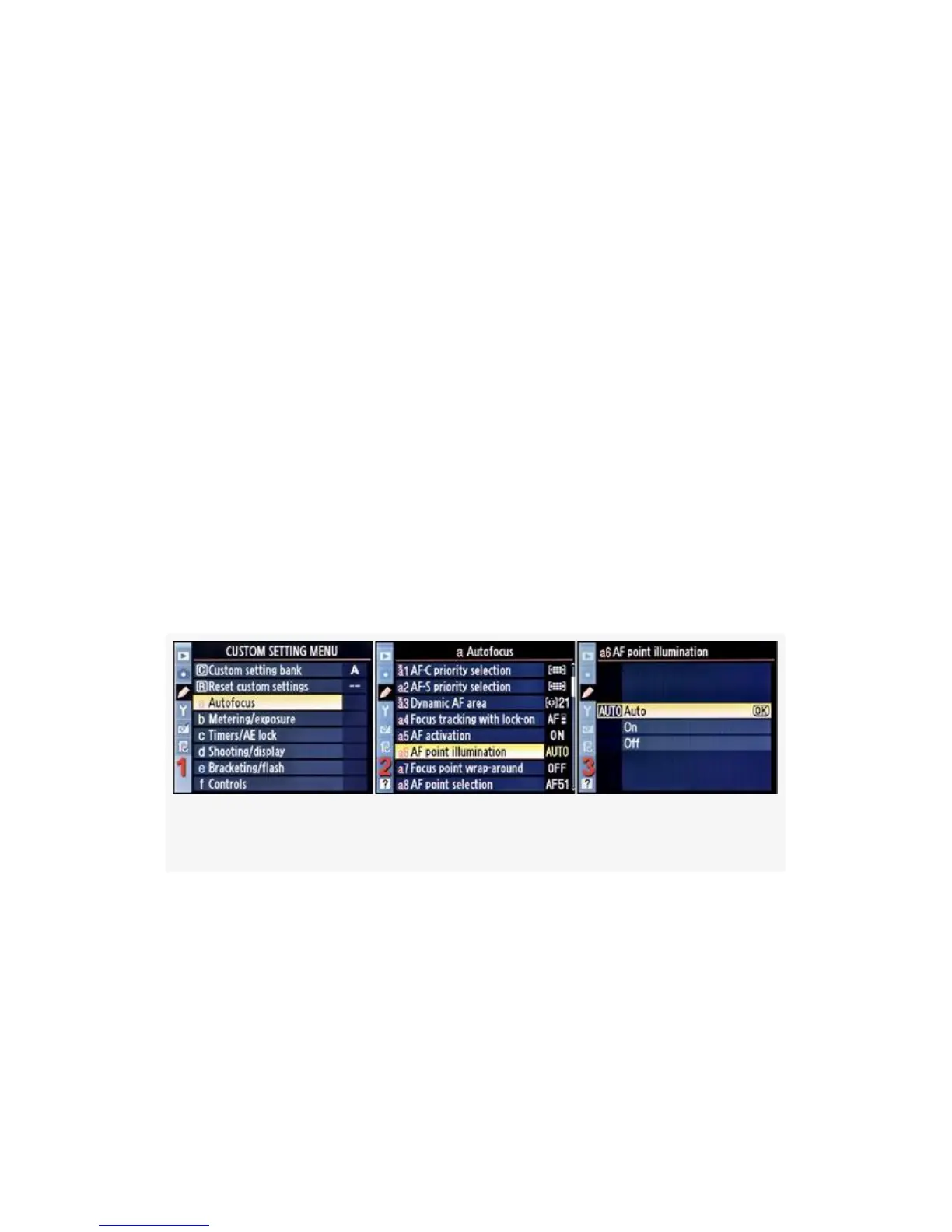
First, let’s examine the screens and steps to configure AF
point illumination. Then we’ll talk about how the settings
work (see Figure 4-11).
Figure 4-11. AF point illumination
1. Select a Autofocus from the Custom Setting Menu and
scroll to the right (see Figure 4-11, image l).
2. Highlight AF point illumination and scroll to the right
(see Figure 4-11, image 2).
3. Choose one of the three choices from the menu. In
Figure 4-11, image 3, Auto has been selected.
273



 To Next Page