If you are concerned with maximum ISO control, then use the
1/3 step setting. It takes longer to scroll through the ISO
selections if you manually set your ISO value in 1/3 steps.
The 1/3 step setting is the factory default value for b1.
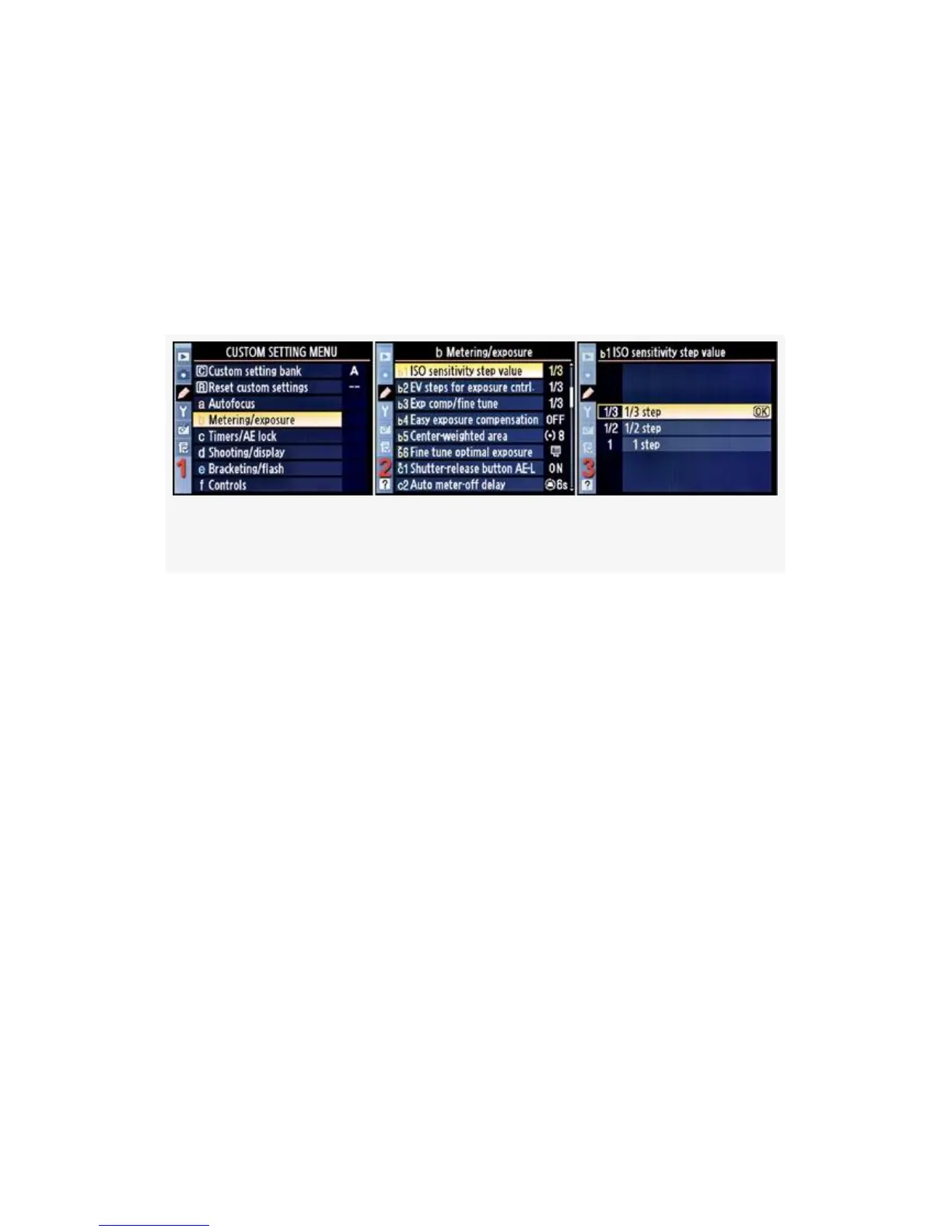
Here are the screens and steps to change the ISO sensitivity
step value (see Figure 4-17):
Figure 4-17. ISO sensitivity step value
1. Select b Metering/exposure from the Custom Setting
Menu and scroll to the right (see Figure 4-17, image 1).
2. Highlight ISO sensitivity step value and scroll to the
right (see Figure 4-17, image 2).
3. Choose one of the three items on the menu. In
Figure 4-17, image 3, 1/3 step has been selected.
4. Press the OK button to lock in the setting.
Now, let’s talk more about how to use the ISO sensitivity step
value setting. With ISO sensitivity step value set to 1/3 step,
hold down your camera’s ISO button on the top left of the
camera and turn the rear Main command dial to the right. If
your camera was set to ISO 200 initially, you’ll see that the
ISO number in the Control panel changes in the following
pattern:
286



 To Next Page