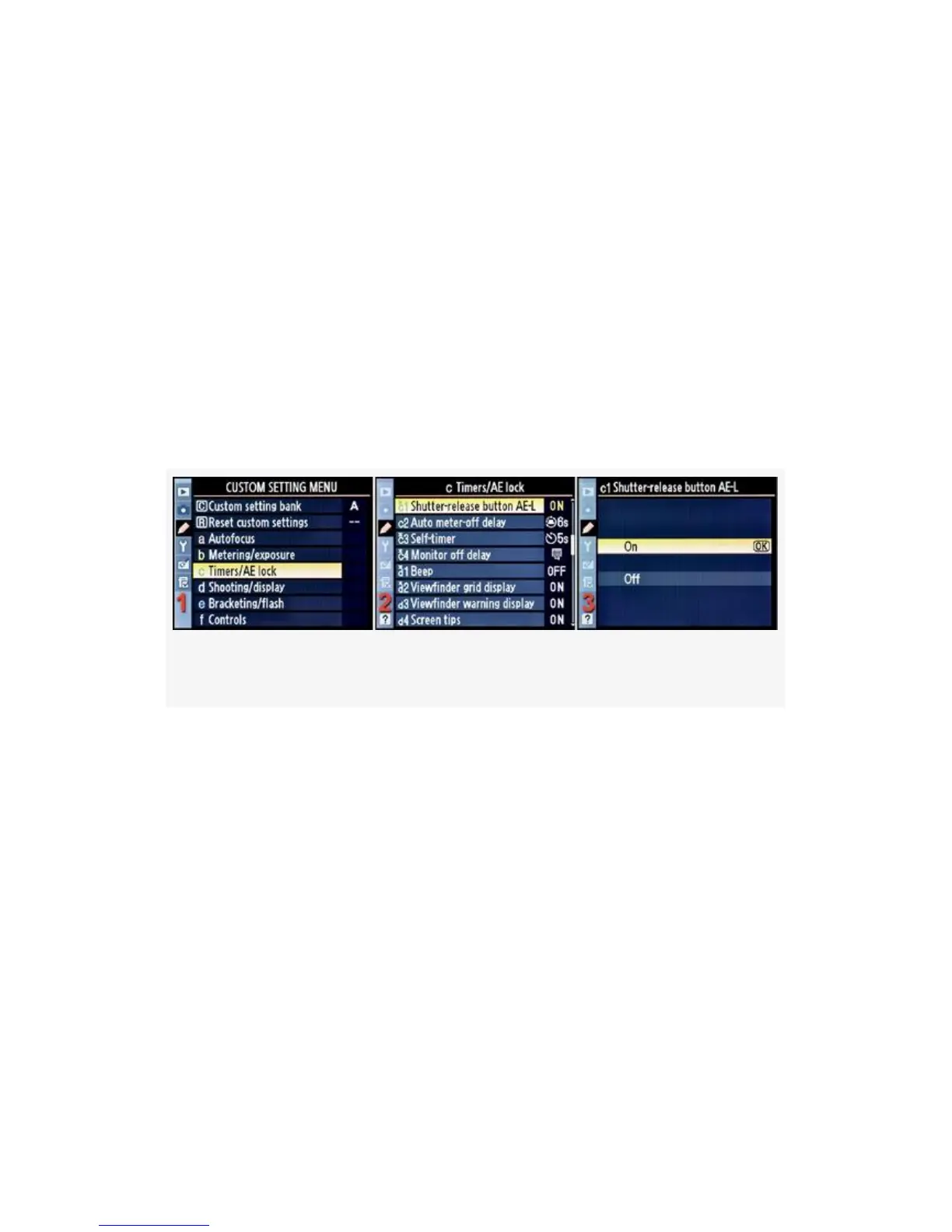
This function allows you to meter from one area of the scene
and then recompose to another area without losing the meter
reading from the first area—as long as you hold the
Shutter-release button halfway down.
Looking at this from another direction, when you have
Shutter-release button AE-L set to Off, exposure will only
lock when you have the AE-L/AF-L button held down—the
normal way.
Here are the screens and steps used to configure
Shutter-release button AE-L (see Figure 4-26):
Figure 4-26. Shutter-release button AE-L
1. Select c Timers/AE lock from the Custom Setting Menu
and scroll to the right (see Figure 4-26, image 1).
2. Highlight Shutter-release button AE-L and scroll to the
right (see Figure 4-26, image 2).
3. Choose one of the two choices on the menu. In
Figure 4-26, image 3, On has been selected.
4. Press the OK button to lock in the setting.
My Recommendation: I only use this feature when I really
need it, then turn it off. The rest of the time, I just use the
AE-L/AF-L button to lock my exposure. I don’t think I’d
305



 To Next Page