made a fool of yourself in the process? Come on now, admit
it. I know I have!
Well, those problems are solved with the camera’s adjustable
Self-timer delay. Whether you are shooting a group shot or
just using the self-timer as a cheap cable release, it’s good to
be able to adjust the time before release with Self-timer delay.
Here is a list of the four available Self-timer delay settings:
▪ 2 s – 2 seconds
▪ 5 s – 5 seconds
▪ 10 s – 10 seconds (default)
▪ 20 s – 20 seconds
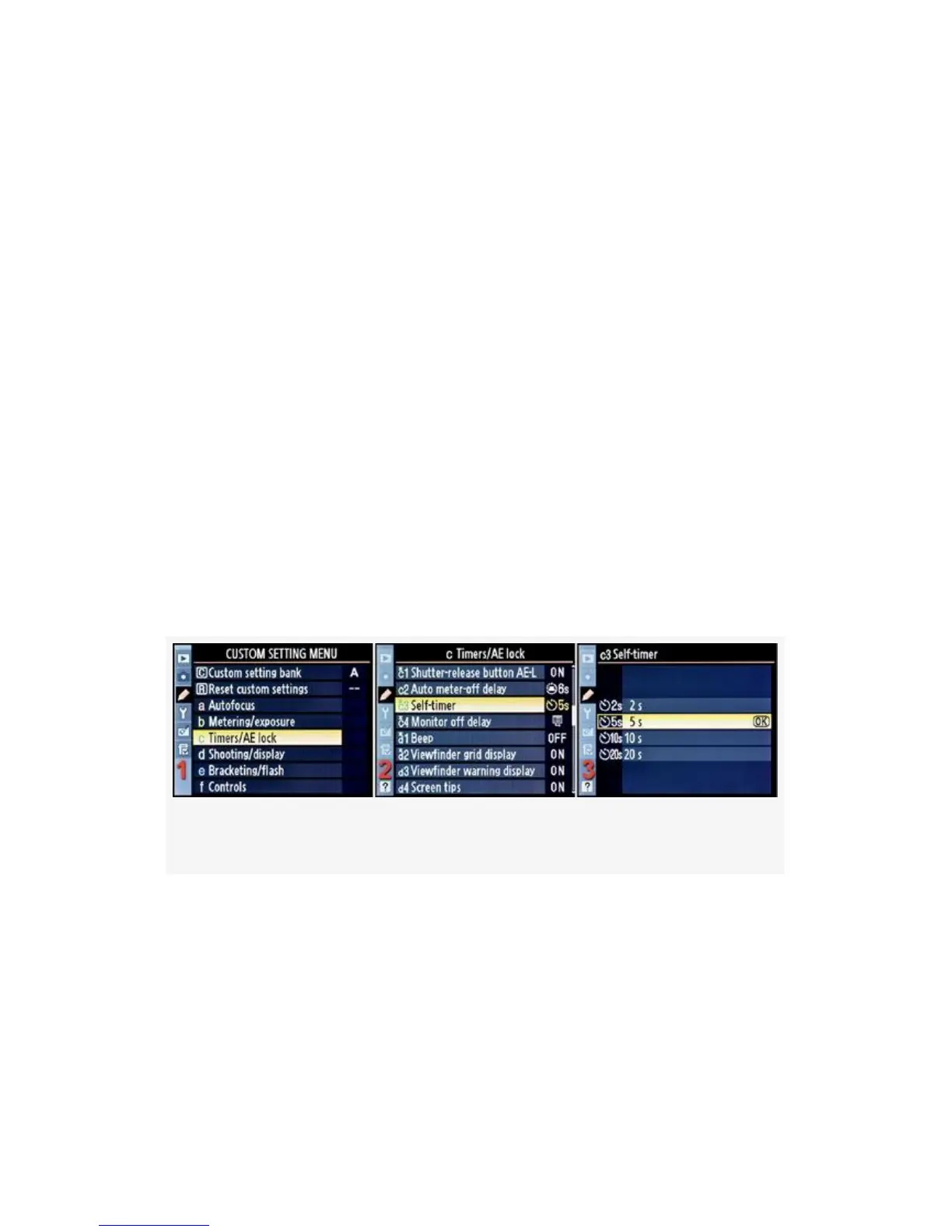
Here are the screens and steps used to configure the
Self-timer delay (see Figure 4-28):
Figure 4-28. Self-timer delay
1. Select c Timers/AE lock from the Custom Setting Menu
and scroll to the right (see Figure 4-28, image 1).
2. Highlight Self-timer on the D300S or Self-timer delay on
the D300, and scroll to the right (see Figure 4-28, image
2).
309



 To Next Page