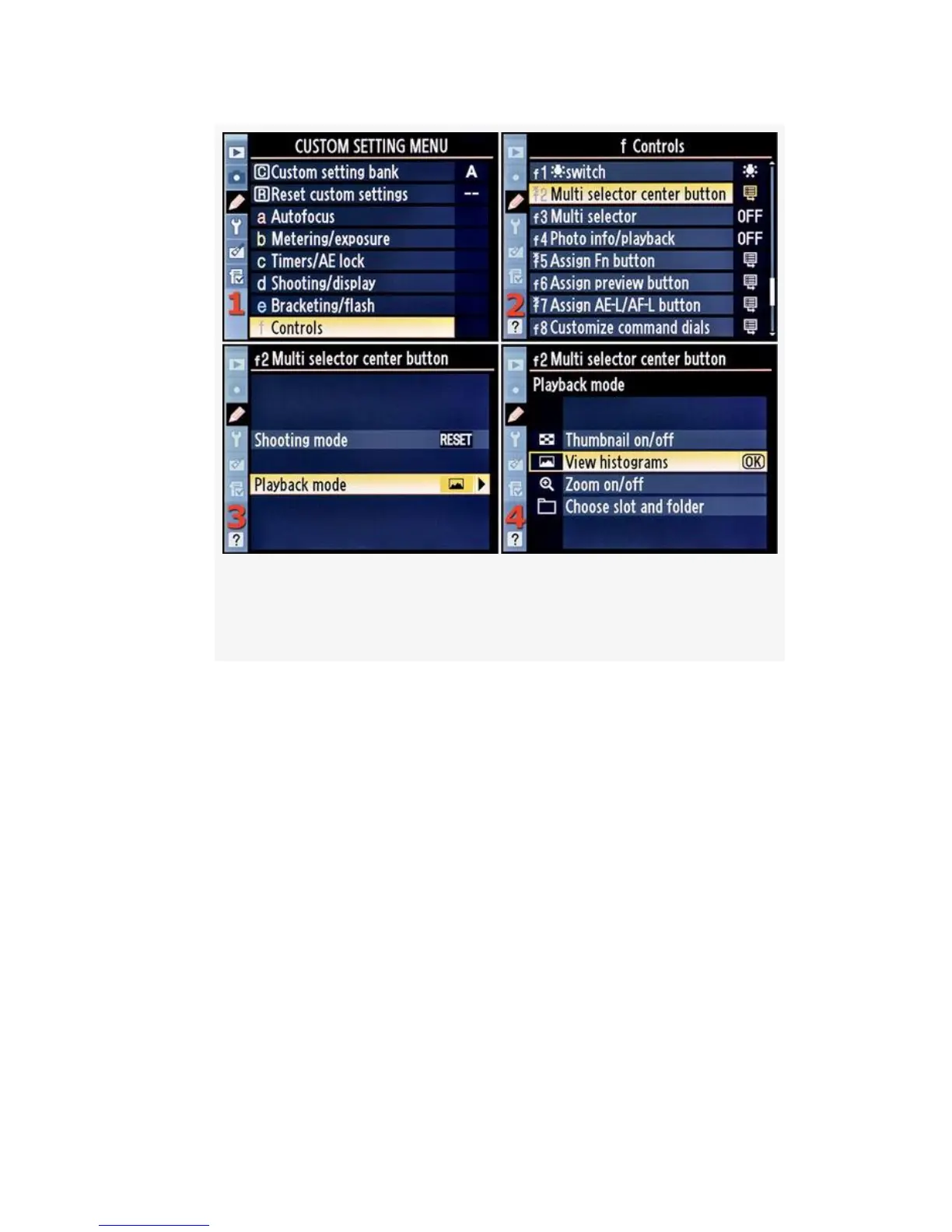
Figure 4-66. Multi selector center button (Playback
mode)
4. Choose one of the four choices on the list. In
Figure 4-66, image 4, View histograms has been chosen.
If you choose Zoom on/off, you’ll need to scroll to the
right and select one of the three sub-settings (see
Figure 4-67 in the upcoming sub-section section called
Zoom on/off). If you select Choose slot and folder in the
D300S, or Choose folder in the D300, you’ll need to be
aware of some additional screens your camera can
present. See Figure 4-68 and Figure 4-69 in the
upcoming sub-sections called Choose slot and folder
(D300S) or Choose folder (D300).
5. Press the OK button to lock in the setting.
389



 To Next Page