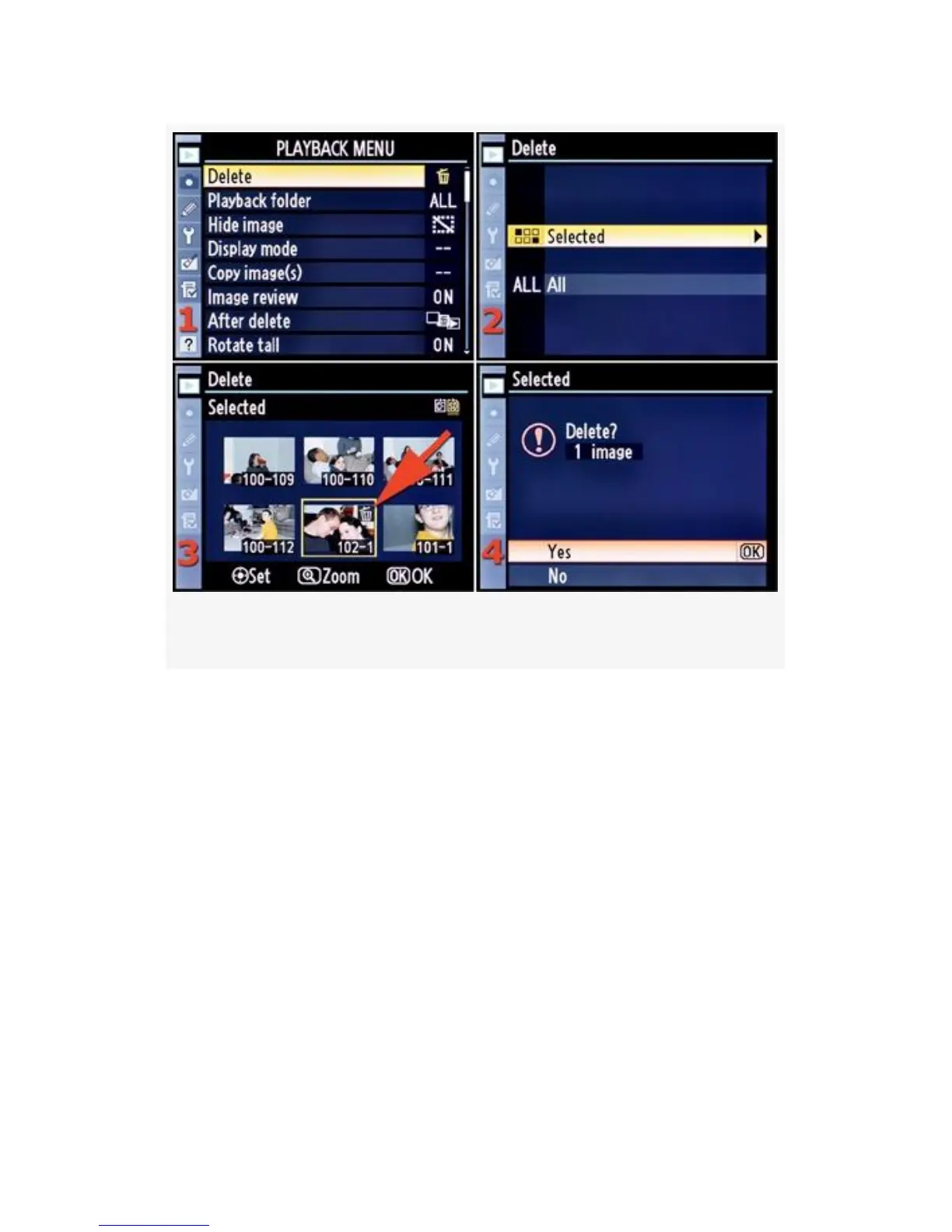
Figure 2-1. Delete selected images
The numbers look like 102-1, which stands for folder number
102, image number 1. I have three folders showing in image
3: 100, 101, and 102.
The number of images shown will vary according to how you
configure the Play back folder settings (see the next section of
this chapter).
Here are the steps to delete Selected images:
1. To delete one or more images, you’ll need to locate and
mark each of them using the Multi Selector. The D300S
uses the small button in the middle of the Multi Selector
to select an image, while the D300 requires that you
press the entire Multi Selector without tilting it off
39



 To Next Page