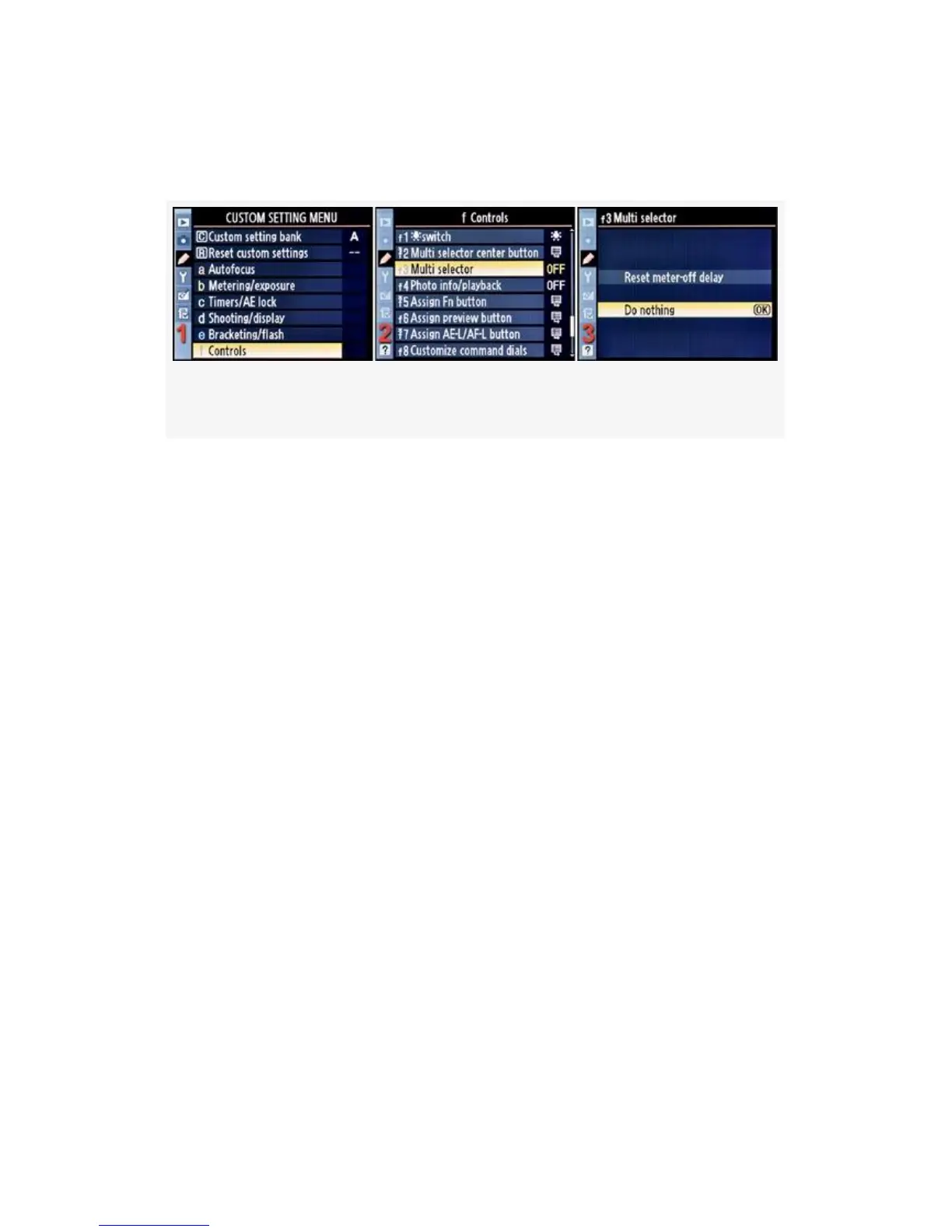
Here are the screens and steps used to configure the Multi
selector function (Figure 4-70):
Figure 4-70. Multi selector
1. Select f Controls from the Custom Setting Menu and
scroll to the right (see Figure 4-70, image 1).
2. Highlight Multi selector and scroll to the right (see
Figure 4-70, image 2).
3. Choose one of the two selections from the list. In
Figure 4-70, image 3, Do nothing has been selected.
4. Press the OK button to lock in the setting.
Here is an explanation of what these two selections
accomplish:
▪ Reset meter-off delay – This setting is a handy way to
turn on the exposure meter without pressing the
Shutter-release button halfway down. Maybe you’d like
to meter the subject but not cause autofocus to start, so
instead of using
the Shutter-release button to turn the meter on, you can
use the Multi Selector. I find this to be a useful function
for another reason. I’ll often want to move an AF point
around the Viewfinder, but the light meter has gone off,
so it won’t move. I have to press the Shutter-release
395



 To Next Page