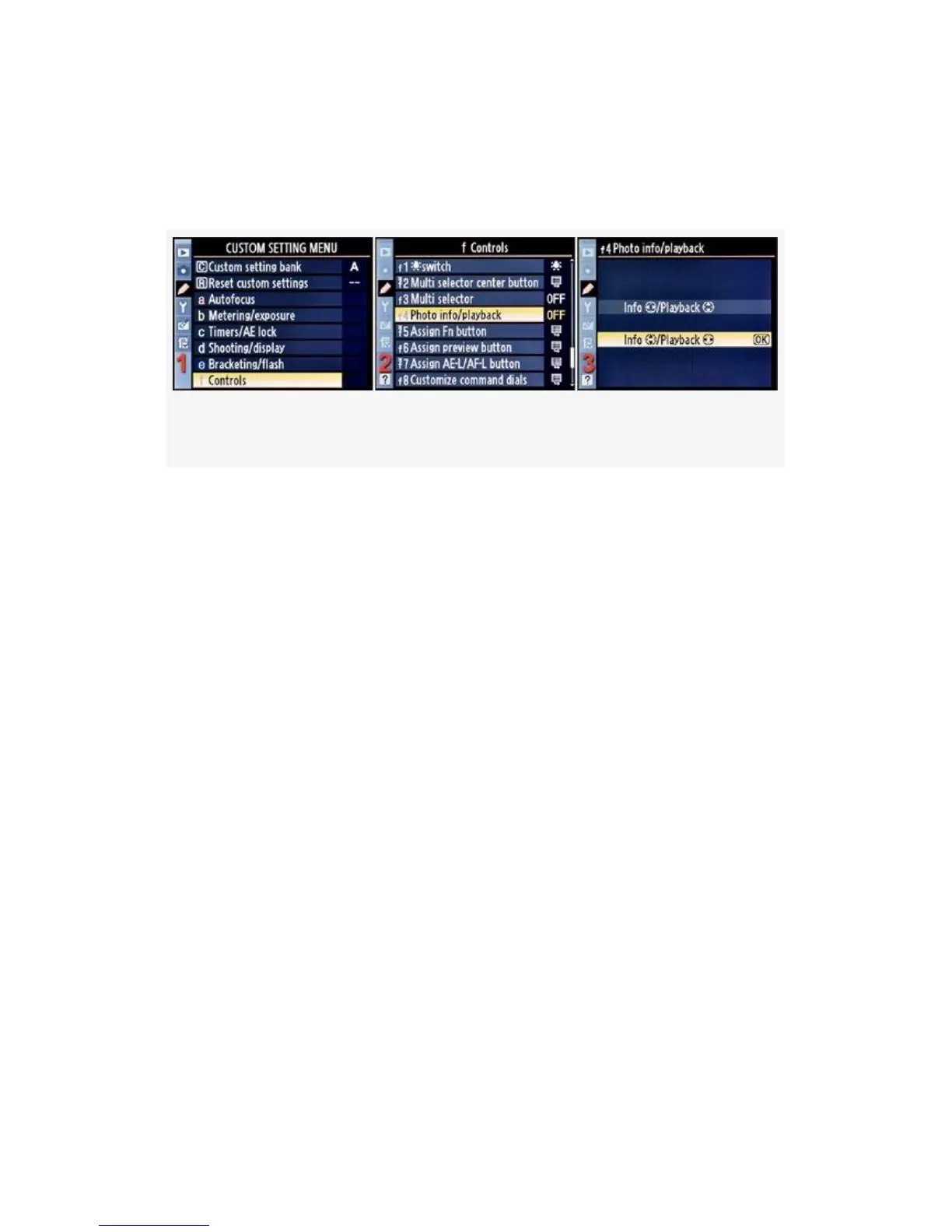
Here are the screens and steps used to change the Multi
Selector direction for image Info and Playback screen
viewing (see Figure 4-71):
Figure 4-71. Photo info/playback
1. Select f Controls from the Custom Setting Menu and
scroll to the right (see Figure 4-71, image 1).
2. Highlight Photo info/playback and scroll to the right (see
Figure 4-71, image 2).
3. Choose one of the two selections from the list.
Figure 4-71, image 3, shows the factory default of
left-right for photo Playback and up-down for Info
viewing. Choose the other selection to reverse the
directions.
4. Press the OK button to lock in the setting.
My Recommendation: Nikon seems to want to make the
D300(S) very flexible so that it can meet the needs of a wide
range of user preferences. I like the factory default of
left-right for image Playback and up-down for Info viewing.
If you like it the other way, just reverse it. Simple enough!
397



 To Next Page