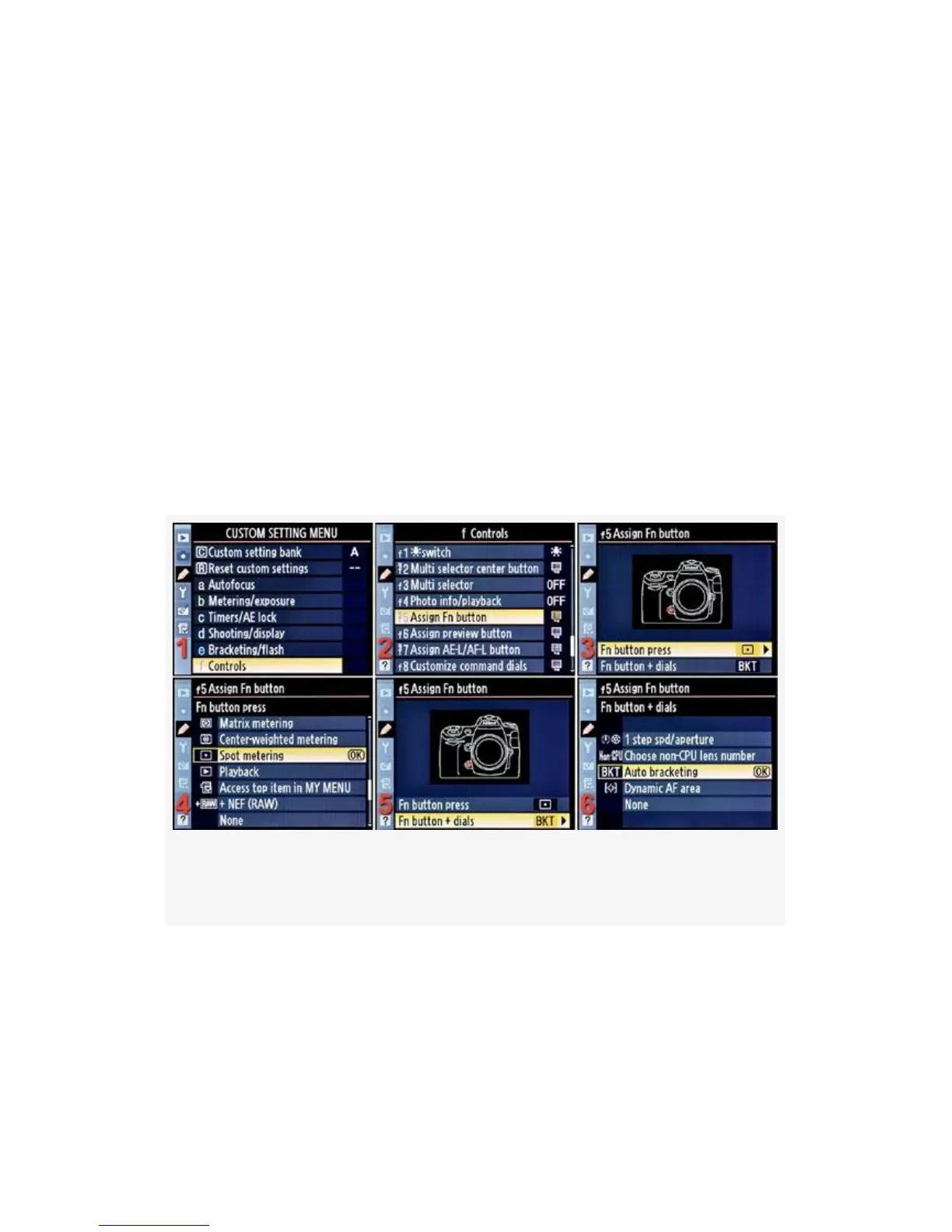
settings we are about to review are designed to let you
customize the usage of the Selected button alone or the
Selected button + Command dials.
Here is a list of the screens followed by the steps used to
configure the Selected button:
▪ Assign Fn (FUNC.) button (see Figure 4-72)
▪ Assign preview button (see Figure 4-73)
▪ Assign AE-L/AF-L button (see Figure 4-74)
Refer back to these three FIGs as you step through the many
choices for how you’ll configure your Selected button.
Figure 4-72. Assign Fn (FUNC.) button
399



 To Next Page