The only useful reason I can see for doing so is when you are
using Nikon Camera Control Pro software to send pictures
directly to your computer (that software is not included with
the camera).
Here are the two settings:
▪ LOCK – Release locked – If you choose this default
setting, your camera will refuse to release the shutter
when there is no memory card present.
▪ OK – Enable release – Use this setting if you want to
use the optional Camera Control Pro 2 software to send
images from the camera directly to the computer.
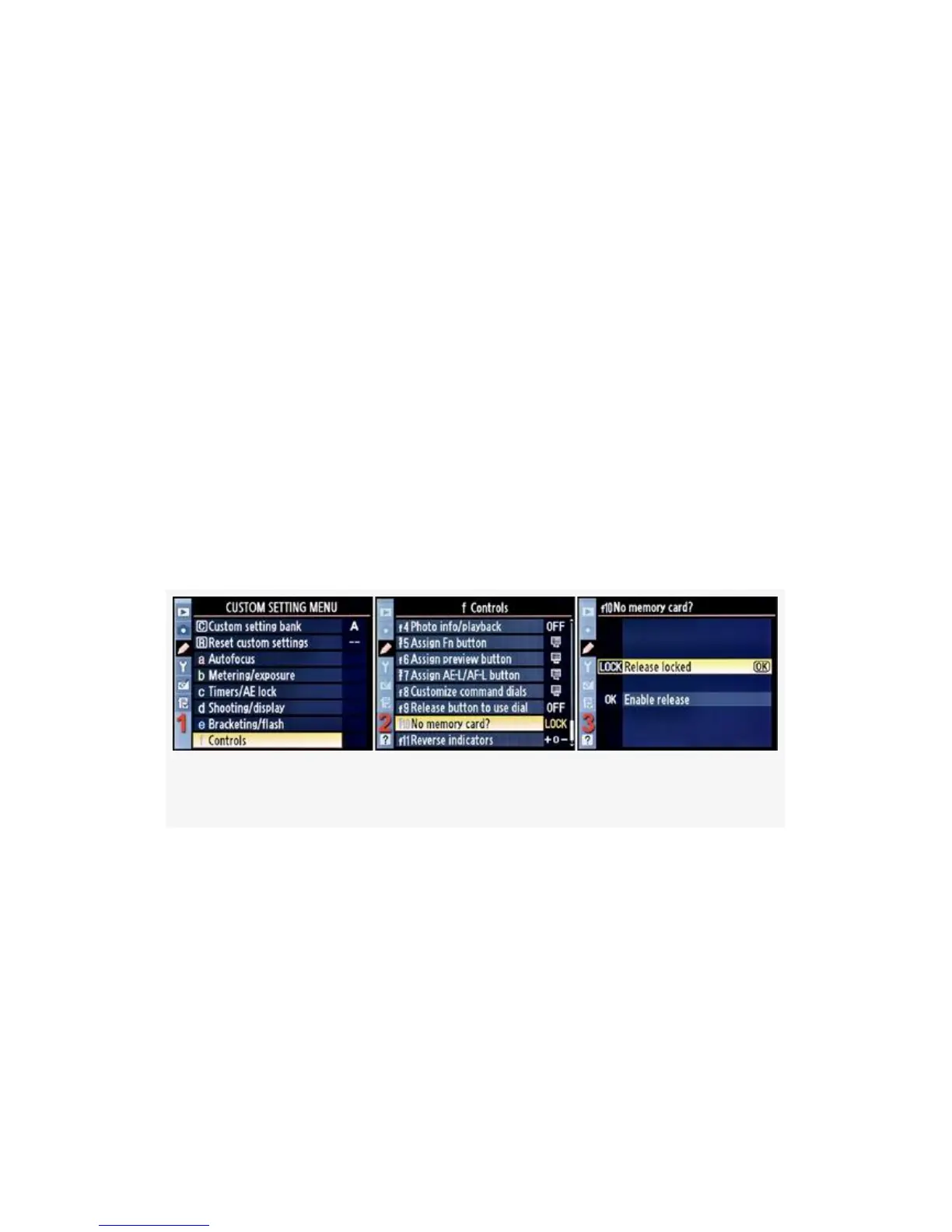
Here are the screens and steps used to configure No memory
card? (see Figure 4-81):
Figure 4-81. No memory card?
1. Select f Controls from the Custom Setting Menu and
scroll to the right (see Figure 4-81, image 1).
2. Highlight No memory card? and scroll to the right (see
Figure 4-81, image 2).
3. Choose one of the two selections from the list. In
Figure 4-81, image 3, Release locked has been selected.
4. Press the OK button to lock in the setting.
419



 To Next Page