If you don’t like using the external camera controls to format
a memory card, the D300(S) allows you to use the Shooting
menu instead. We’ll examine both methods.
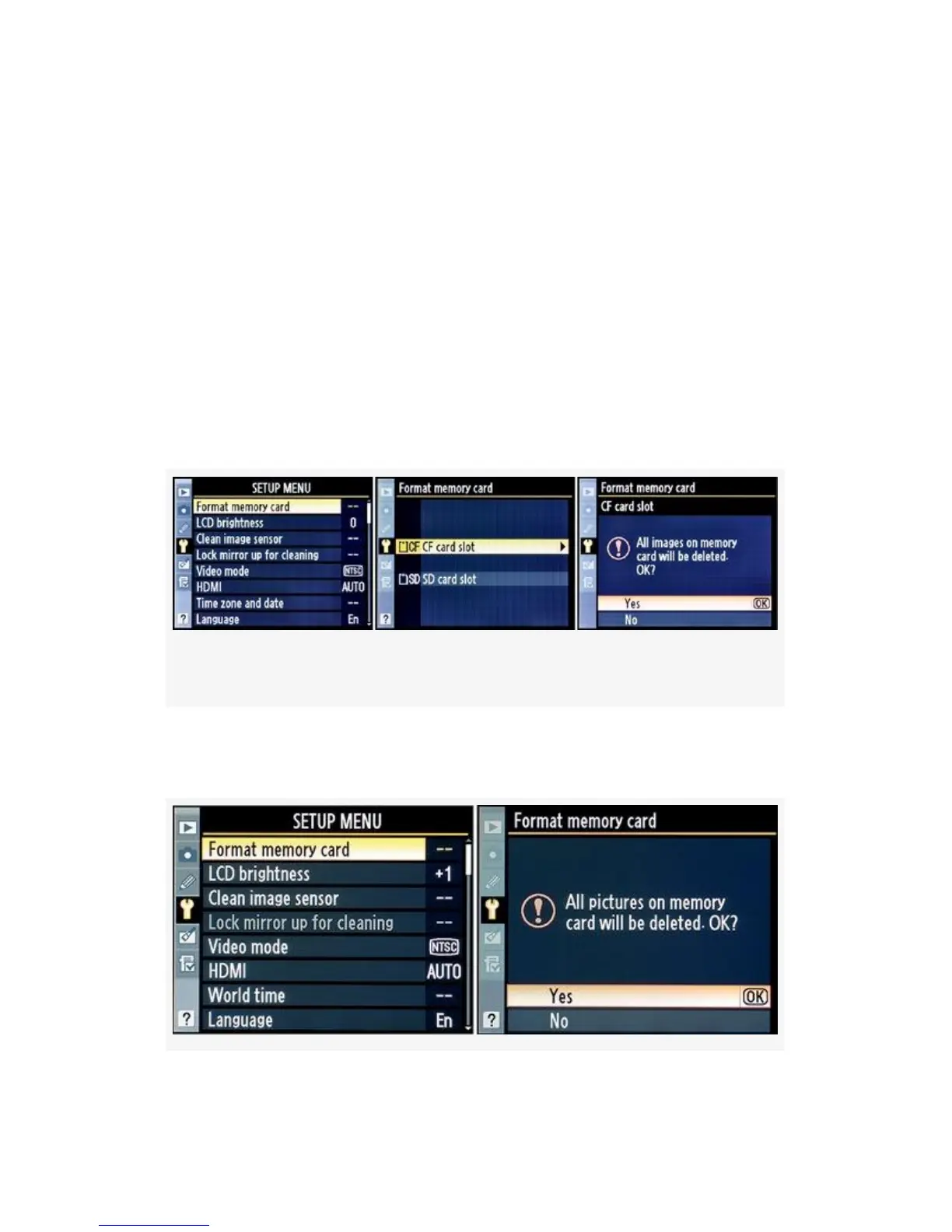
The D300S has both a CF and SD memory card slot, so you’ll
have to choose which card you want to format when you use
the Setup Menu > Format memory card function. The D300
only has one CF card slot, so you don’t have to make any
choices about which card to format.
Figure 5-2 (D300S) and Figure 5-3 (D300) show the Format
memory card screens.
Figure 5-2. Format memory card screens (D300S)
There are several screens you’ll see when formatting a
memory card.
433



 To Next Page