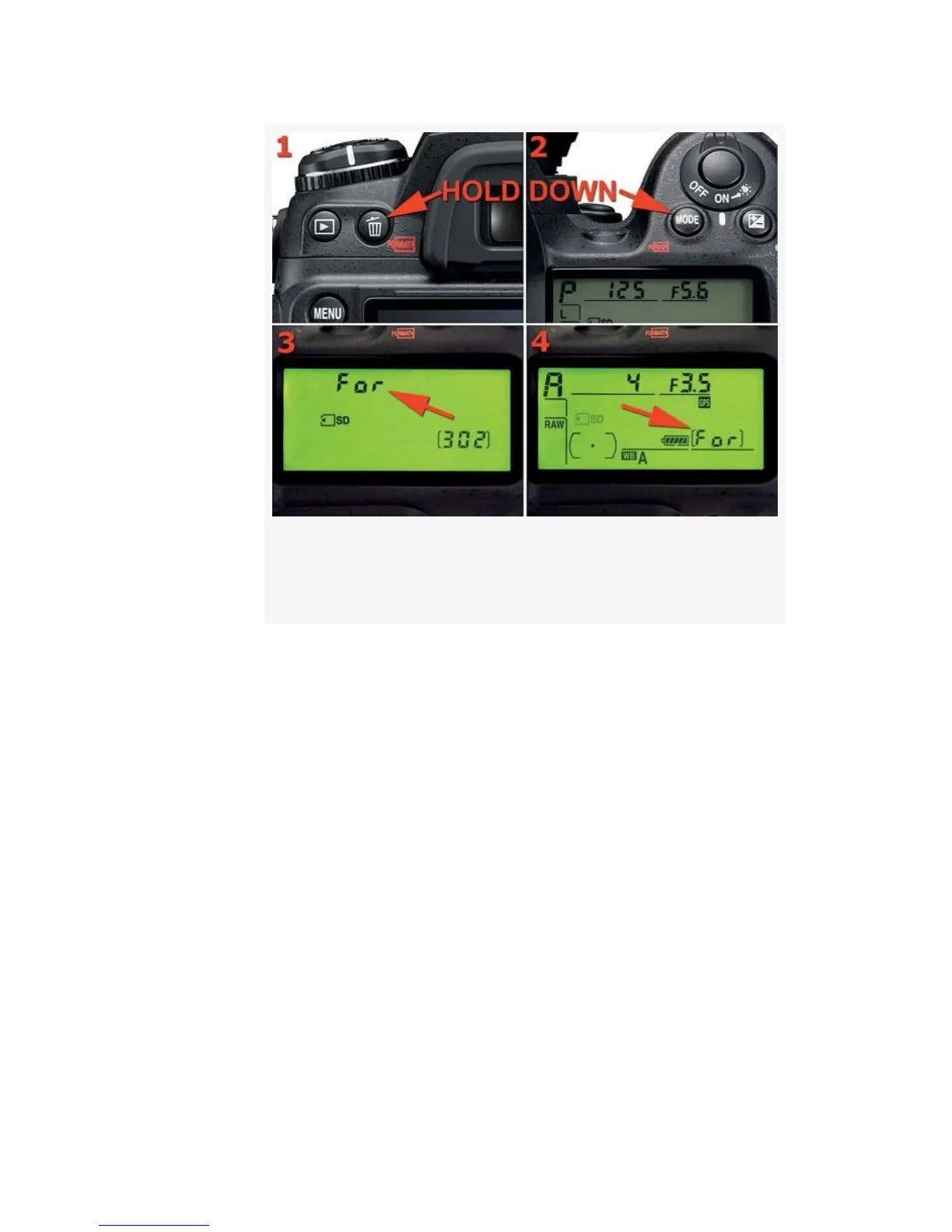
Figure 5-4. Camera buttons and Control panel –
formatting
▪ D300: Since the D300 only has the one CF card
slot, the camera knows what to format, so go
directly to step # 2 when For is flashing.
2. Once For is flashing on the Control panel, as shown in
Figure 5-4, image 3, quickly release and instantly
re-press the Delete and MODE buttons together. You’ll
see the screen change to the one shown in Figure 5-4,
image 4, with For showing where the image count
normally shows on the Control panel. When you see this
screen, the format operation is in process. Do not turn
your camera off during a format. When For disappears
and the image count returns, the format operation is
done.
436



 To Next Page