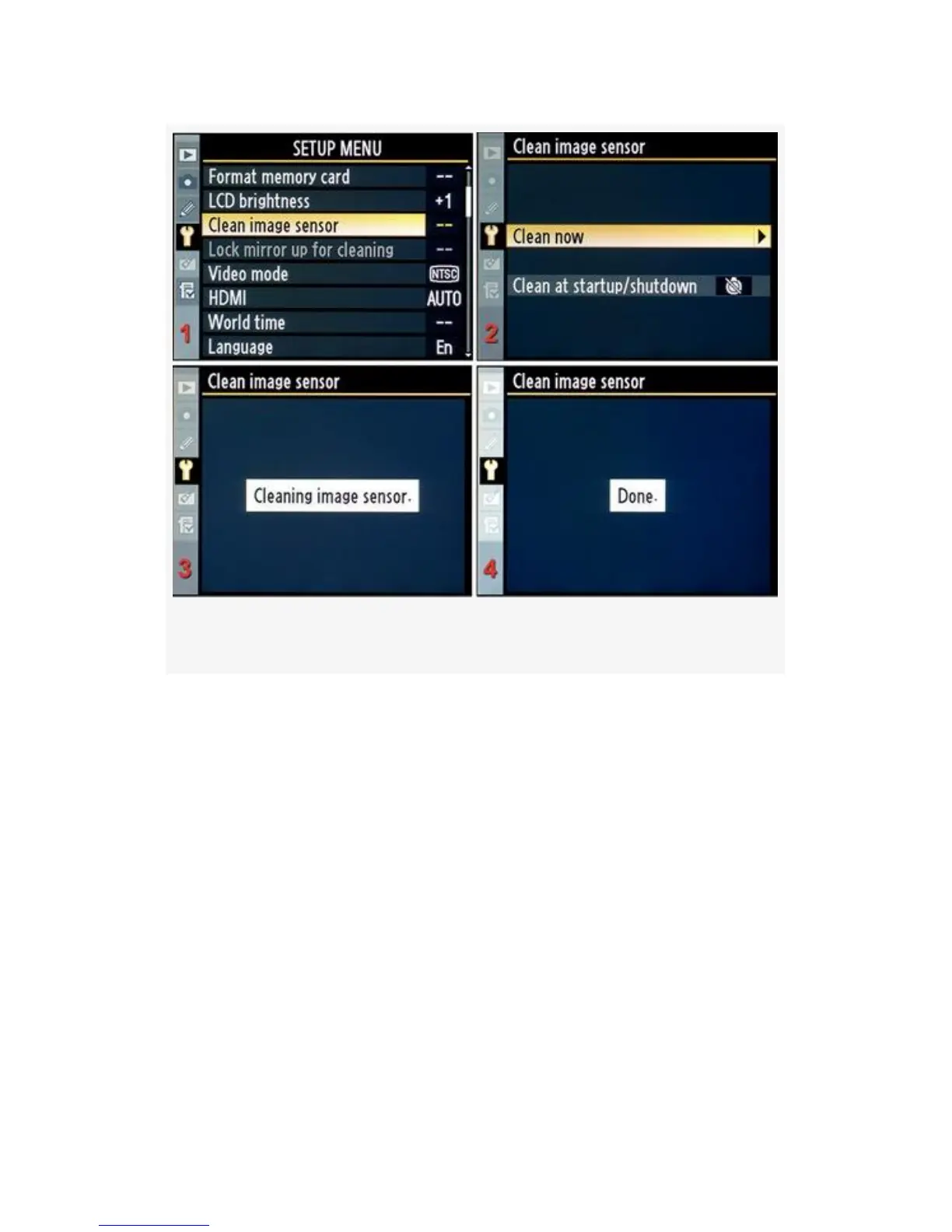
Figure 5-6. Clean now screens
Figure 5-6 and Figure 5-7 show the screens used to
automatically clean the camera’s sensor:
Clean now – This option allows you to clean the sensor
anytime you feel like it. If you detect a dust spot, or just get
nervous because you are in a dusty environment with your
D300(S), you can simply select Clean now, and the camera
will execute a cleaning cycle.
1. Select Clean now from the Setup Menu, as shown in
Figure 5-6, image 2, and then scroll to the right, or press
the OK button. This starts automatic cleaning.
2. While the cleaning is taking place, you can briefly hear
faint squeaking sounds if you hold your ear close to the
441



 To Next Page