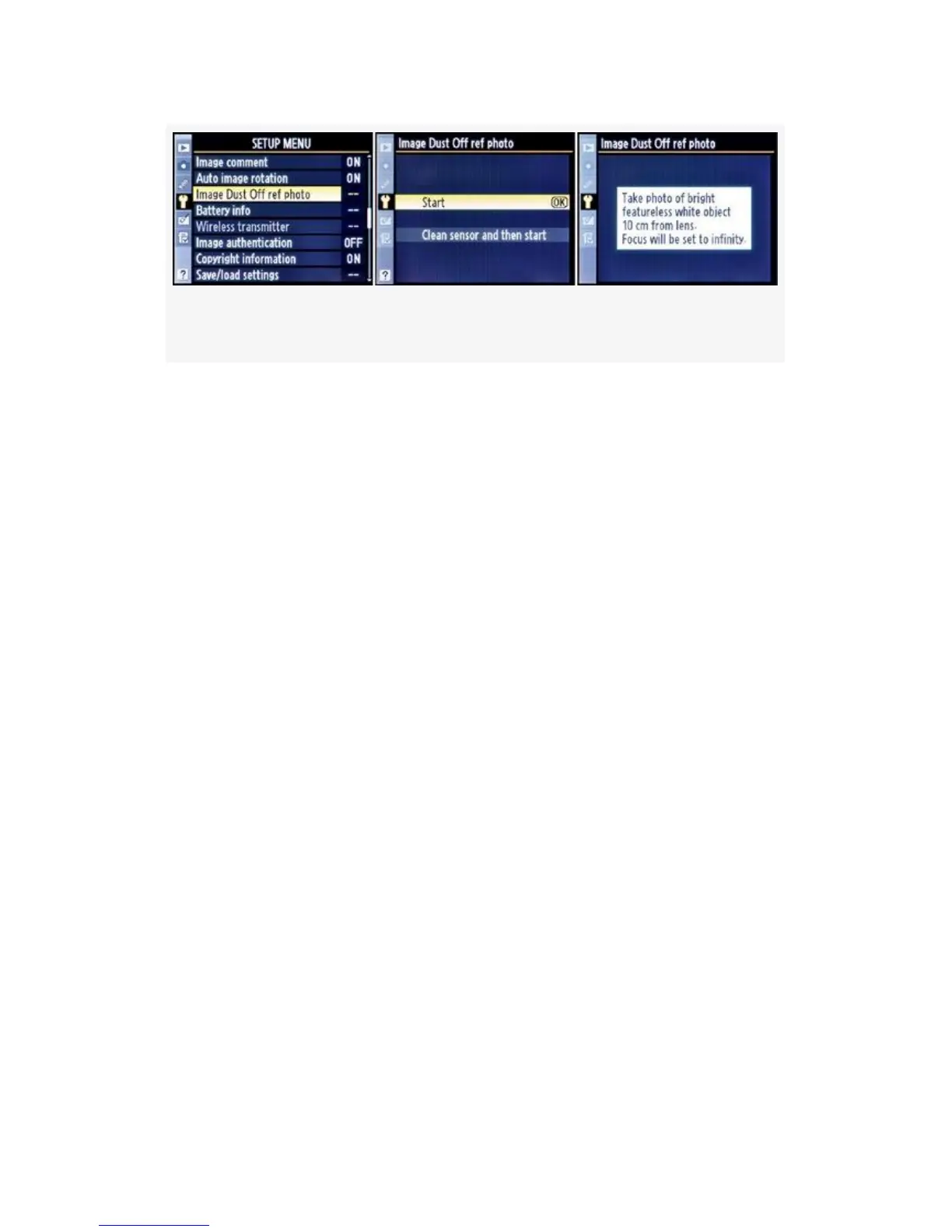
Figure 5-22. Image Dust Off ref photo screens
1. Select Image Dust Off ref photo (D300S) or Dust Off ref
photo (D300) from the Setup Menu and scroll to the
right. There is also a Clean sensor and then start
selection. However, since I want to remove dust on
current pictures, I won’t use this setting. It might remove
the dust bunny that is imprinted on the last 500 images I
just shot! I’ll clean my sensor after I get a good Image
Dust Off ref photo.
2. Choose Start and press the OK button. After you’ve
selected Start and OK, you’ll see the word rEF in the
Viewfinder and on the Control panel. This simply means
that we are ready to create the image.
3. Once the camera is ready, hold the lens about 4 inches
(10 cm) away from the blank subject. The camera will
not try to autofocus during the process, which is good
because you want the lens at infinity anyway. We are not
trying to take a viewable picture; we’re just creating an
image that shows where the dust is on the sensor. Focus
is not important, and neither is minor camera shake. If
you try to take the picture and the subject is not bright
enough, or if it’s too bright, you will see the screen
shown in Figure 5-23. If you are having problems with
474



 To Next Page