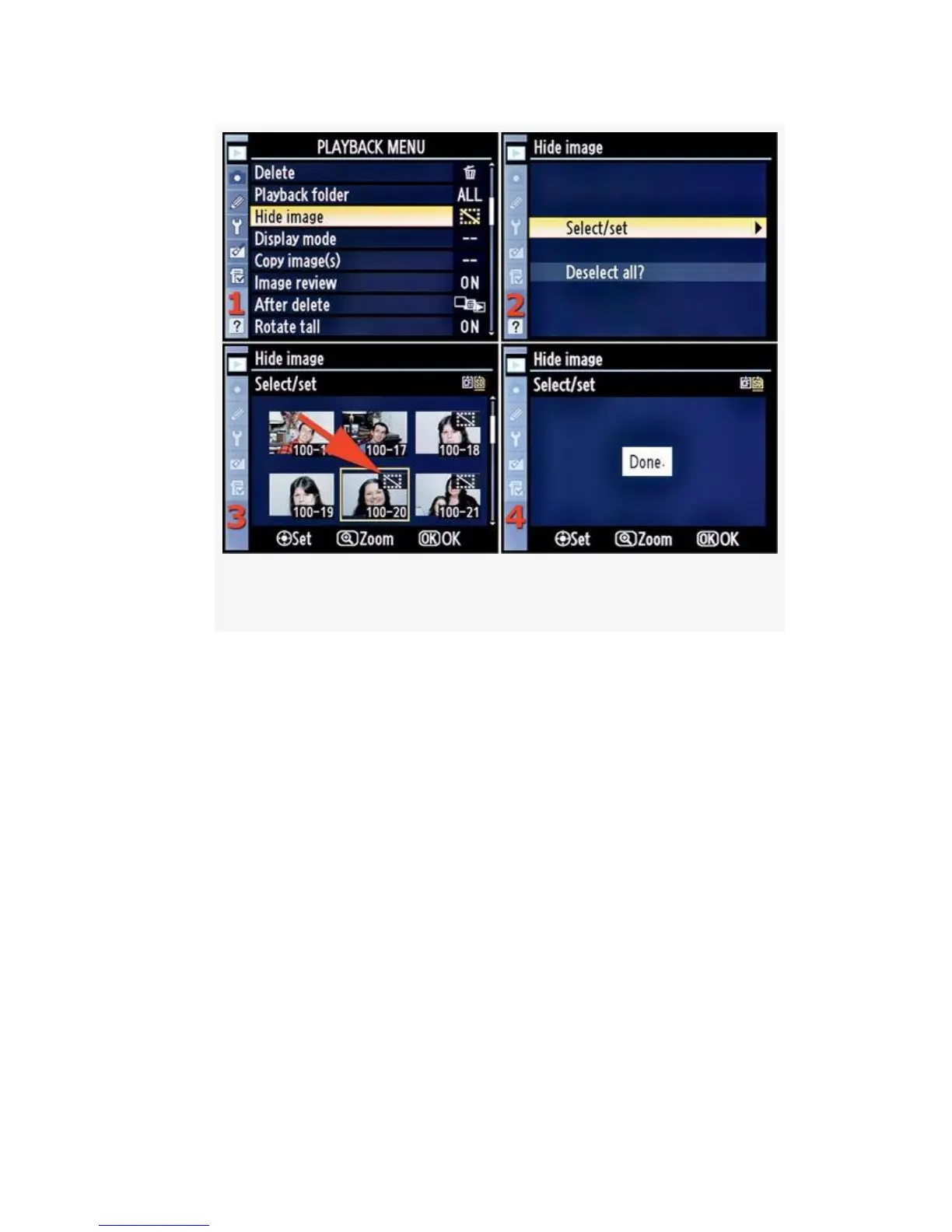
Figure 2-5. Hide image screens – Select/Set options
2. Press the Multi selector center button on the D300S or
the center of the Multi Selector on the D300. This selects
an image for hiding and places a small symbol in the
upper-right corner of the image thumbnail (see
Figure 2-5, image 3, red arrow). The hide symbol looks
like a slash with a dotted box around it.
3. Press the OK button to hide the selected image(s). The
camera will display a screen that says Done. Now the
hidden image(s) will not show up on the Monitor during
normal picture playback. However, it will still show up
in the Hide image selection screen.
The number of images reported does not change when you
hide images. If you have 50 images on the card and you hide
10, the camera still displays 50 as the number of images on
48



 To Next Page