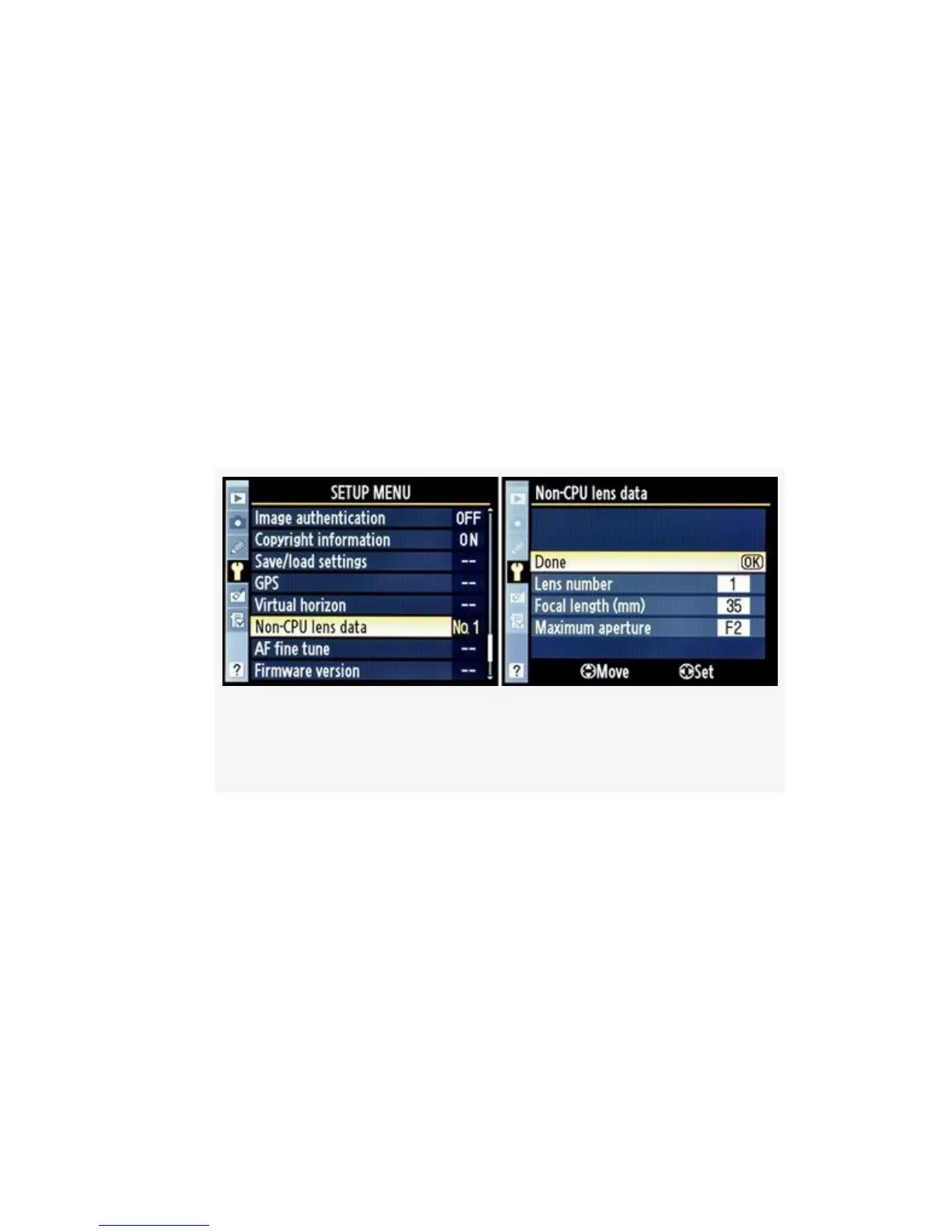
1. Select Non-CPU lens data from the Setup Menu and then
scroll to the right.
2. Scroll down to Lens number and scroll left or right until
you find the number you want to use for this particular
lens.
3. Scroll down to Focal length (mm) and scroll left or right
to select the focal length of the lens. If this is a zoom
lens, just select the widest setting. This works okay since
the meter will adjust for any light falloff that may occur
as the lens is zoomed out.
Figure 5-38. Non-CPU lens screens with lens No.1
showing
4. Scroll down to Maximum aperture and scroll left or right
to select the maximum aperture of the lens. If this is a
variable-aperture zoom lens, just select the largest
aperture the lens can use. This works fine since the meter
will adjust for the variation in the aperture.
5. Scroll to Done and press the OK button to store the
setting.
Here’s a more detailed analysis of the Non-CPU lens data
screen selections:
508



 To Next Page