Upgrading Your Camera’s Firmware
From time to time, Nikon will release a firmware upgrade for
your camera. You may want to install this upgrade because it
often fixes bugs, speeds things up, and even adds features to
your camera. Here are the screens and steps for actually doing
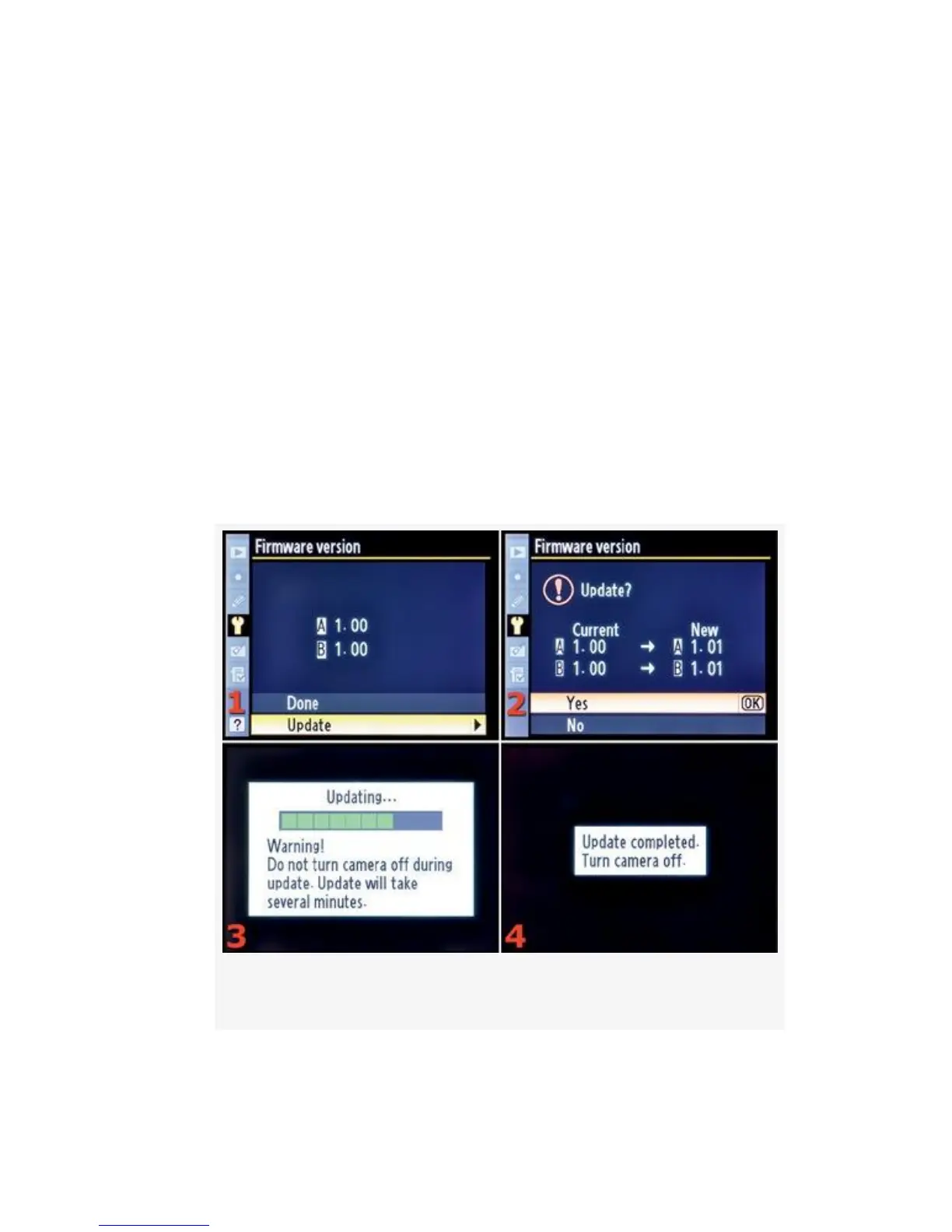
a firmware update (see Figure 5-47, continuing from
Figure 5-46):
1. Make a note of the pre-upgrade A and B Firmware
version numbers so that you can validate the update after
the process is finished. Format a memory card in the
camera in preparation for the update files.
Figure 5-47. Firmware version update screens
2. Turn off the camera and remove the memory card from
your camera. Insert it in a computer card-reader and
523



 To Next Page