Cyanotype, you can fine-tune the tint from almost nothing to
pretty saturated in three levels.
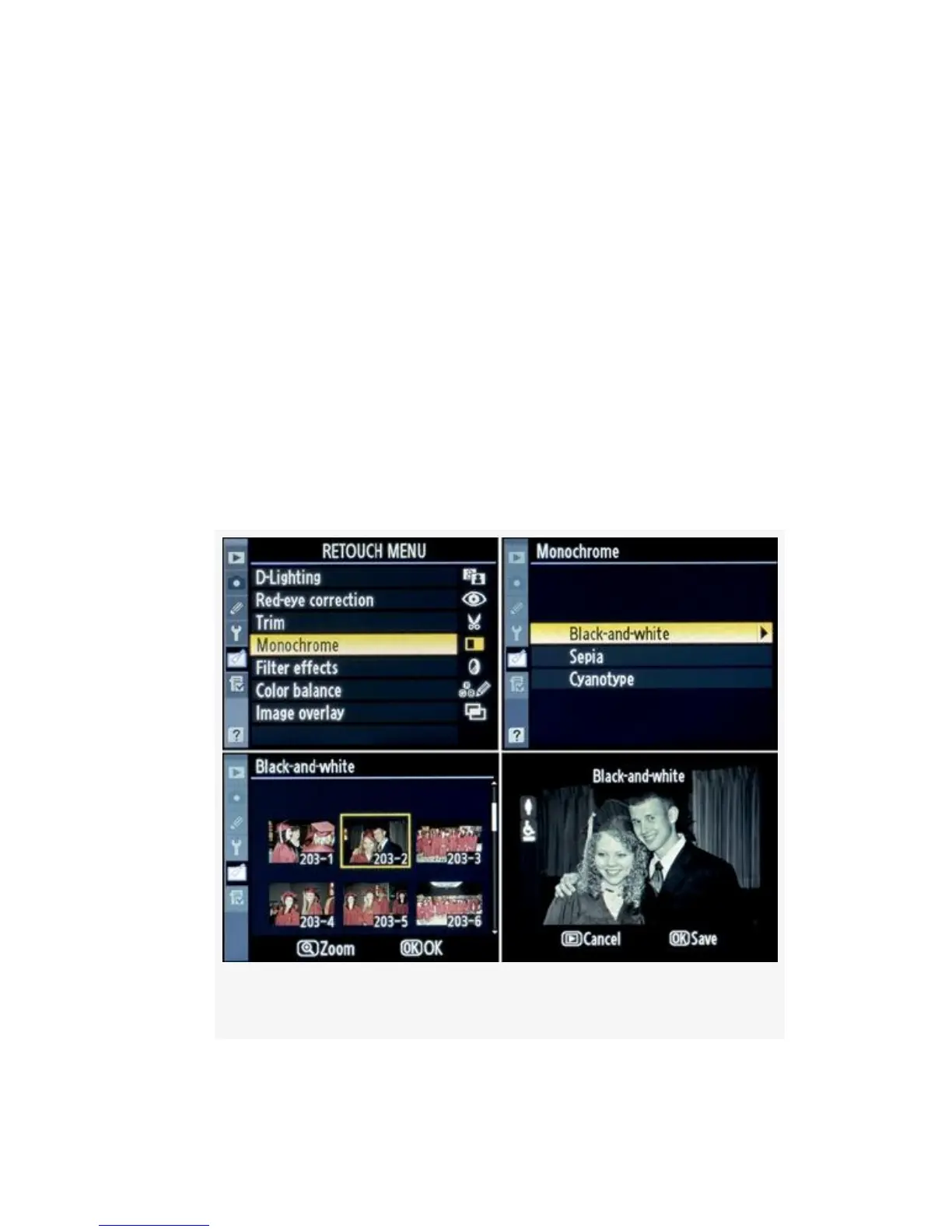
On the following page are the screens and steps to create a
Monochrome image from one of your color images (see
Figure 6-6):
1. Select Monochrome from the Retouch Menu and scroll
to the right (Figure 6-6, image 1).
2. Select a Monochrome tone—Black-and-white, Sepia, or
Cyanotype (Figure 6-6, image 2).
3. Select the image you want to modify (Figure 6-6, image
3).
Figure 6-6. Monochrome screens
539



 To Next Page